



I wanted to review RocketReach because it’s one of the tools people naturally compare with Apollo, Lusha and UpLead, but it’s not exactly the same kind of product.
RocketReach is strongest when you already have a person, title, company, LinkedIn profile or target account in mind and need to find contact details quickly. It feels more like a people-first contact lookup database than a complete outbound operating system.
That distinction matters. If you expect RocketReach to replace your CRM, deliverability setup and full sales engagement workflow, you will probably be disappointed. If you want broad lookup, saved contacts, CSV/upload workflows and some outreach features around that data, it can make sense.
The way I’d think about it’s this: RocketReach is useful when the hard part is identifying and reaching a specific person. It’s less useful when the hard part is designing a full outbound machine with enrichment logic, scoring, multi-step routing and reporting.
RocketReach Review Summary
Here is the short version: RocketReach is a strong contact lookup tool if you care most about finding professional emails, phone numbers and company records for people you already know how to target. It’s less convincing as a full lead generation and sales engagement platform.
- Best for: recruiters, individual SDRs (sales development representatives) and small teams doing people-first prospecting.
- Not ideal for: teams that need a complete outbound system, deep workflows or very predictable bulk costs.
- Pricing: free plan available; paid tiers move from email-only lookup to phone data, integrations and higher export volume.
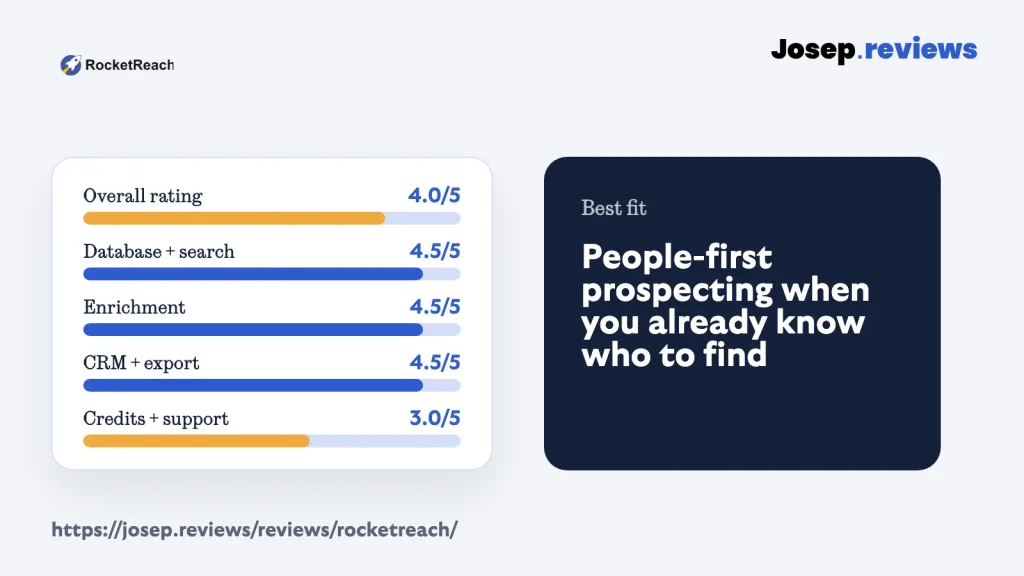
- My rating: 4.0 out of 5.
My main caution is trust and workflow fit. RocketReach has broad data and strong search, but any contact database needs a real bounce/phone test in your market before you scale it.
I also worked through the main in-app areas I could inspect: search, company lookup, list handling, upload flow and account-limit context. That was enough to judge the product shape without turning the test into a large export or a full outreach campaign.
My practical recommendation is to test RocketReach with a small, realistic list before you make a decision. Don’t only search for famous companies or obvious executives. Use the exact job titles, regions and company sizes your team actually sells to, then measure how many usable emails and phone numbers you get back.
Visit RocketReachWhat is RocketReach?
RocketReach is a sales intelligence and contact lookup platform. In practical terms, it helps you search for people and companies, find professional emails and phone numbers, save contacts, upload lists, export records and use contact data in sales or recruiting workflows.
The product is especially relevant when your process starts with a known target: a LinkedIn profile, a company, a role, a founder, a recruiter search or a list you already built somewhere else.
That’s why I’d place RocketReach closer to Lusha and UpLead than to Clay. It’s not trying to be a blank-canvas GTM workflow builder. It’s trying to help you search a large professional database, reveal useful contact details and organize the results.
I wouldn’t describe RocketReach as the most complete tool in this lead generation group. Apollo is broader for sales engagement, Clay is deeper for custom enrichment workflows, and UpLead is cleaner if verified email quality is the whole point. RocketReach is best understood as a broad lookup and list-building layer.
See RocketReach in action
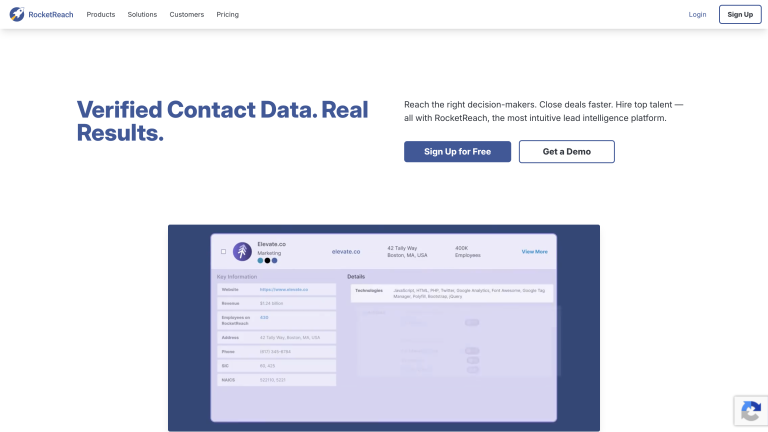
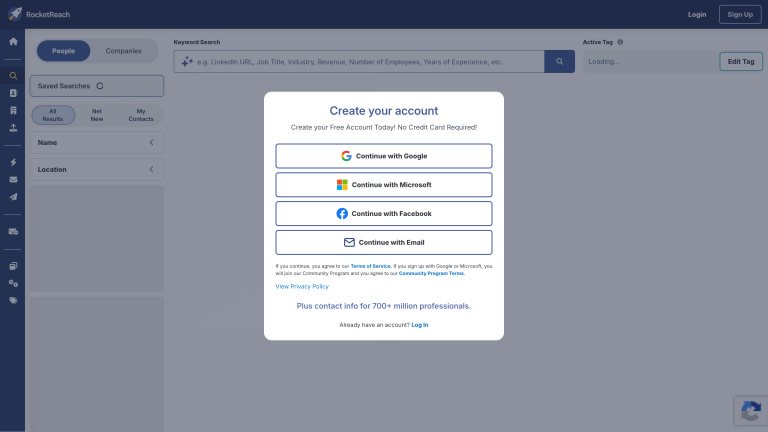
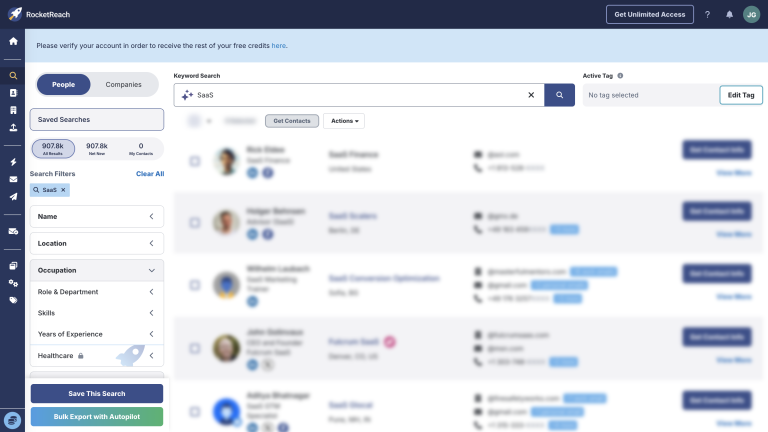
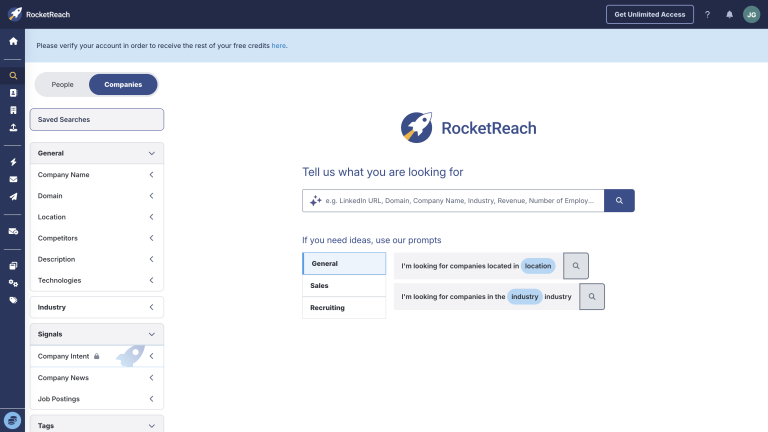
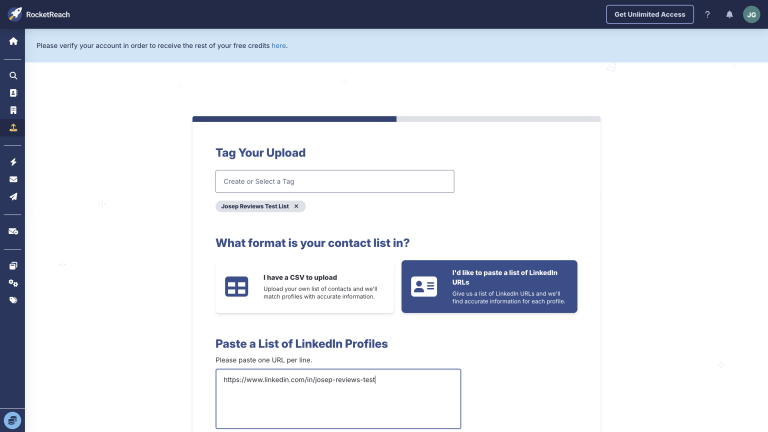
For the practical walkthrough, I focused on the RocketReach areas that matter before paying: homepage positioning, pricing, database search, in-app people search, company search and upload workflows. The useful questions are who can I find, how much does usable data cost, can I trust the results, and can I move records somewhere useful?
RocketReach pricing
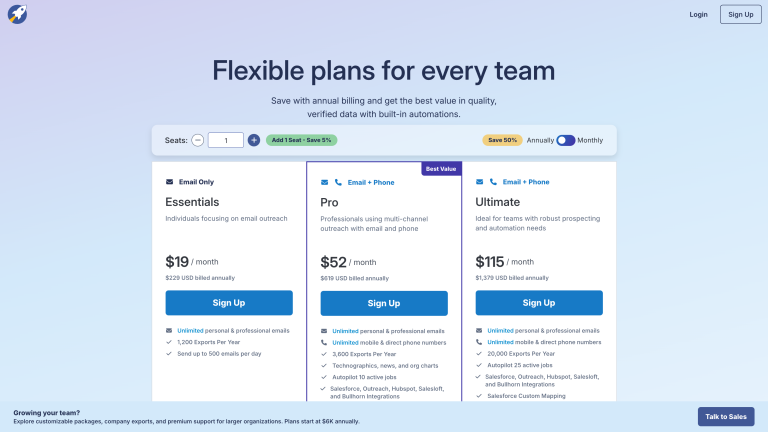
RocketReach has a free plan, which is useful for checking the interface and doing a small data-quality test. The self-serve tiers are easiest to understand by what they unlock: email-only lookup, phone numbers, integrations, API access and export volume.
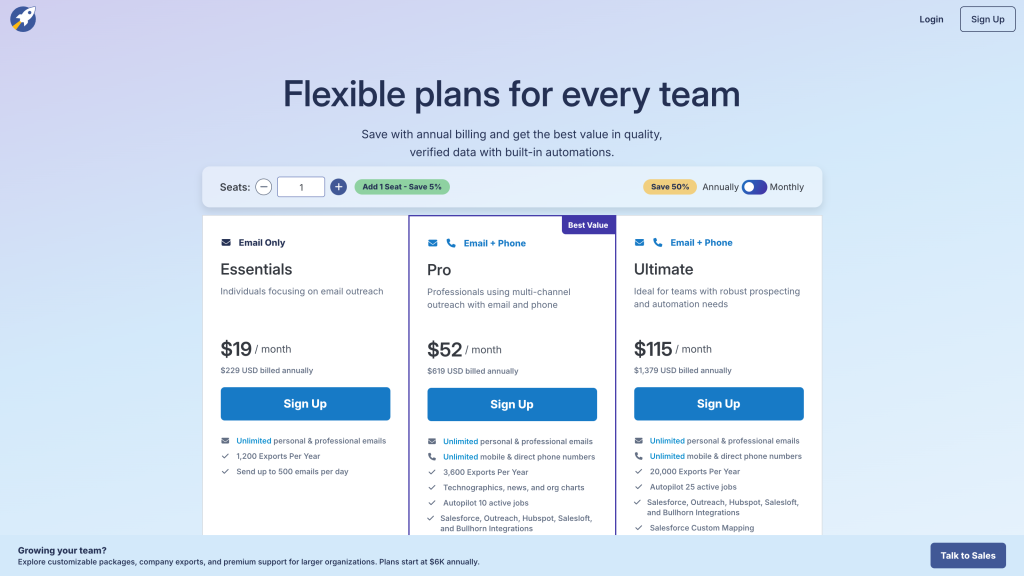
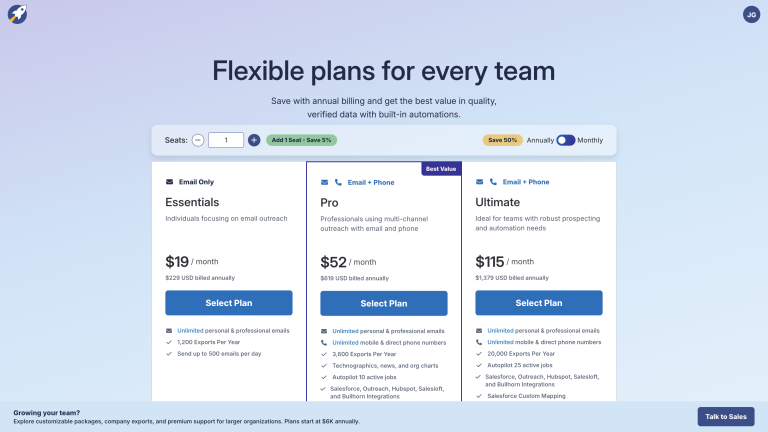
- Essentials: From $19/month annually, for email-only lookup and light exports.
- Pro: From $52/month annually, adding phone data, more exports and integrations.
- Ultimate: From $115/month annually, with higher exports, autopilot jobs and advanced options.
- Team/custom: Larger packages for shared usage, admin needs and custom limits.
The important detail is that the cheapest plan is email only. If your team needs mobile or direct phone numbers, Pro is the more realistic starting point. If you need API access, deeper automation or custom mapping, you need to check the higher tiers carefully.
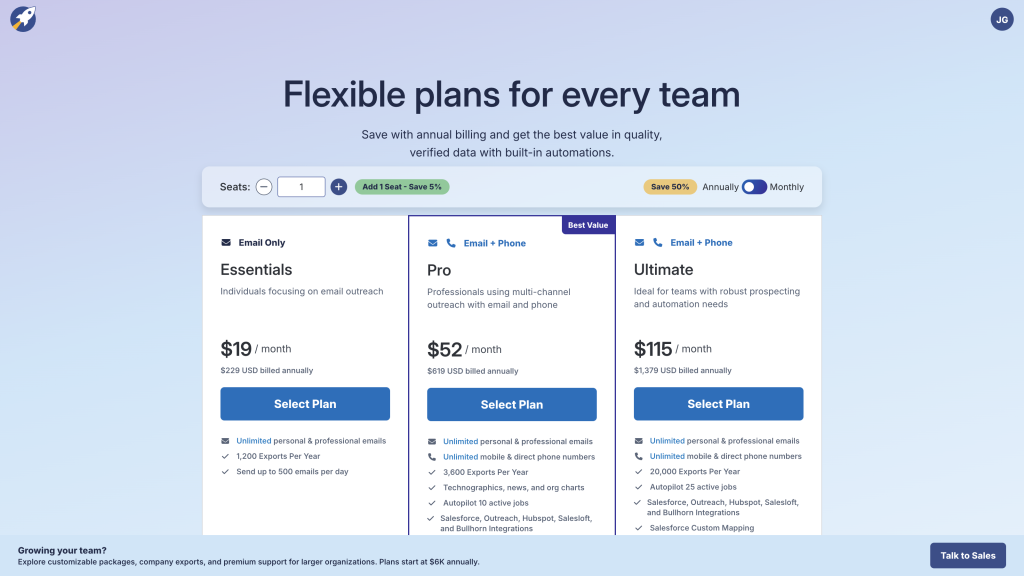
The other thing to watch is the difference between looking up a person, exporting records and using deeper workflow features. A plan can look cheap if you only think about one seat and a few email reveals. It can look very different once you need phones, team usage, exports, API access or CRM handoff.
My pricing advice is to model RocketReach around usable contacts, not list size. Pull a real sample, check bounce rate, check phone match rate, and then estimate the monthly cost for the number of contacts you’d actually use.
RocketReach is worth checking if your priority is broad people search, contact lookup and simple list handling, not a full outbound platform.
RocketReach pros and cons
Pros
Very broad contact coverage
Coverage is the standout: RocketReach claims over 700 million professional profiles and tens of millions of companies, which makes it strong when you already know which people or accounts you want to reach and just need their details.
Easy to use day to day
You sign up, search for a person or company, and reveal email and phone details in a few clicks via the web app or Chrome extension, with most reviewers calling it straightforward to learn.
Good integrations for handoff
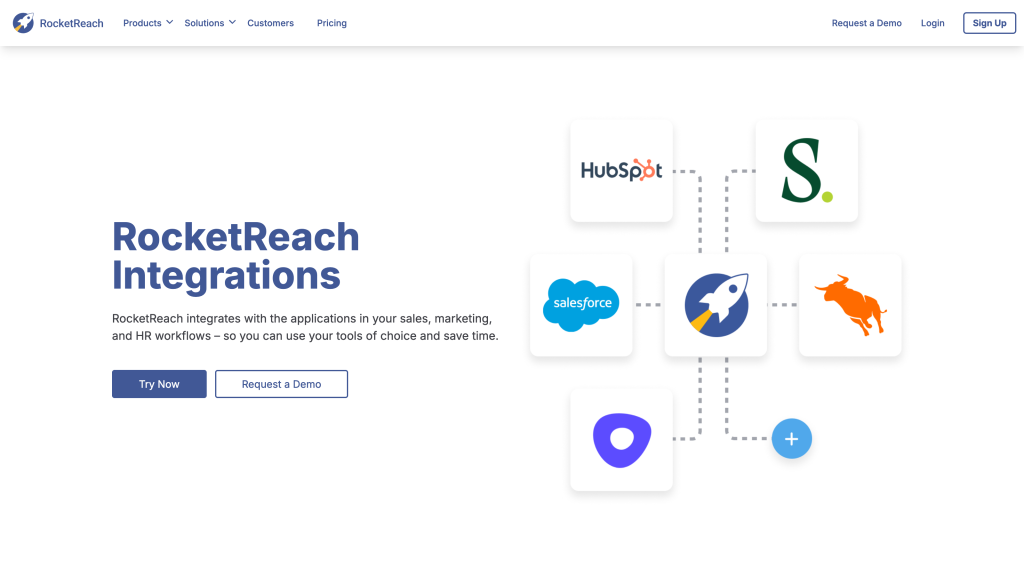
Contacts can be exported to CSV or sent into tools like Salesforce, HubSpot, Salesloft and other sales platforms, often through native integrations or Zapier, so it plugs cleanly into existing stacks.
Filters that match ideal customer profiles
Advanced search lets you combine job title, seniority, company size, industry, and location, plus AND/OR logic, so you can build focused lists instead of broad, messy exports.
Cons
Accuracy varies by segment
Email validation and confidence icons help, but user reviews repeatedly mention outdated records, bounces, and wrong or disconnected phone numbers, especially outside core markets or in niche industries.
Sequencing isn't a full platform
Built-in sequences work for simple multi-step email campaigns, but they lack the deeper routing, deliverability control, and reporting of dedicated outbound tools, so most teams will still run serious campaigns elsewhere.
My take on RocketReach
After reviewing RocketReach, my take is that it's good for broad contact lookup, but not the most complete lead generation platform in this group.
I'd recommend RocketReach if your team already knows the people, accounts or roles it wants to target and mainly needs emails, phone numbers, saved contacts and exports.
I'd be more cautious if you need a full outbound workflow, advanced enrichment logic, predictable high-volume costs or strong hand-holding during setup. In those cases, Apollo, Clay or UpLead may fit better depending on the workflow.
The biggest mistake would be judging RocketReach only by database size. A large database is useful, but the real question is how many contacts are usable for your specific target market, and whether your team has a clean process for verifying, exporting and following up.
Overall, I rate RocketReach 4.0 out of 5. The database and search are strong, but the value depends heavily on how accurate the returned contacts are for your actual market.
RocketReach ratings
How I reviewed RocketReach
For this RocketReach review, I looked at it as a small sales, recruiting or growth team would: can I search for the right people, find useful emails and phones, manage lists, upload data, export records and understand the limits before paying?
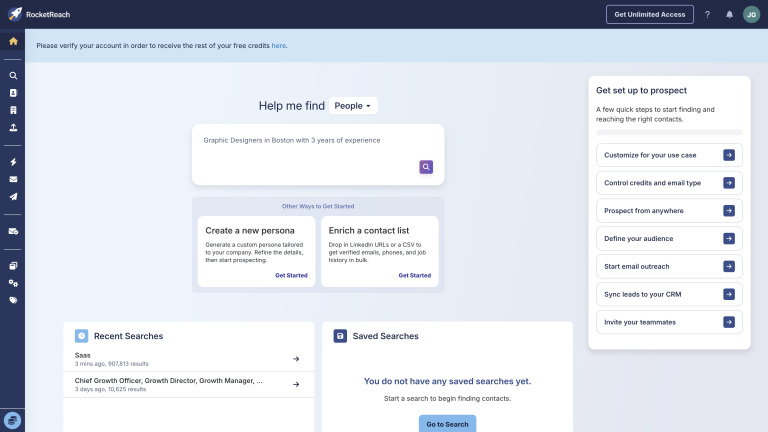
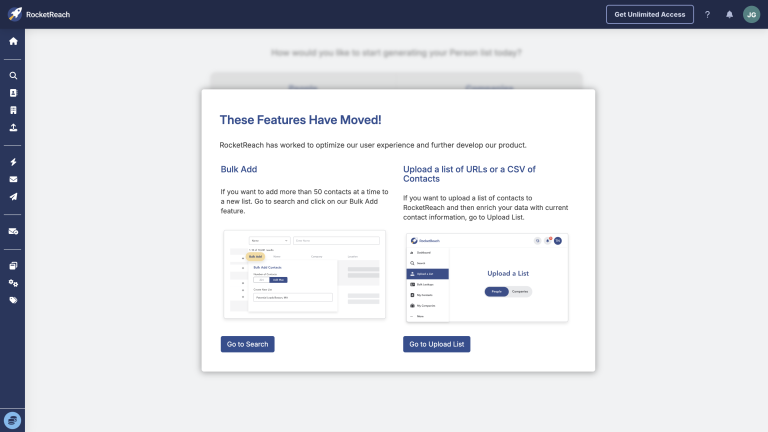
I focused on the journey from finding a known prospect to deciding whether the contact is usable: account setup, people search, company search, contact reveal, list handling, uploads, exports, sequences, credit limits, API/integrations and privacy controls.
Where a full campaign test would have created unnecessary exports or outreach, I kept the test to safe sample workflows and judged whether a small sales or recruiting team could estimate match rate, data quality and cost before scaling.
For the hands-on part, I focused on what a realistic buyer could verify without abusing the account: how search filters are laid out, how company search behaves, where lists and uploads live, how pricing/limits are presented and whether the interface feels more like a lookup tool or a full sales workflow platform.
My scoring is practical. RocketReach gets high marks for database breadth, search, email finding, enrichment and list handling. It loses points where buyers need to be careful: accuracy, support, credit/export planning, free-account limits and whether it really replaces an outreach workflow.
Key RocketReach features
People search and contact lookup
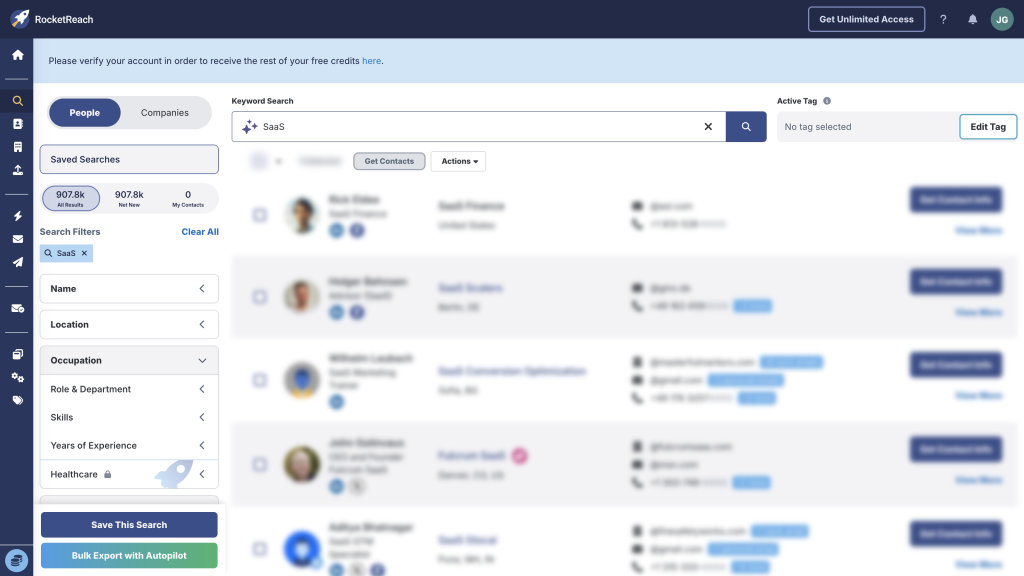
RocketReach is strongest when you need to search for people and reveal contact details. The people search workflow is direct: filter by role, company, location or related criteria, then decide which contacts are worth saving or revealing.
This is a good fit for recruiters, founder-led sales, individual SDRs (sales development representatives) and teams that already know the profiles they want. It’s less ideal if you need the tool to tell you the full outbound strategy from scratch.
The practical advantage is speed. If you already know that you need, say, heads of partnerships at a specific group of SaaS companies, RocketReach gives you a straightforward way to search, inspect profiles and move the promising records into a list.
Company search and account context
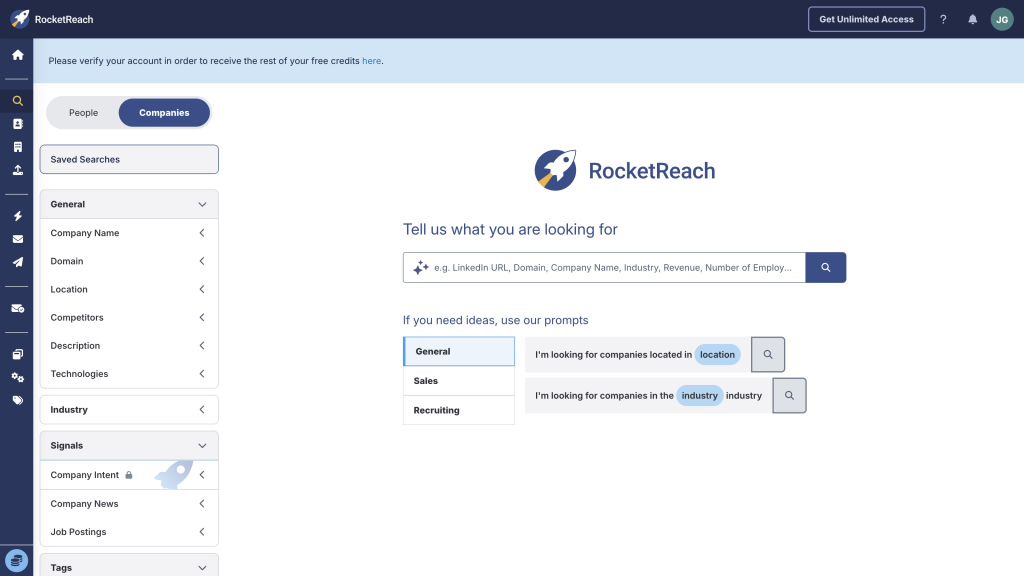
RocketReach also supports company search, which helps when your workflow starts from target accounts rather than individual names. The account context is useful for simple research, list building and deciding which people inside a company are worth checking.
I wouldn’t confuse that with the deeper account intelligence you get from more expensive enterprise platforms. It’s useful context, not a complete account-based marketing system.
For small teams, that may be enough. You often don’t need a complex intent-data dashboard if your first goal is simply to find the right people at the right companies and avoid spending hours jumping between LinkedIn, company websites and spreadsheets.
Upload lists and enrich missing data
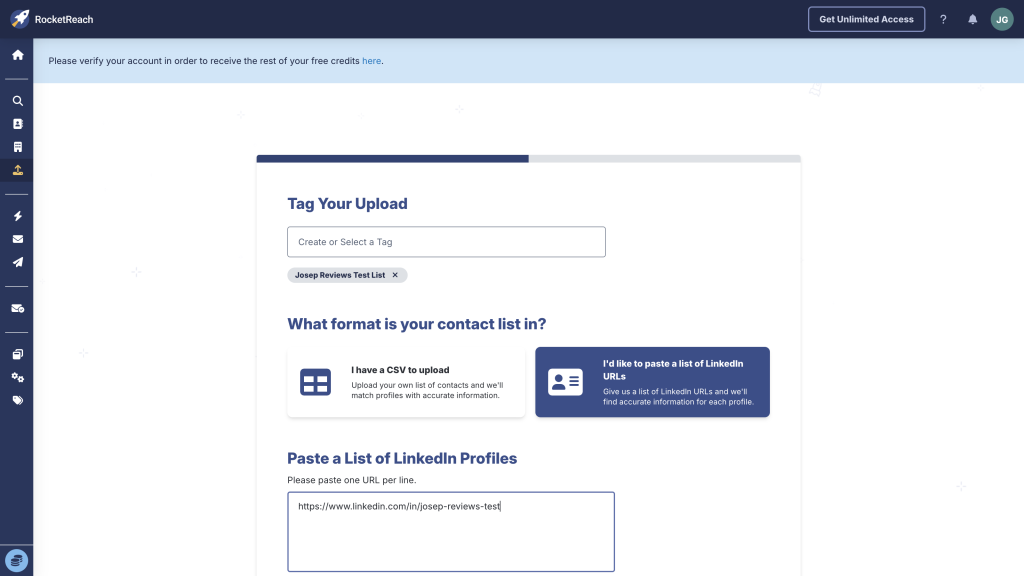
RocketReach supports upload workflows, which matters if you already have a spreadsheet, LinkedIn-led shortlist or partial CRM data. This is useful when you want to check whether an existing list can be enriched instead of starting from scratch.
This is one of the more practical RocketReach use cases: start with people you care about, then use RocketReach to fill missing contact data. The result still needs quality control before sending.
I’d pay attention to match rate here. A tool can technically support bulk enrichment and still be a bad fit if it only matches a small percentage of your real contacts, or if it returns too many generic emails, stale roles or phone numbers your team can’t use confidently.
Contacts, lists and exports
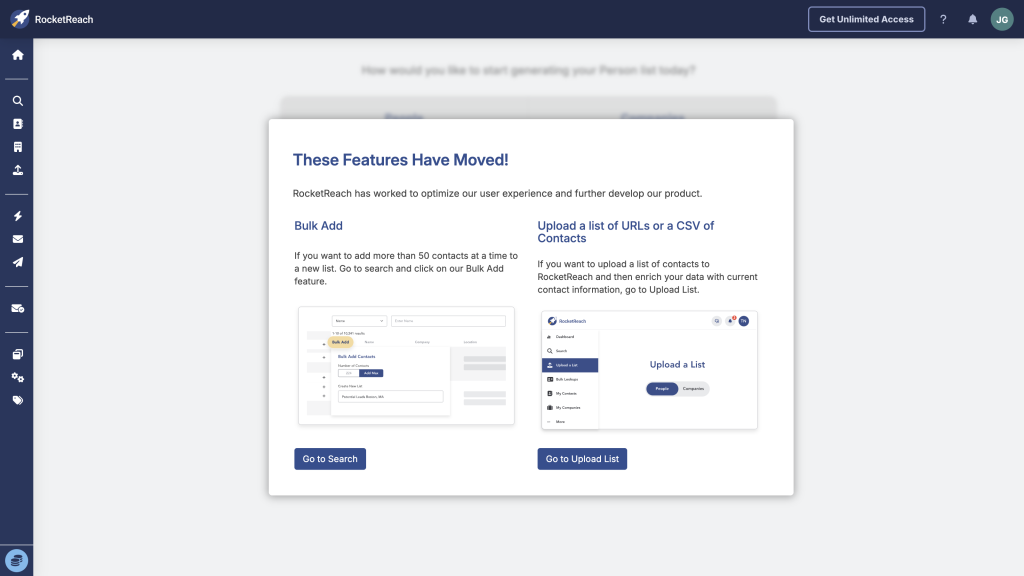
RocketReach has saved contacts, tags, list-style organization and export workflows. Those saved lists and exports keep it from feeling like a one-off lookup tool and make it easier to hand data into a CRM or outreach platform.
The main thing I’d check is how many exports your plan actually includes and whether your team can manage duplicates, ownership and cleanup comfortably.
This is also where RocketReach becomes more useful for repeat work. A single lookup is nice, but saved lists and exports are what turn the product into a workflow your team can repeat each week.
Sequences and outreach
RocketReach includes sequences and outreach-adjacent features. That’s useful if you want a lightweight way to act on contact data, but I wouldn’t choose RocketReach primarily for sophisticated sales engagement.
If outreach is the center of your workflow, compare it carefully with Apollo or a dedicated cold-email platform. RocketReach is more convincing as the data and lookup layer.
That doesn’t make the outreach tools useless. They can be enough for simple tests, founder outreach or recruiting follow-up. I just wouldn’t base a mature outbound program on them without checking reporting, inbox safety, follow-up rules and team controls first.
Privacy and legal safety
RocketReach publishes privacy and opt-out material, which is essential for any contact database. That helps, but it doesn’t remove your responsibility to use data carefully.
If you export data into another system, make sure opt-outs, suppression lists and regional rules follow the data. This is especially important if you use RocketReach for recruiting, international prospecting or phone outreach.
A respectful setup would usually include a few basic habits:
- Only export contacts that clearly fit the role, account or hiring profile you’re targeting.
- Keep opt-outs and suppression lists synced between RocketReach, your CRM and your sending tool.
- Use clear sender details, honest subject lines and simple unsubscribe paths.
- Be more careful in stricter regions and avoid storing more personal data than you need.
My rule here is simple: treat RocketReach as a source of business contact data, not permission to contact everyone you can find. The more data you export, the more disciplined your suppression and compliance workflow needs to be.
Final verdict
My final verdict is that RocketReach is a strong contact lookup tool, but not my first pick if you want a complete lead generation system.
I’d choose RocketReach if your workflow is people-first: search for a known type of person, reveal contact details, save the useful records and move them somewhere else.
I wouldn’t choose RocketReach if you want the most guided setup, the deepest enrichment workflows or the strongest native outreach platform. For that, Apollo or Clay will often be more compelling.
Overall, RocketReach earns a 4.0 out of 5. It can be very useful, but only after you test accuracy and cost with your own target market.
RocketReach alternatives



Apollo is better than RocketReach if you want contact data, enrichment and outreach in one broader sales platform. RocketReach is cleaner for people lookup, but Apollo is better when you need sequences, CRM workflows and a more complete outbound workspace.
Lusha is better than RocketReach if you want a simpler contact finder with less feature clutter and a lighter learning curve. RocketReach has broader lookup depth, but Lusha is easier when quick email and phone reveals are the whole job.
UpLead is better than RocketReach if verified email quality, list cleaning and CRM export matter more than broad people lookup. RocketReach is broader, but UpLead is better when you want cleaner data, clearer credits and fewer outreach-side distractions.
Frequently asked questions
RocketReach can be good for small B2B teams that need people search, email lookup, phone numbers and simple exports. It’s less ideal if you need a full outbound sales platform.
No. RocketReach includes email lookup, phone lookup, company search, saved contacts, uploads, exports, browser-extension workflows and some sequencing features.
RocketReach can be useful, but accuracy should be tested in your own market. I’d check bounce rate and phone match rate before relying on it for a large campaign.
Yes, RocketReach offers mobile and direct phone numbers on higher paid plans. The entry Essentials-style plan is mainly for email lookup, while Pro and Ultimate-style tiers are the ones to check if phone data matters.
RocketReach includes sequencing and email-sending features, but I wouldn’t treat it as the strongest dedicated sales engagement platform. It’s more convincing as a contact data and lookup tool.
RocketReach is worth it if you need broad people-first lookup and the returned contacts are accurate for your market. It’s less worth it if you need deep workflows, predictable high-volume costs or all-in-one outbound.
Comment