



I wanted to review Clay because it’s easy to misunderstand. It’s often mentioned next to Apollo, Lusha or UpLead, but it’s not really the same kind of tool. Clay is closer to a workflow builder for lead data: you bring in companies or people, enrich them from different sources, add AI research, score them and push the finished records into the rest of your sales stack.
That makes Clay very powerful if you already know what a good prospect looks like. It also means Clay is probably overkill if you just want to find a few email addresses from LinkedIn and move on.
Clay Review Summary
Here is the short version: Clay is excellent if you want to build repeatable lead generation workflows using enrichment, AI research, multiple data providers and CRM sync. It’s not the tool I’d give to a beginner who only needs a simple contact database.
- Best for: sales and growth teams that want flexible enrichment workflows.
- Not ideal for: casual users, quick email lookup, or teams without someone to own the setup.
- Pricing: free plan available; Launch starts from $167/month on annual pricing.
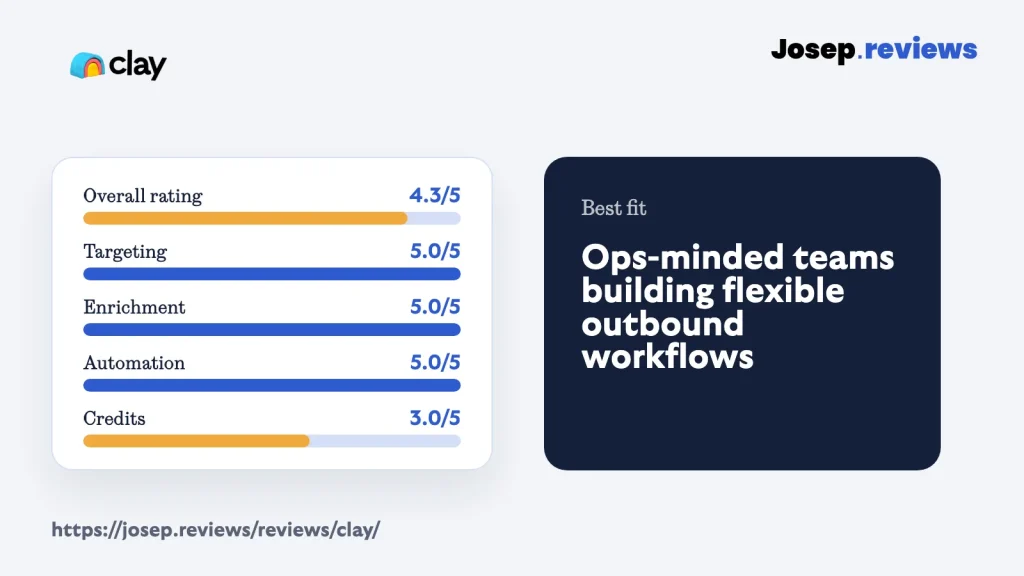
- My rating: 4.3 out of 5.
My main caution is complexity. Clay can do more than most tools in this group, but you need to understand tables, sources, data providers, waterfalls, Data Credits and Actions before you can judge the real cost.
I’d test Clay with one real workflow before paying. For example: upload or build a small account list, enrich contacts, verify work emails, add one useful research column and send the finished records into your CRM.
Visit ClayWhat is Clay?
Clay is a spreadsheet-style workspace for finding, enriching and routing B2B leads. You can start from a company list, a CSV, a CRM source, a webhook, Clay’s own list builders, or data scraped from the web. Then you add columns that enrich records, verify emails, research accounts, score leads or send data somewhere else.
The easiest way to explain Clay is this: Apollo is more like a ready-made sales platform, while Clay is more like a custom data workshop. You decide the steps. Clay helps you run them repeatedly.
For example, you could start with 500 software companies, find marketing leaders, verify their work emails, check each company website for a specific buying trigger, score the best accounts and send only the useful records into HubSpot. That’s the kind of workflow where Clay starts to make sense.
See Clay in action
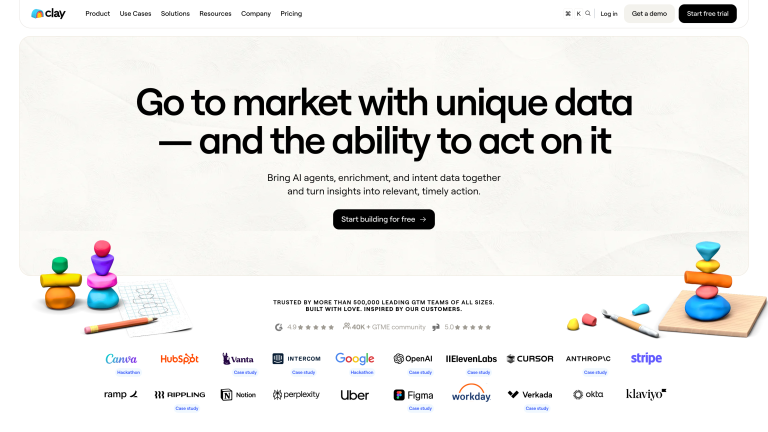
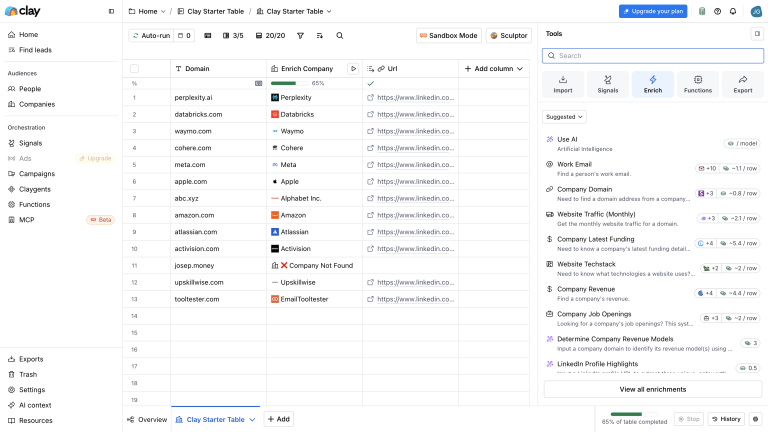
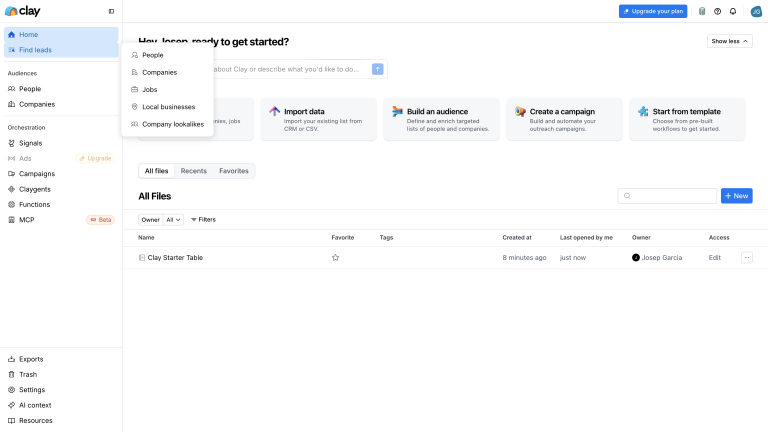
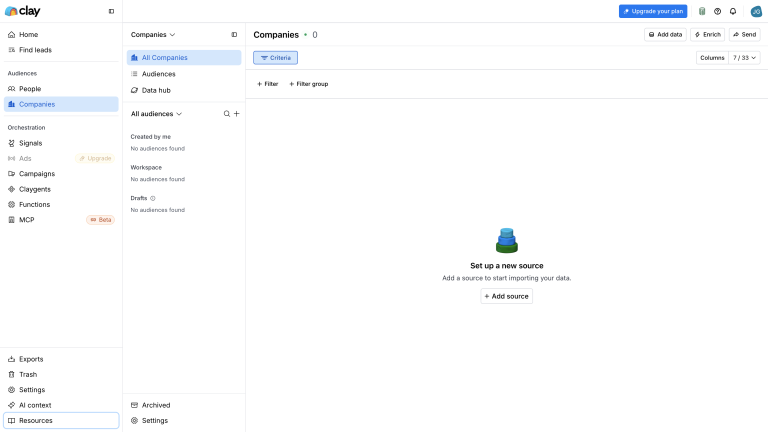
For the practical walkthrough, I focused on the Clay areas that matter before paying: homepage positioning, pricing, the backend workspace, enrichment tools, the Find Leads menu and company-audience setup. The key questions are whether Clay can build better lists, enrich them with useful data, automate the work and justify the cost.
Clay pricing
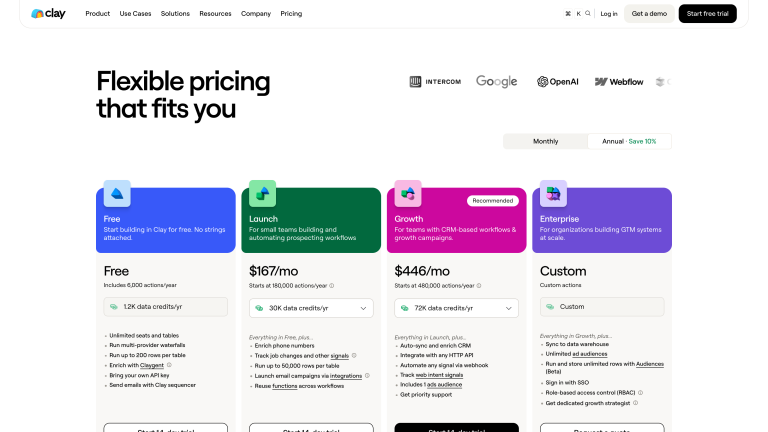
Clay has a free plan, and I do think it can make sense if you’re just starting with lead generation, have almost no budget, or want to learn how Clay works before paying. The reason I wouldn’t treat it as a full outbound plan is that the limits are tight: you can test the workflow, build a small sample and understand the product, but a repeatable prospecting process will usually need a paid plan. The first paid tier is Launch from $167/month on annual pricing, which already tells you Clay isn’t trying to be the cheapest email finder.
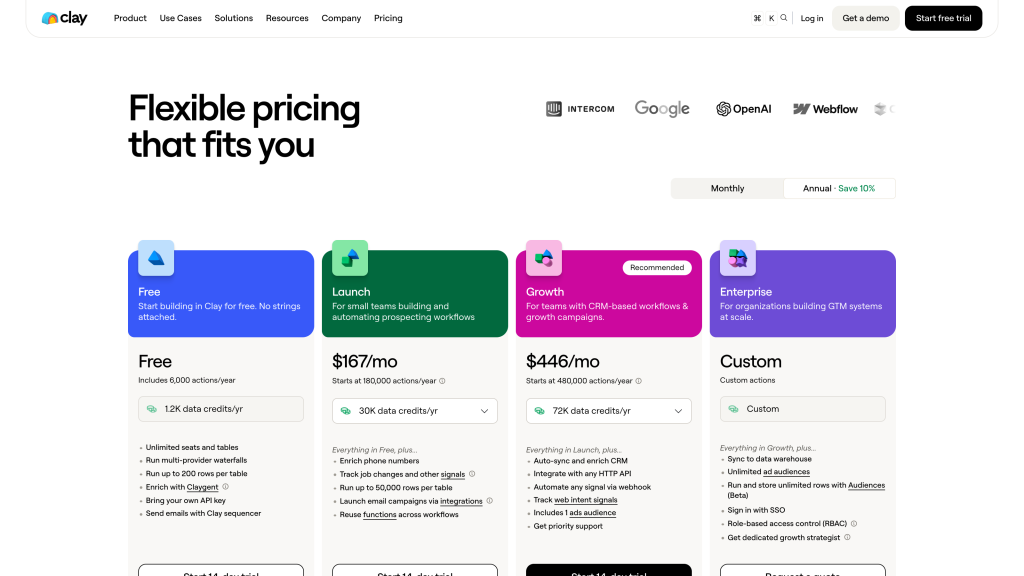
- Free: 500 actions/month, 100 Data Credits/month and 200 rows/table for testing.
- Launch: From $167/month annually, with 15,000 actions/month for first real workflows.
- Growth: From $446/month annually, with more usage, CRM workflows and priority support.
- Enterprise: Custom plan with SSO, RBAC, strategy support and advanced controls.
The important pricing detail is that Clay has two meters: Data Credits and Actions. Data Credits are used when Clay buys third-party data for you, such as work emails, phone numbers or company data from its provider marketplace. Actions measure the work Clay performs, such as enriching rows, running AI research, exporting data or sending records to another system.
This is powerful because Clay can combine more than 150 data providers and only move to the next one when the first one doesn’t find what you need. That’s called a waterfall, which simply means trying providers in order until a useful result is found.
It also means the cheapest-looking plan isn’t always the best fit. A small team enriching emails only may be comfortable on Launch. A team using phone numbers, AI research, CRM sync, webhooks and large account lists may burn through usage much faster.
Test Clay before you commit
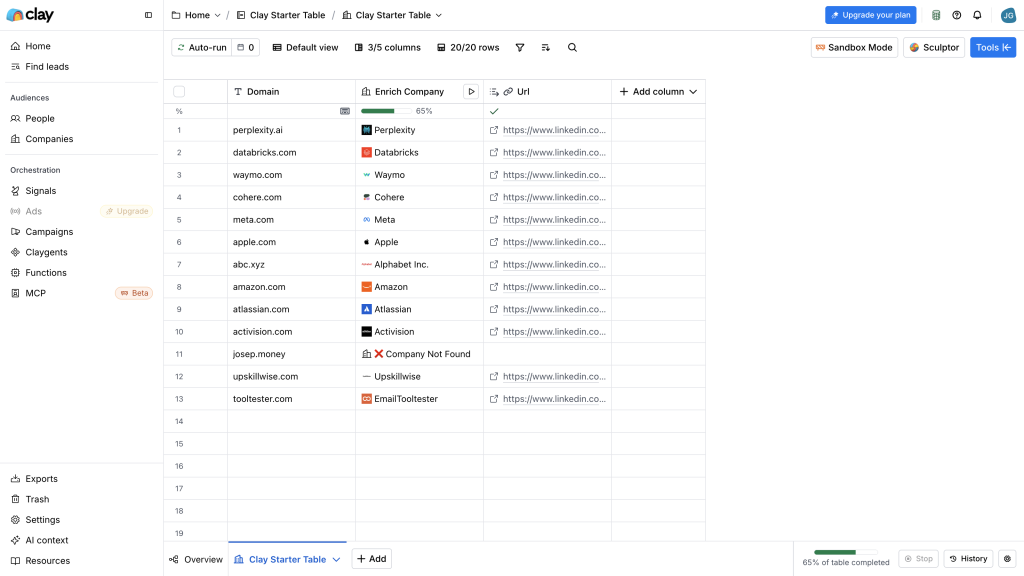
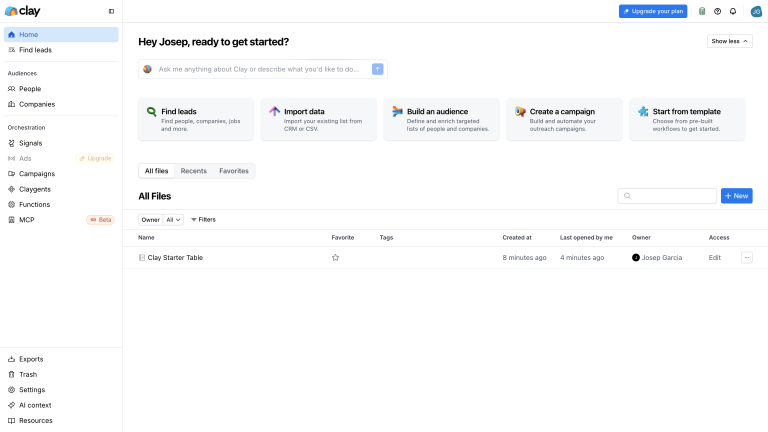
In my hands-on test, I used a small starter table rather than a large lead list. Clay kept the workflow table-like and visible, including when a company could be matched and when it couldn’t. That’s exactly the kind of controlled sample I’d run before paying: enough to check whether Clay can find useful data for your market, without turning it into a giant export.
My practical advice is to build a sample workflow first, then estimate the monthly cost from that. Clay can be good value if it replaces several tools and creates better sales lists, but it’s expensive for simple lookup.
Clay is worth checking out if your team wants custom enrichment, AI research and automated lead workflows, not just a static contact database.
Clay pros and cons
Pros
Workflow flexibility for complex outbound
You can design your own lead generation system instead of being boxed into a fixed template. Sources, enrichment steps, scoring and CRM updates can all sit in one workflow, so a good sales process becomes repeatable instead of manual.
Very strong enrichment and research options
A basic company list can become a much richer dataset. Work emails, phone numbers, job titles, company details, hiring signals, technology data and AI research can all live in the same table.
Broad data coverage through waterfalls
The waterfall setup is useful when one data source isn’t enough. It can check 150+ providers in sequence, so if one source misses a contact, another can try before the workflow gives up.
Flexible integrations and data handoff
Enriched records can move into HubSpot, Salesforce, webhooks, external APIs and other connected tools. That matters because the final lead record needs to land where the sales team actually works.
Useful sequencing and sending controls
The native email sequencer, sending limits, blocklists and deliverability guidance make outreach easier to connect to the data workflow. I’d still treat sending carefully, but it reduces some of the tool switching.
Strong security and compliance posture
The public Trust Center and security material are reassuring for a data tool. They don’t remove your responsibility when contacting people, but they show a more mature posture than many smaller providers.
Cons
Learning curve is real
Setup takes real learning, because you need to understand sources, Data Credits, Actions, waterfalls and table logic before results become reliable. It’s better for operations-minded people than for someone who just wants to click filters and export a list.
Not a mobile-first tool
Most real work happens in a desktop browser. The Chrome extension helps pull data from websites, but there’s no meaningful mobile-first workflow, so it’s not ideal if you want to prospect or manage lists while moving around.
Credit model needs planning
The two-meter model gives flexibility, but it also makes costs harder to predict. Data Credits and Actions can climb quickly if you add phone enrichment, AI research, exports or large account lists without modelling the workflow first.
Results depend on setup
Data quality depends on the providers and workflow you choose. Coverage is strongest when you target North America with the right sources, but Europe, Asia-Pacific, niche industries and phone-number use cases may need more testing and provider tuning.
Can get expensive quickly
Clay is powerful, but it isn’t cheap. Paid plans start higher than simple contact finders, and Data Credits plus Actions can add up fast if you run enrichment, AI research, phone lookup or large workflows.
My take on Clay
After reviewing Clay, my take is that it's one of the best tools in this group for serious lead data workflows. It's excellent for teams that want to build a more intelligent outbound process rather than simply export a list of emails.
I'd recommend Clay if your team has someone who can own the setup, test data providers, model credits and turn your best prospecting process into a reusable workflow.
I wouldn't recommend Clay if you only need a quick contact lookup tool. In that case, Apollo, Lusha or UpLead will usually feel easier and cheaper.
Overall, I rate Clay 4.3 out of 5. The ceiling is very high, but the learning curve and credit model stop it from being the easiest first choice for every small team.
Clay ratings
How I reviewed Clay
For this Clay review, I looked at it as a small B2B team with serious outbound plans would: can it find the right companies and people, enrich records, verify contact data, automate research, manage credits and send clean data into a CRM or outreach tool?
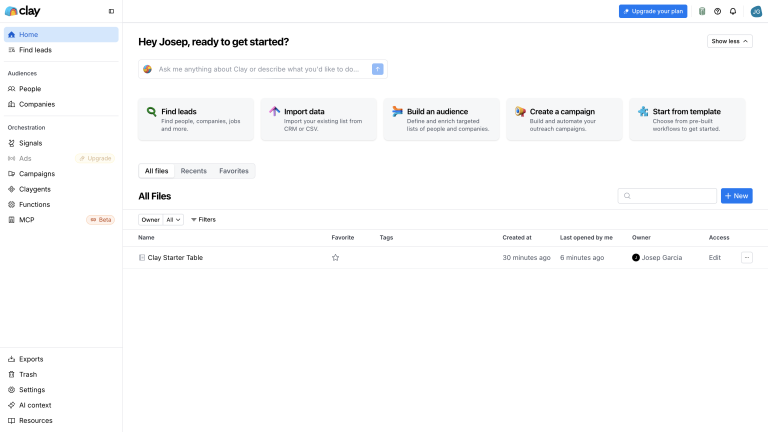
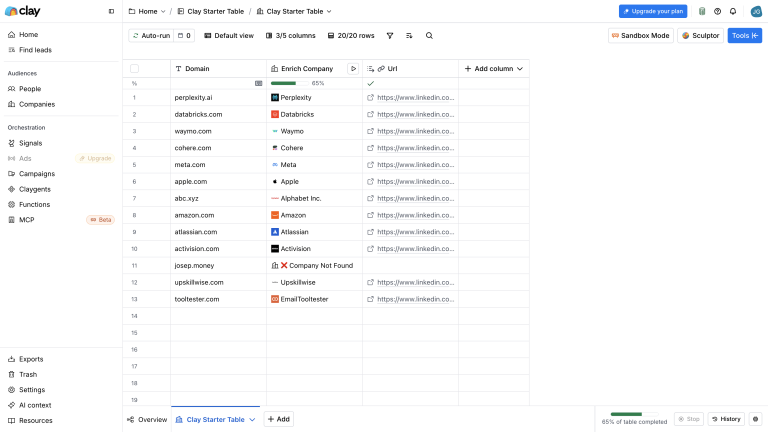
I used the Clay research spreadsheet for the rating table, pros and cons, then checked the public product pages, pricing page, help documentation, trust material and independent reviews.
I also worked through a small starter-table workflow to see how Clay handles table setup, enrichment result states, company matching, Find Leads and company-audience setup. That was enough to judge the workflow shape without turning the test into a large export or a full outreach campaign.
I paid extra attention to the areas that decide whether Clay is worth it: enrichment depth, targeting flexibility, workflow automation, CRM handoff, usage limits and beginner friendliness.
My scoring is practical rather than feature-count driven. Clay gets high marks where it can build a better lead generation system, and loses points where a small team could struggle with setup, cost modelling or data-provider choices.
Key Clay features
List building and targeting
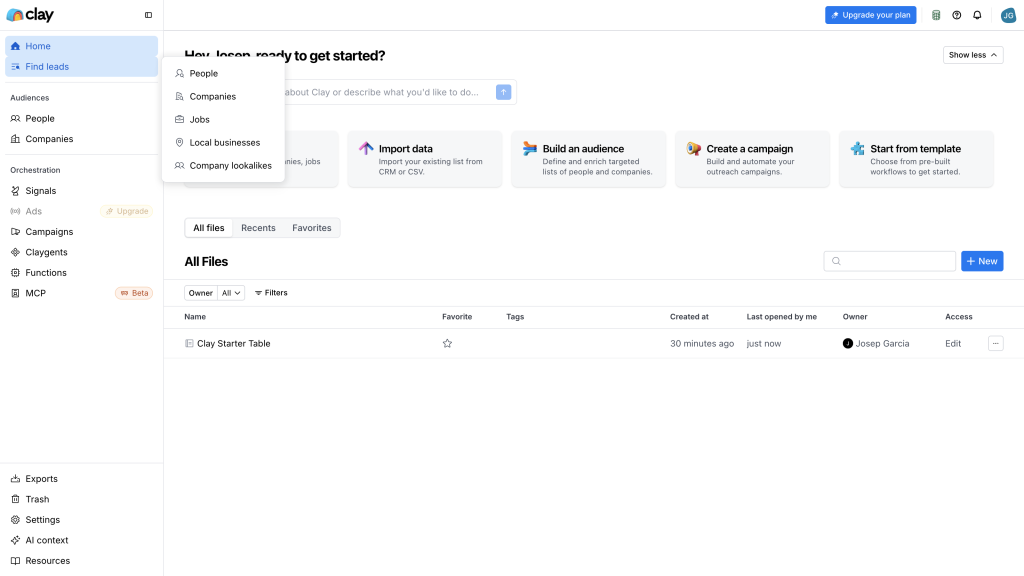
Clay is strongest when your targeting needs more than a normal search form. You can start from a list of companies, use Clay’s company and people finders, import a CSV, pull from your CRM or collect data from the web.
The useful part is that you can then add more context. For example, you might enrich each company with size, funding, hiring activity, technology stack and a custom AI research note. That lets you build lists around real buying signals, not just job titles.
This is why Clay feels different from simpler contact finders. A basic tool helps you answer, “What is this person’s email?” Clay can help answer, “Which accounts are worth contacting, who should we contact, and what do we know about them?”
Waterfall enrichment
Waterfall enrichment is one of Clay’s most important ideas. Instead of relying on one provider, Clay can try several providers in order and stop when it finds a valid result. That can improve coverage without forcing you to manually check tool after tool.
For example, you could ask Clay to find a work email. If the first source fails, it can try the next source, then validate the result before you use it. That’s much better than exporting a half-empty list and trying to patch it later.
In my test table, I deliberately used company domains rather than personal contacts. That made it safe to see how Clay behaves when a domain isn’t found and when real companies can be recognized. The catch is that waterfalls still need thought. You choose providers, decide when to stop, understand costs and check quality. Clay gives you the system, but you still need to design the workflow.
Automation and integrations
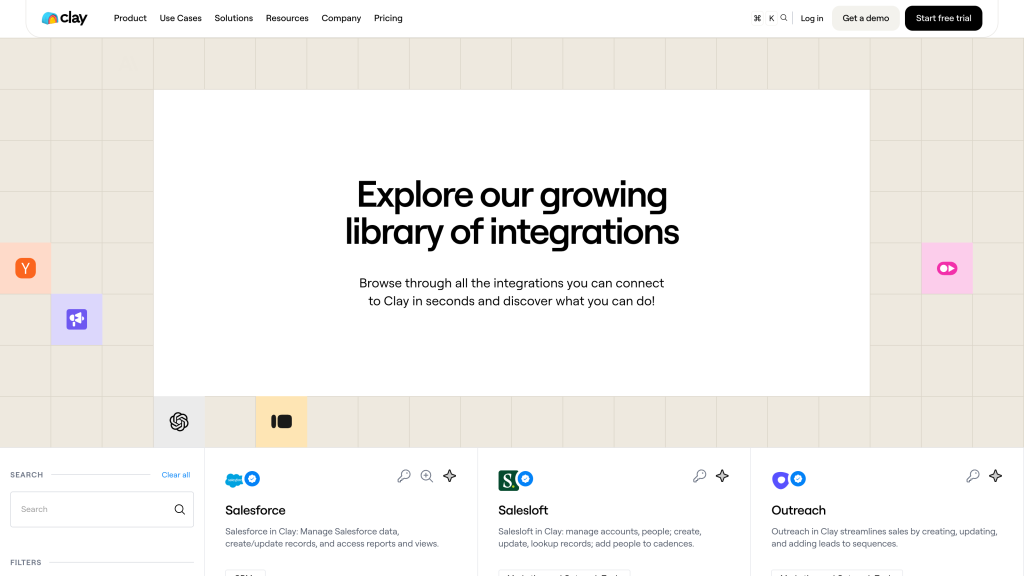
Clay is very good at connecting enriched data to the rest of your stack. You can use CRM sync, CSV exports, webhooks, HTTP API calls and many integrations to move useful records into tools like HubSpot, Salesforce or an outbound platform.
This matters because the final value of lead generation isn’t a pretty table. It’s a better sales workflow. Clay can help you create a process where new accounts are enriched, scored and sent to the right place automatically.
I especially like Clay for teams that repeat similar research every week. If the same person is manually checking websites, finding contacts, verifying emails and updating CRM fields, Clay can turn that into a repeatable workflow.
Company audiences
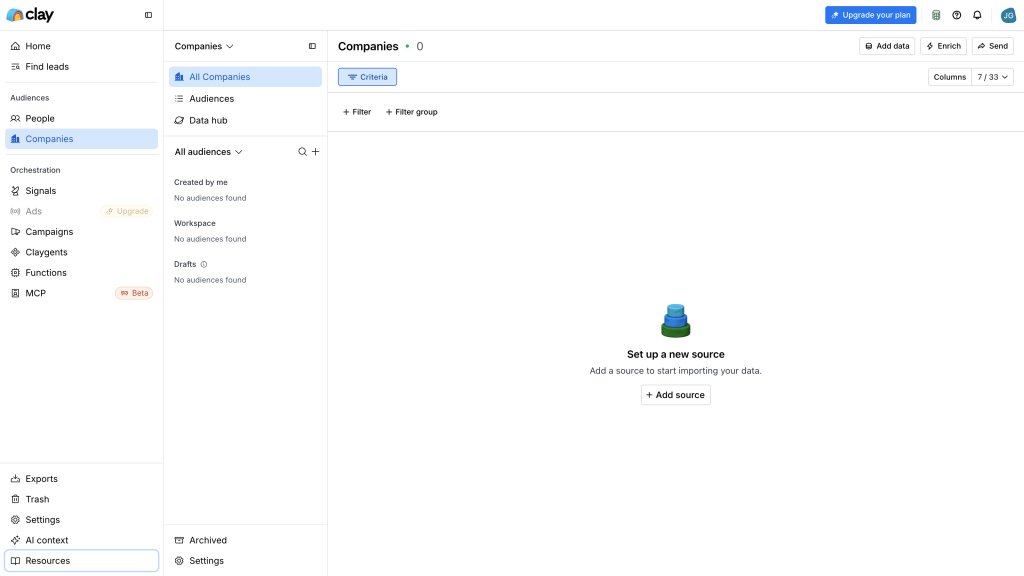
Clay’s company-audience workflow is useful if you want to start from accounts instead of individual people. This is important for teams that think in territories, account lists, website visitors, CRM segments or target markets before they choose the exact person to contact.
That account-first workflow is one reason Clay feels more strategic than a simple contact lookup tool. You can shape the company universe first, then enrich and route only the records that fit.
Email sequencing
Clay now has a built-in email sequencer, so you can use the data in your table to run simple outbound campaigns. That’s useful because your personalization and targeting logic already lives in the same workspace.
I wouldn’t assume it replaces every specialist outreach tool. If you need complex multi-channel campaigns, advanced reporting or very mature sending infrastructure, you may still want a dedicated platform. But for table-based outbound, Clay’s sequencer makes the workflow more complete.
Privacy and compliance
Clay publishes security and privacy material and has a stronger compliance posture than many smaller data tools. That matters because you’re working with business contact data, enrichment providers and outbound campaigns.
Still, Clay is not a legal shortcut. You need to decide who you contact, how you handle opt-outs, what countries you target and how suppression lists move between Clay, your CRM and your sending tool. The safest setup is still your responsibility.
Final verdict
My final verdict is that Clay is excellent for teams that want to build smarter lead generation workflows. It’s strongest at enrichment, targeting, AI research, automation and CRM handoff.
I’d choose Clay if your team already understands who it wants to reach and wants a more flexible way to find, enrich, score and route those leads.
I wouldn’t choose Clay if you want the simplest first tool for outbound. The product asks more from you than Apollo, Lusha or UpLead. You need to think through sources, waterfalls, credits, actions and workflow ownership.
Overall, Clay earns a 4.3 out of 5. It’s powerful, but it still asks more from the user than Apollo. That’s exactly why it can be brilliant for the right team and frustrating for the wrong one.
Clay alternatives



Apollo is better than Clay if you want a more ready-made outbound platform: database search, contact enrichment, email sequences and CRM syncing in one place. Clay is more flexible, but Apollo is better when a small sales team needs to move faster with less setup.
Lusha is better than Clay if you mainly need quick contact lookup from a simple web app and browser extension. Clay can build richer workflows, but Lusha is better when you want fewer moving parts and a lower learning curve.
UpLead is better than Clay if verified emails, cleaner lists and CRM export matter more than custom automation. Clay is stronger for complex enrichment logic, but UpLead is better when you want a simpler data layer with clearer contact-credit planning.
Frequently asked questions
Clay can be good for small B2B teams if they run serious outbound and have someone who can own the workflow. It’s probably too complex if you only need occasional contact lookup.
Clay isn’t only a contact database. It’s a workflow workspace that connects list building, data providers, enrichment, AI research, scraping, CRM sync and outbound handoff.
Clay uses plans plus two usage meters: Data Credits and Actions. Data Credits are used for third-party data such as emails and phone numbers, while Actions are used for workflow activity such as enrichment, AI research and exports.
A waterfall is a workflow that tries multiple data providers in order. For example, Clay can try one email provider first, then move to another if the first one doesn’t find a valid work email.
Yes. Clay includes a native email sequencer for table-based outbound campaigns. It’s useful, but teams with advanced outreach needs may still prefer a dedicated sales engagement tool.
Clay is worth it if better enrichment, research automation and CRM handoff save your team meaningful manual work. It’s less worth it if you only need a cheap email finder.
Comment