

Best Lead Generation Tools 2026
Five tested tools for finding prospects, enriching contacts and building cleaner outbound lists.
Lead generation tools can look very similar from the outside, but they don’t feel the same once you start paying for credits and building real lists. So I tested these as I’d test them for a small team choosing the best lead generation tool: can I find the right people, trust the contact data, understand the cost, and move everything into the tools I already use?

I’m Josep Garcia. I’ve been publishing hands-on software reviews since 2016, and I tested these tools like a real buyer would: build a list, check data quality, look at pricing limits, test exports and see where each tool starts to feel messy.
The tricky part is that each tool can be “best” for a different problem. Some are better for finding lots of contacts, some for cleaner verified emails, some for enrichment, and some for building outbound workflows. This guide should help you work out which tradeoffs matter before you spend time importing lists, setting up credits or committing to an annual plan.
Best lead generation tools: quick ranking
| Tool | Best for | Starting from |
|---|---|---|
 Apollo Apollo |
The best overall first pick if you want lead search, enrichment, email sequences and CRM handoff in one place. | Free plan; paid from $49/seat/moVisit ApolloRead Apollo review |
 Clay Clay |
Teams that want custom data workflows: enrichment waterfalls, AI research and flexible handoff into other tools. | Free plan; paid from $167/moVisit ClayRead Clay review |
 Lusha Lusha |
Small teams that want fast LinkedIn-led contact lookup, browser extension reveals, enrichment and simple exports. | From $37.45/mo billed yearlyVisit LushaRead Lusha review |
 UpLead UpLead |
Sales groups that care most about verified emails, real-time checks, clean exports and enrichment without built-in outreach. | Free trial; paid from $99/moVisit UpLeadRead UpLead review |
 RocketReach RocketReach |
Recruiters and sales teams that already know who they need and want broad people lookup for emails and phones. | From $19/mo billed annuallyVisit RocketReachRead RocketReach review |
What to check before choosing a tool
Don’t get too distracted by huge database claims. A big contact database is useful, but it won’t help much if the emails bounce, phone numbers are stale, credits disappear faster than expected, or the data can’t move into the tools your team actually uses.
Before picking a tool, I would check these things with a real sample:
- Can you find your actual buyers? Test your real job titles, countries, company sizes, industries and target accounts.
- How good is the contact data? Check valid emails, useful phone numbers, old roles, duplicates and generic addresses.
- What costs credits? Email reveals, phone reveals, exports, enrichment, automation and integrations can all be counted differently.
- Can the data move easily? Look at CSV export, CRM sync, enrichment workflows and whether fields land where your team needs them.
- How safe is outreach? If the tool sends emails, check mailbox connection, unsubscribe handling, bounce guidance and sending limits.
My practical advice: run a small test list before paying annually. Pull a realistic sample, check what comes back, and compare the cost per usable contact rather than trusting the marketing numbers.
How to test a lead generation tool
The easiest test is to give every tool the same small job. I’d use 30 to 50 prospects, not a huge export. Pick one very specific target profile: job titles, countries, company size, industry, and any tools or signals that matter. If the platform can’t produce a useful sample there, it probably won’t become reliable just because you buy a bigger plan. Keep the test boring and repeatable: same job, same filters, same scoring.
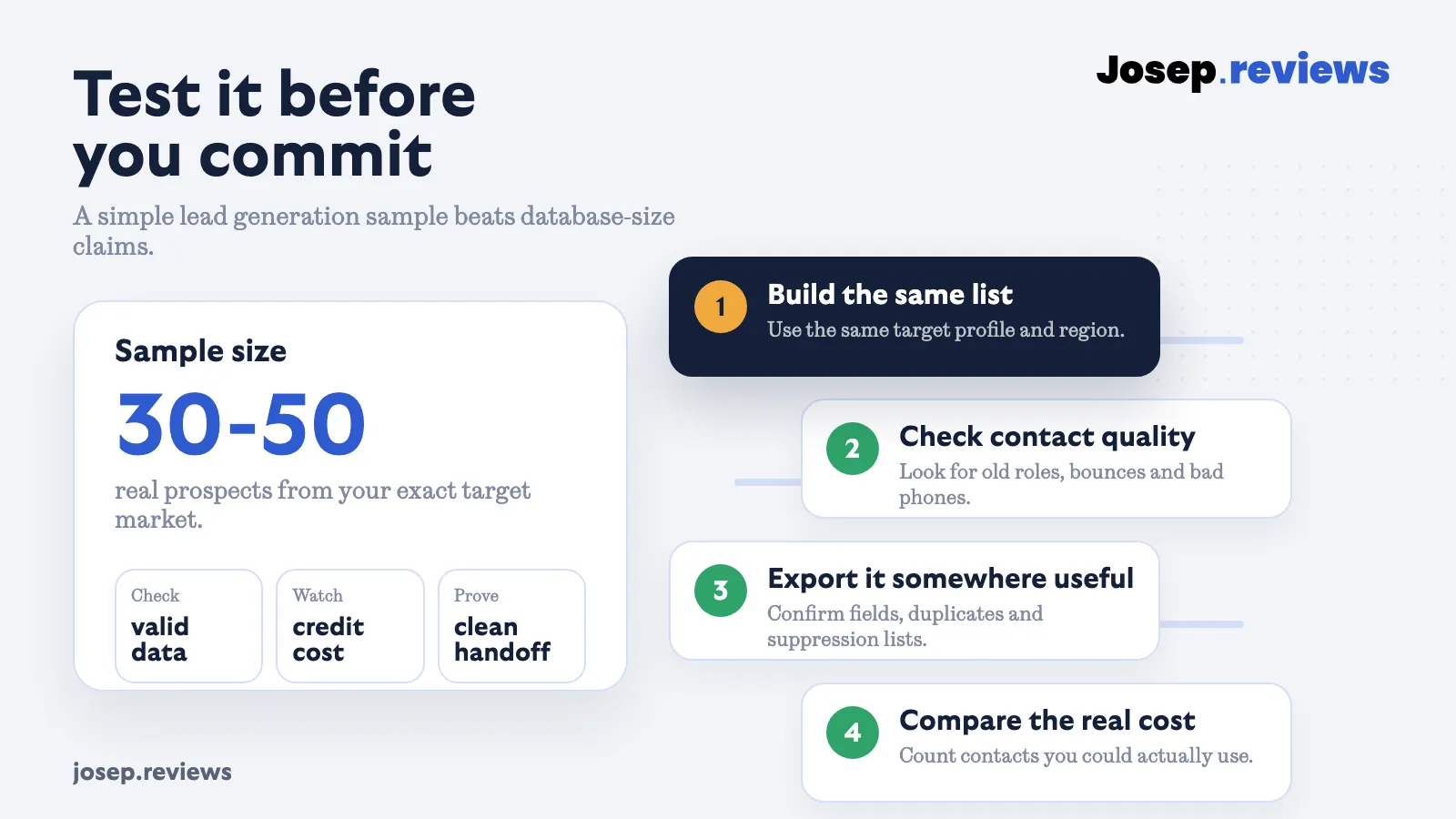
Build the same list in each tool and judge the results manually. Don’t only count rows. Open a few profiles and check whether the person still works at the company, whether the company really fits, and whether the title is close enough to the buyer you want. Then reveal the emails and phone numbers you’d actually use, and note how many credits that consumed.
After that, test the handoff. Export the sample or send it to your customer database or outreach tool. Check field names, duplicates, missing company data, opt-out fields and whether the list needs manual cleaning. This is where a cheap database can become expensive if your team spends an hour fixing every export.
Finally, calculate cost per usable contact. A usable contact isn’t just a row in a spreadsheet. It’s a relevant person with a valid email or useful phone number, enough company context, and a clean path into your workflow. If one tool finds fewer contacts but twice as many usable ones, that may be the better buy.
Select a tool to compare:
Lead Gen & Prospecting
Overall Rating
Summary
Starting From
Ease Of Use & Setup
Database Size & Coverage
Search Filters & Targeting
Email & Phone Accuracy
Available Data & Enrichment
List Management
Available Platforms
Email Outreach & Sequencing
Deliverability & Sending Safety
CRM, Export & Integrations
Automation & API
Team & Admin Controls
Privacy & Compliance
Usage Limits & Credits
Value For Money
Support

An all-in-one B2B sales platform for finding leads, enriching contact data and running outreach.
Free plan; paid plans from $49/seat/mo

A flexible lead generation workspace for enrichment, AI research, data workflows and outbound handoff.
Free plan; paid plans from $167/mo

A B2B contact data platform for finding prospects, enriching records and moving verified contact data into sales workflows.
From $37.45/mo billed yearly
Hands-on lead generation tool reviews
1. Apollo: best all-in-one starter
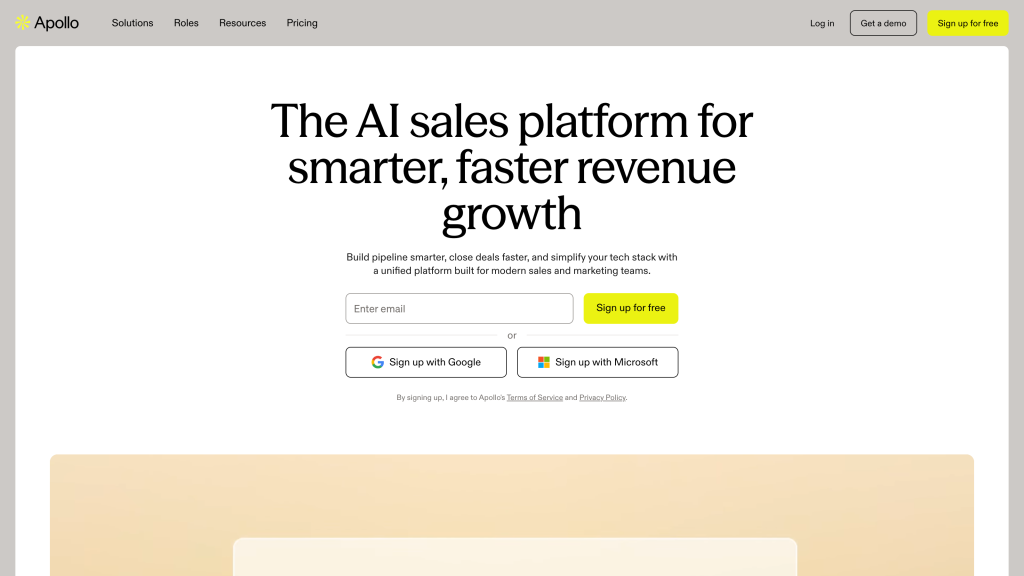
Best for: small business-to-business sales teams that want contact search, enrichment, email outreach and customer-database sync in the same product.
Inside the tool
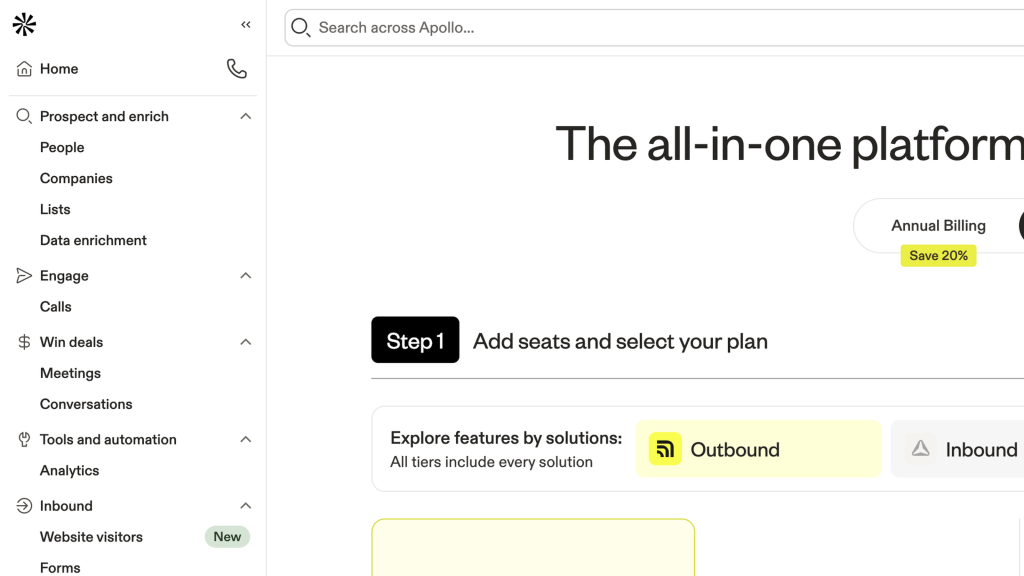
Apollo is my first pick because it covers the widest practical workflow. You can search for companies and people, narrow the list with useful filters, reveal contact data, enrich records, build outreach sequences and send the right contacts into your customer database.
The tradeoff is that Apollo isn’t the calmest product here. Credits and plan limits need some attention, as do phone reveals and deliverability setup. Still, if I had to choose one tool for a small outbound team to test first, Apollo is the one I’d start with.
Apollo Pros
- Strong all-in-one outbound workflow
It combines lead search, data enrichment, sequencing, calling, workflows and CRM handoff. That’s useful for small B2B teams that don’t want to build a messy stack from several tools.
- Excellent search filters
If you know your target customer, Apollo gives you enough filters to build much more focused lists than a simple keyword database.
- Large B2B database
Coverage is broad across contacts and companies. I’d still test your niche, but for general B2B outbound it gives you a lot to work with.
- Good enrichment and CRM handoff
Missing fields, CSVs, CRM connections and handoff are all covered, so useful records can move into the tools your team already uses.
- Free plan in a demo-heavy category
The free plan is useful before speaking to sales, which isn’t especially common in sales intelligence. Many similar tools hide pricing, push demo calls or make you commit before you can properly test the data. Here, you can at least check the interface, filters and sample coverage first.
Apollo Cons
- Credit usage and expiry need planning
The credit system takes planning because credits are used for more than just finding leads, including phone reveals, enrichment, API use, AI research, dialer activity, extra mailbox warm-up and some exports. Unused credits also expire instead of rolling over, so teams can overpay one month and still run short the next.
- Non-US data needs testing
Coverage is strongest for North American outbound, but non-US data and mobile accuracy are more uneven in some regions and niches. That means you should test your real target markets instead of trusting the headline database size.
- Easy to start, but busy at first
The product is easy to start using, but the first hour can still feel crowded because search, enrichment, sequences, calls, workflows and analytics all sit in the same product. New users can get moving quickly, but may still need time to understand where everything lives.
- Some features are on pricier plans
Lower tiers still give you a lot, but some of the stronger admin controls and advanced features sit on higher plans. That means the version many small teams can afford is powerful, but not always the full experience.
Pricing
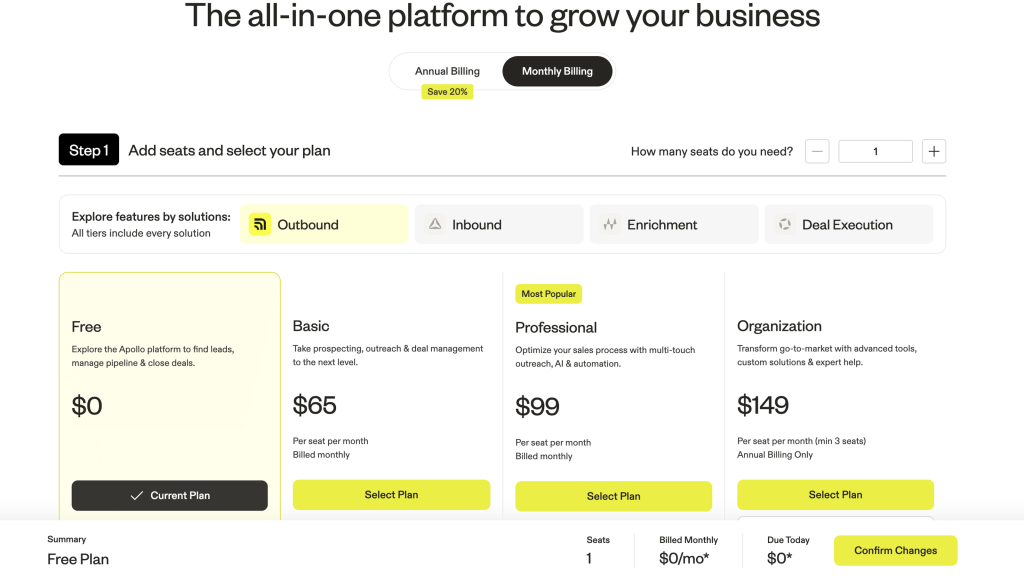
Apollo has a useful free plan for testing the interface and sample coverage. Paid plans start at $49 per seat/month, but the real cost depends on credits, phone data, exports, extra mailboxes and how much outreach you run inside Apollo.
2. Clay: best custom workflows
Best for: teams that want to build their own lead generation workflow instead of using a fixed database-and-export tool.
Inside the tool
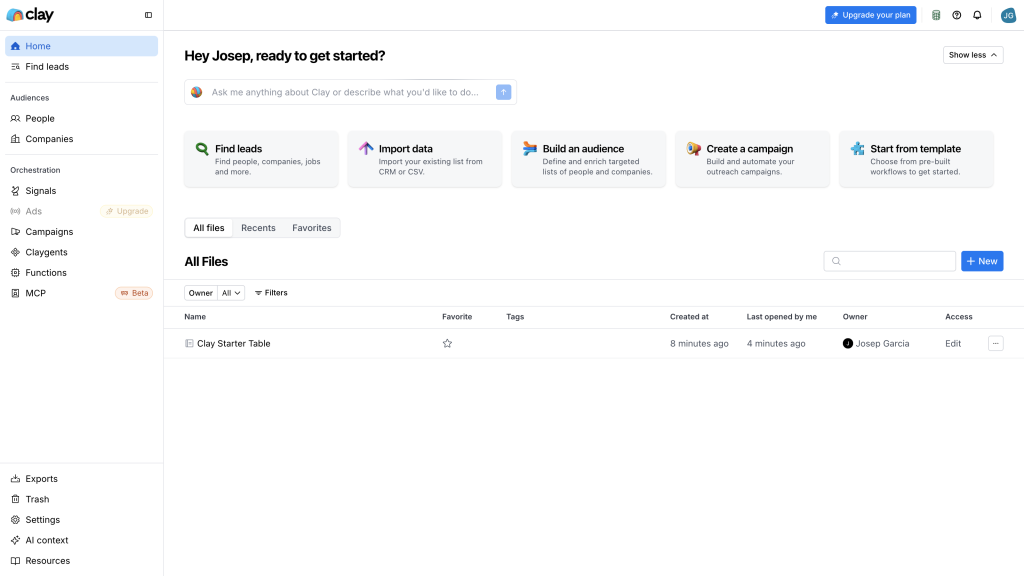
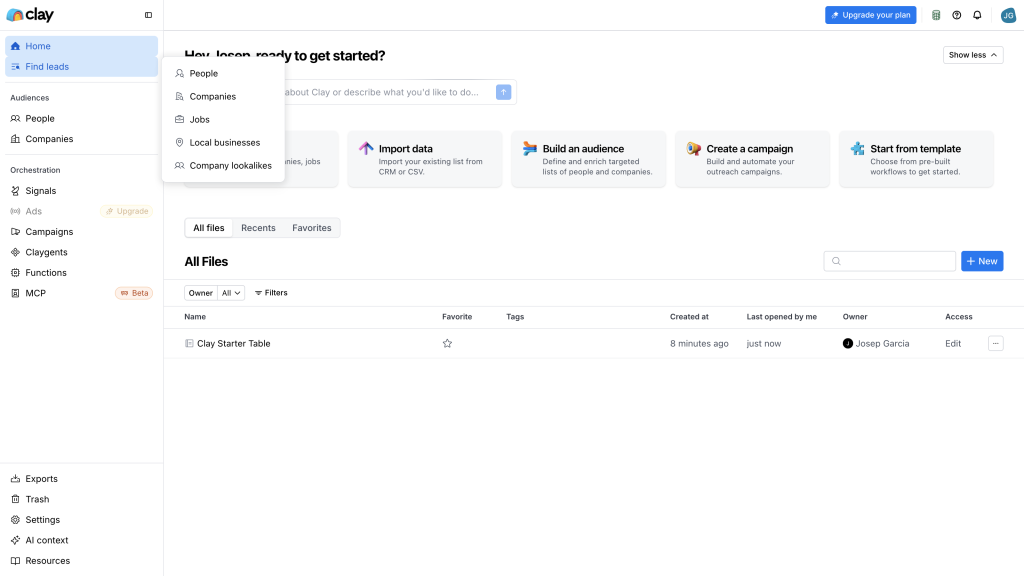
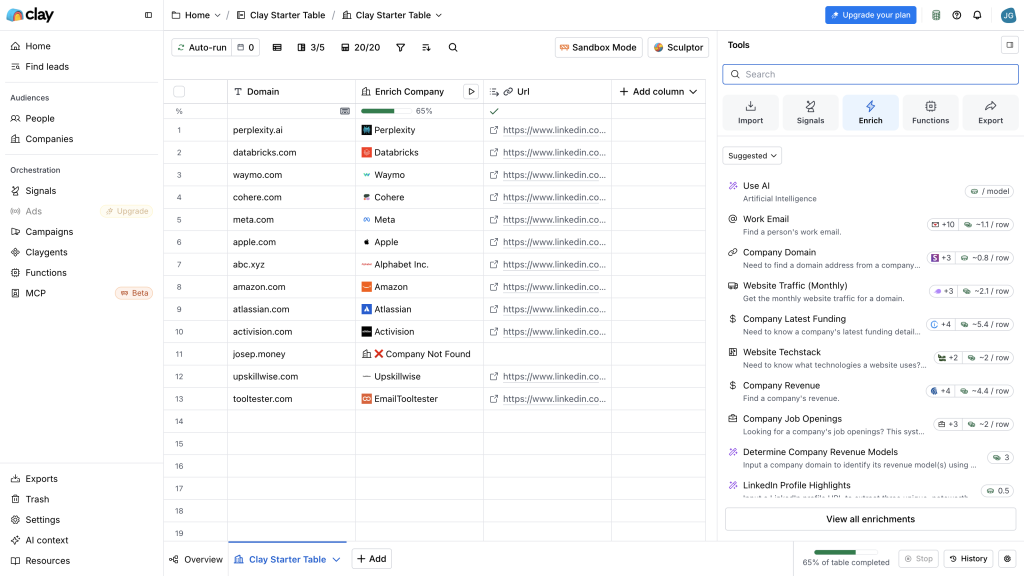
Clay is the most flexible tool in this list. It can pull from many data providers, run enrichment steps, add AI research, score companies, clean records and push the finished data into other systems.
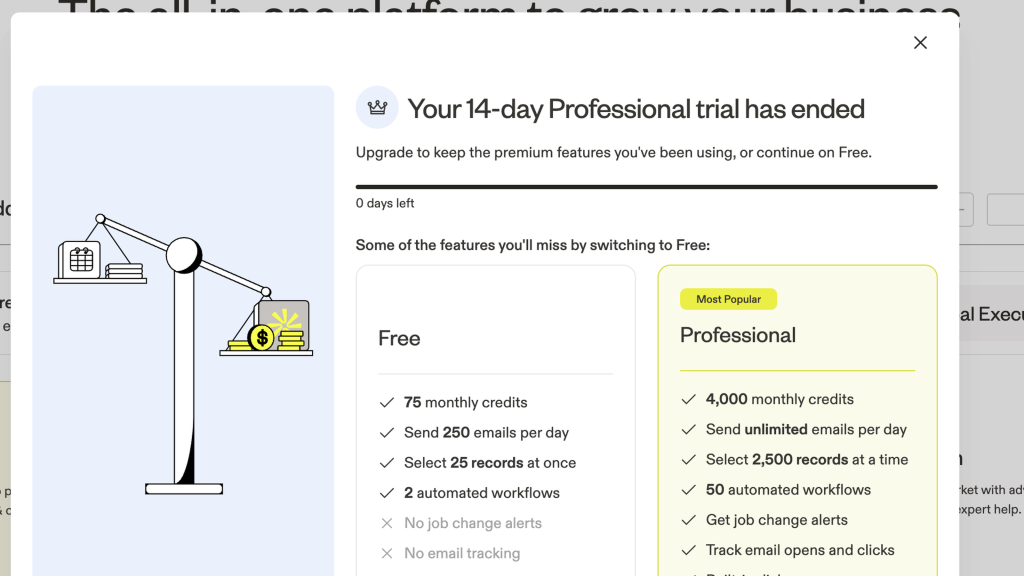
I’d choose Clay when your process is more complex than lookup. For example, if you need to start from companies, find the right people, check several data sources, add custom research and route the result to different tools, Clay makes more sense than a simple contact finder.
The downside is setup. Clay rewards people who enjoy thinking through workflows, credits and data logic. If you only want a quick list of emails, it may feel like too much.
Clay Pros
- Workflow flexibility for complex outbound
You can design your own lead generation system instead of being boxed into a fixed template. Sources, enrichment steps, scoring and CRM updates can all sit in one workflow, so a good sales process becomes repeatable instead of manual.
- Very strong enrichment and research options
A basic company list can become a much richer dataset. Work emails, phone numbers, job titles, company details, hiring signals, technology data and AI research can all live in the same table.
- Broad data coverage through waterfalls
The waterfall setup is useful when one data source isn’t enough. It can check 150+ providers in sequence, so if one source misses a contact, another can try before the workflow gives up.
- Flexible integrations and data handoff
Enriched records can move into HubSpot, Salesforce, webhooks, external APIs and other connected tools. That matters because the final lead record needs to land where the sales team actually works.
- Useful sequencing and sending controls
The native email sequencer, sending limits, blocklists and deliverability guidance make outreach easier to connect to the data workflow. I’d still treat sending carefully, but it reduces some of the tool switching.
- Strong security and compliance posture
The public Trust Center and security material are reassuring for a data tool. They don’t remove your responsibility when contacting people, but they show a more mature posture than many smaller providers.
Clay Cons
- Learning curve is real
Setup takes real learning, because you need to understand sources, Data Credits, Actions, waterfalls and table logic before results become reliable. It’s better for operations-minded people than for someone who just wants to click filters and export a list.
- Not a mobile-first tool
Most real work happens in a desktop browser. The Chrome extension helps pull data from websites, but there’s no meaningful mobile-first workflow, so it’s not ideal if you want to prospect or manage lists while moving around.
- Credit model needs planning
The two-meter model gives flexibility, but it also makes costs harder to predict. Data Credits and Actions can climb quickly if you add phone enrichment, AI research, exports or large account lists without modelling the workflow first.
- Results depend on setup
Data quality depends on the providers and workflow you choose. Coverage is strongest when you target North America with the right sources, but Europe, Asia-Pacific, niche industries and phone-number use cases may need more testing and provider tuning.
- Can get expensive quickly
Clay is powerful, but it isn’t cheap. Paid plans start higher than simple contact finders, and Data Credits plus Actions can add up fast if you run enrichment, AI research, phone lookup or large workflows.
Pricing
Clay has a free plan for small tests. Paid plans start at $167/month on annual pricing, and costs depend on both third-party data credits and workflow actions. I’d model one real workflow before buying.
3. Lusha: fastest contact finder
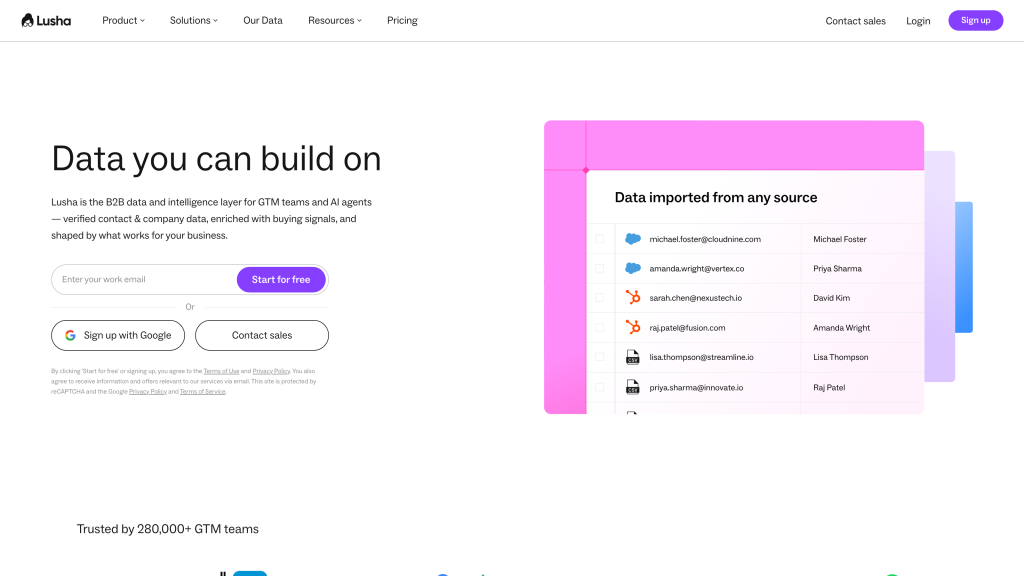
Best for: small sales and recruiting teams that want quick email and phone lookup without a heavy setup process.
Inside the tool
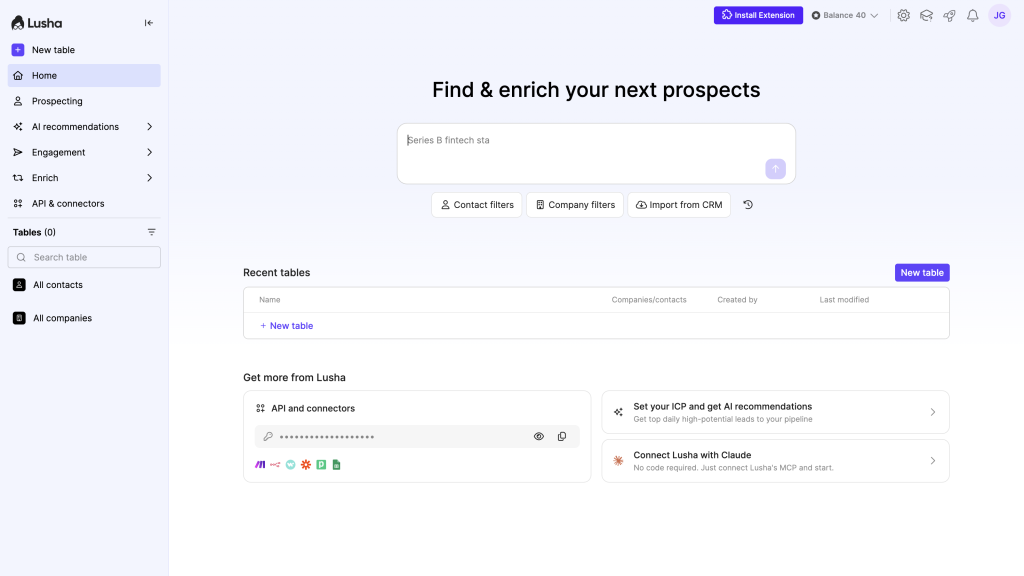
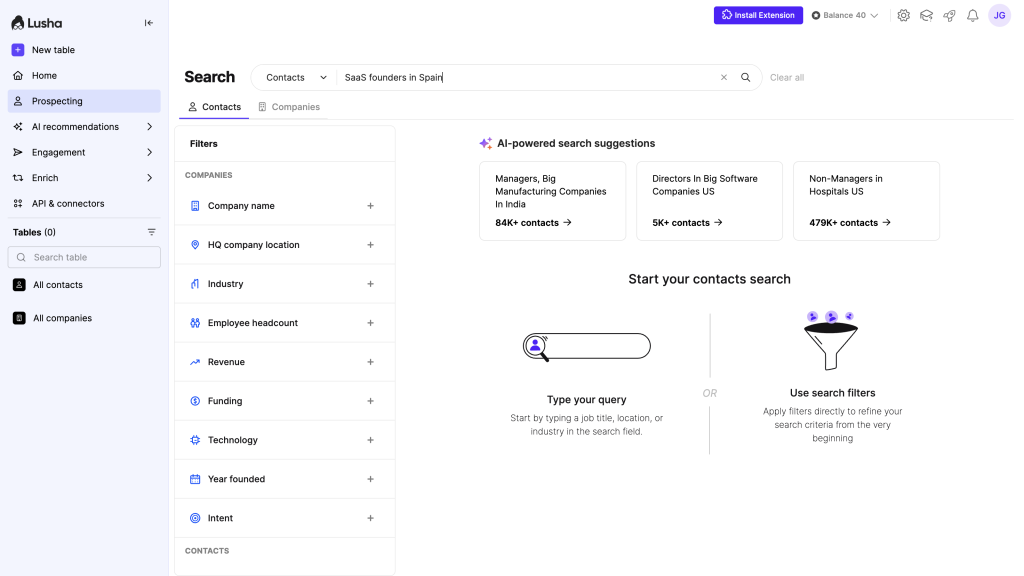
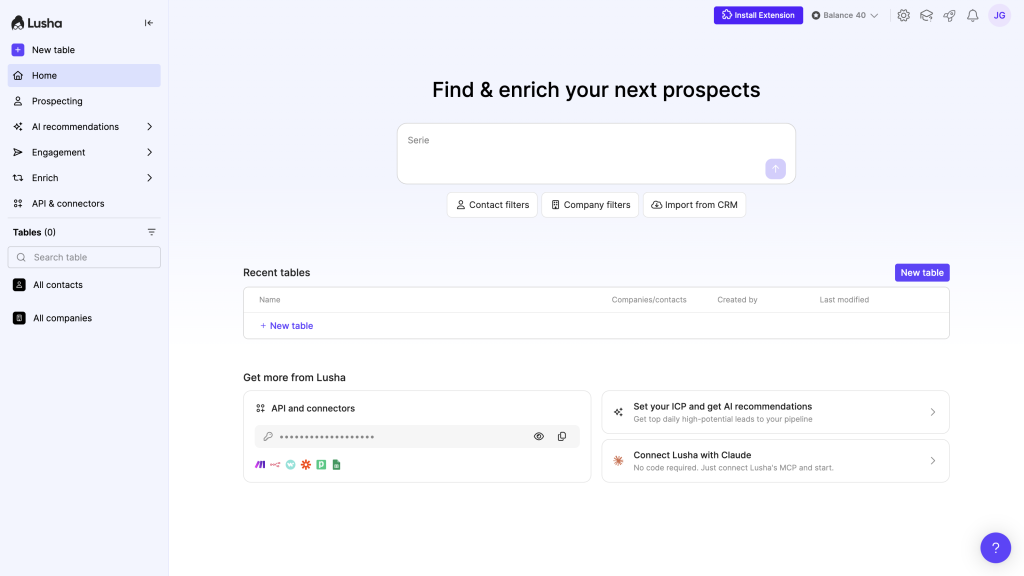
Lusha is the easiest tool here to explain. You search, use the browser extension, reveal contact details, save records and export them. That makes it appealing if your team mainly wants fast contact finding rather than a full outbound command center.
It isn’t as deep as Apollo for outreach, and it isn’t as flexible as Clay for workflows. But that’s also part of the appeal. Lusha is a cleaner middle ground for teams that want a practical contact finder with enough enrichment and export options to be useful.
Lusha Pros
- Fast to start
Sign up with a work email, install the Chrome or Edge extension, and you can reveal and save contacts from LinkedIn or company sites in minutes, without a sales call.
- Easy to use
The interface is simple and modern, with clear search, tables, and one-click exports, so most reps can build and work a list without training or a dedicated RevOps person.
- AI helps with prospecting
Workspace can turn a plain-language description like “VPs of Sales at Series B SaaS companies in Boston” into an enriched, auto-updating table, then suggest lookalikes and AI-generated columns.
- Filters are genuinely powerful
You can combine job title, seniority, industry, company size, tech stack, funding, and intent signals to find very specific buyer groups instead of broad, messy lists.
- Outreach is built in
Engage lets you turn a saved list into a multi-step email sequence, with AI-drafted emails, tracking, and sending through your own Gmail or Outlook account.
Lusha Cons
- Accuracy varies by data type and region
Email and phone accuracy is solid in US/UK mid-market lists but weaker for mobile numbers and in Europe, Asia, and niche industries, so sample testing is essential.
- No real mobile app
The product is built for the browser: web app plus Chrome/Edge extension, with no serious mobile experience for reps who prospect a lot from their phone.
- Phone credits are expensive
Revealing a phone number costs 10 credits versus 1 for an email, so heavy calling can chew through a monthly plan much faster than teams expect.
- Integrations can feel limited
Native CRM integrations cover the big names like Salesforce and HubSpot, but more advanced workflows often still depend on generic connectors like Zapier or Make.
Pricing
Lusha has a free plan. Paid plans start from $37.45/month billed yearly. The main thing to watch is credit usage, especially because phone numbers cost more credits than email reveals.
4. UpLead: cleaner verified emails
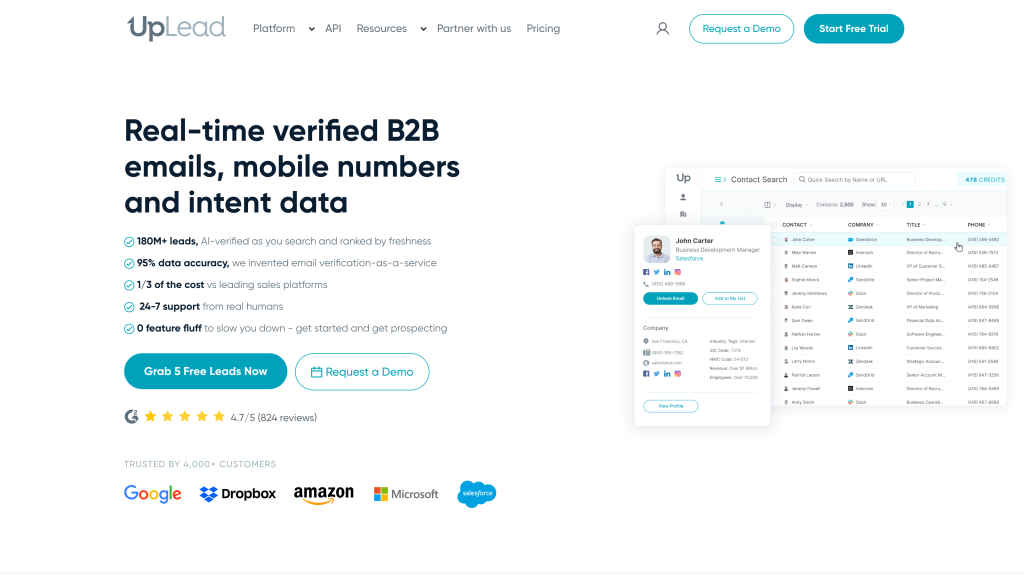
Best for: teams that care about cleaner verified emails, simple enrichment and exporting data into another outreach tool.
Product screenshots
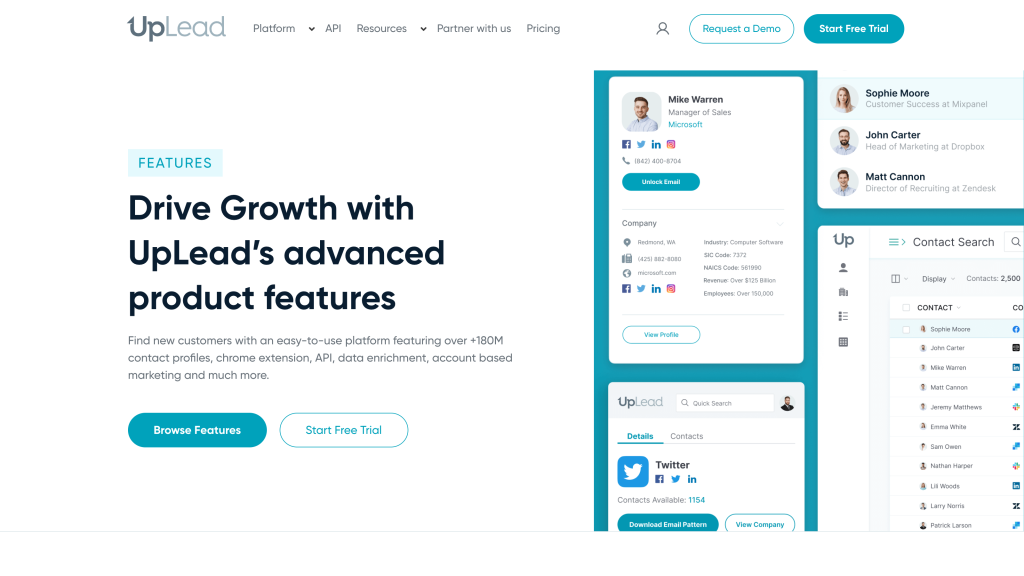
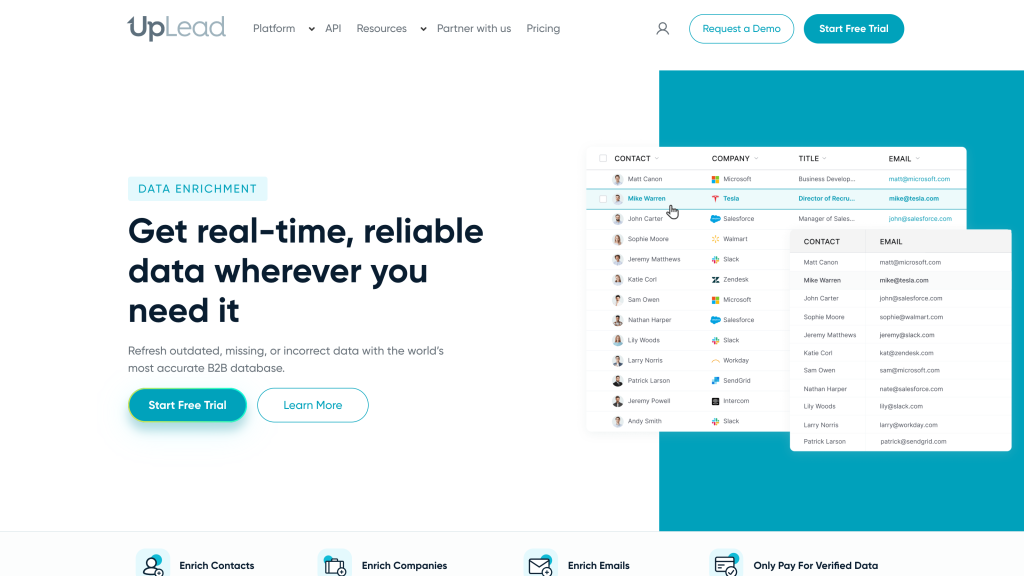
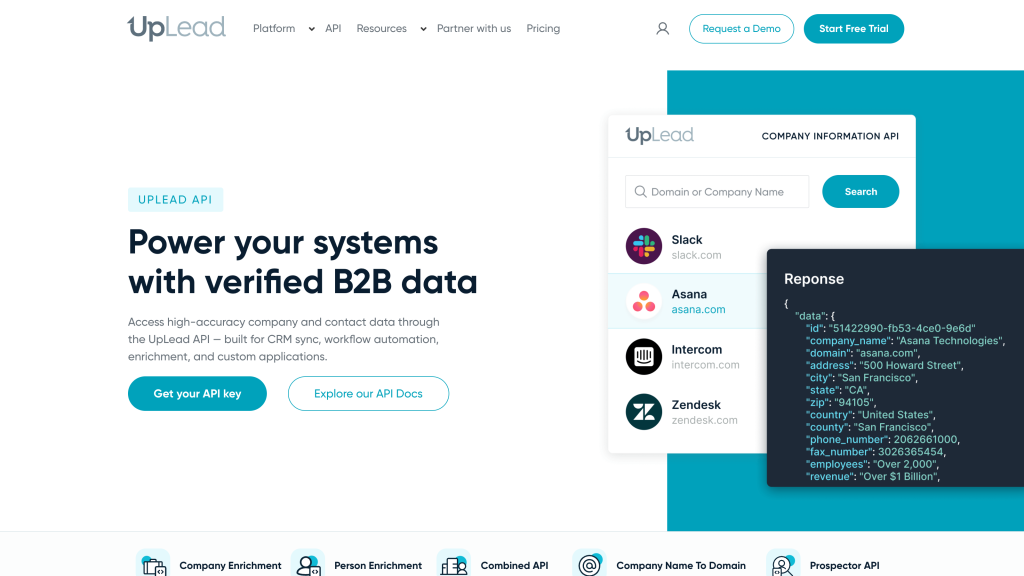
UpLead is more focused than Apollo and less flexible than Clay, but that focus is useful. It’s a good fit when you want to build a targeted list, verify email quality, enrich missing data and send the results somewhere else.
I wouldn’t choose UpLead if you want the platform itself to run serious email sequences, inbox management or calling. I’d choose it if clean data and simple workflow matter more than having everything in one app.
UpLead Pros
- Clean, easy workflow
The workflow is simple: search, apply filters, reveal verified contacts, and export to a spreadsheet or customer system in a few minutes, without needing training or a complex setup.
- Quality-first contact data
It focuses on verified emails and direct dials, with real-time checks and credit refunds for bounced addresses, making it attractive if you care about fewer bounces rather than maximum volume.
- Useful filters for target customers
Prospector supports 50+ filters like industry, seniority, company size, tools used, and interest topics, so you can build precise lists such as “marketing leaders at 50–200 person SaaS companies using HubSpot in the UK.”
- Strong enrichment and cleanup
You can upload old or half-complete lists and let UpLead fill in missing emails, phones, roles, and company details for one credit per matched record, which is practical for refreshing a database before campaigns.
- Support and documentation are solid
It advertises 24/7 human support, and reviews often call out helpful responses, while the help center covers core tasks like signup, enrichment, and exports clearly enough for most users.
UpLead Cons
- Not an all-in-one outbound tool
There are no built-in sequences, inbox management, or calling tools; you still need a separate outreach platform to actually run campaigns.
- Smaller global coverage
With roughly 160–180 million contacts, its data is smaller and more US-centric than major enterprise databases, which can limit reach in some regions or niche industries.
- Phone data is weaker than email
Direct dials are included, but real accuracy for phone numbers is lower and more variable by region, so teams should test calls before betting a calling motion on UpLead alone.
- Limited team/admin controls on lower plans
Free, Essentials, and Plus are effectively single-user; proper seat management and shared usage only appear on Professional, with little public detail on deeper controls like single sign-on or fine-grained permissions.
Pricing
UpLead offers a free trial. Paid plans start at $99/month, which makes it more of a quality-focused data tool than a cheap email finder. It’s worth testing with a real sample before committing.
5. RocketReach: broad people lookup
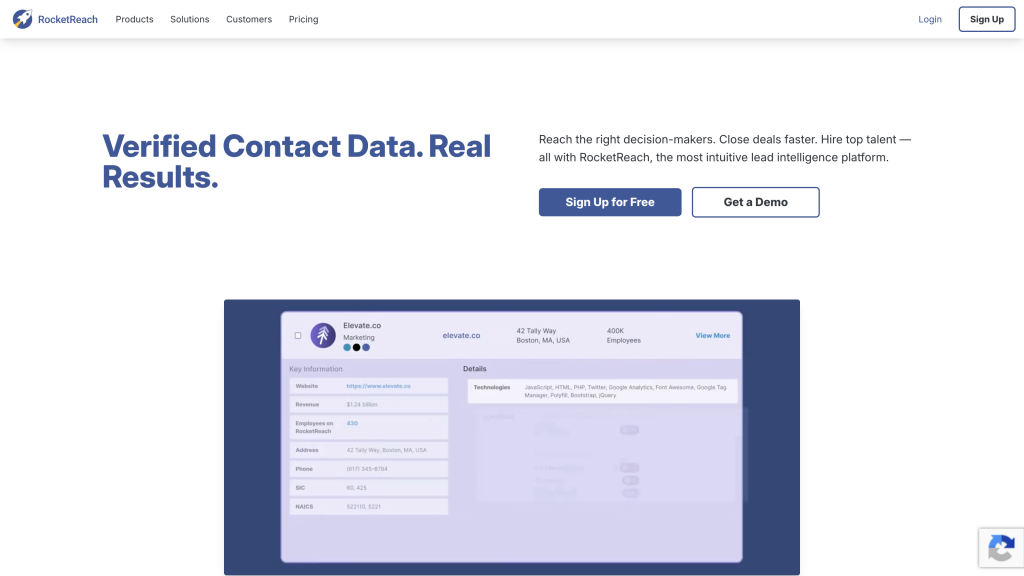
Best for: recruiters, sales reps and teams that already know who they want to find and need broad people lookup.
Inside the tool
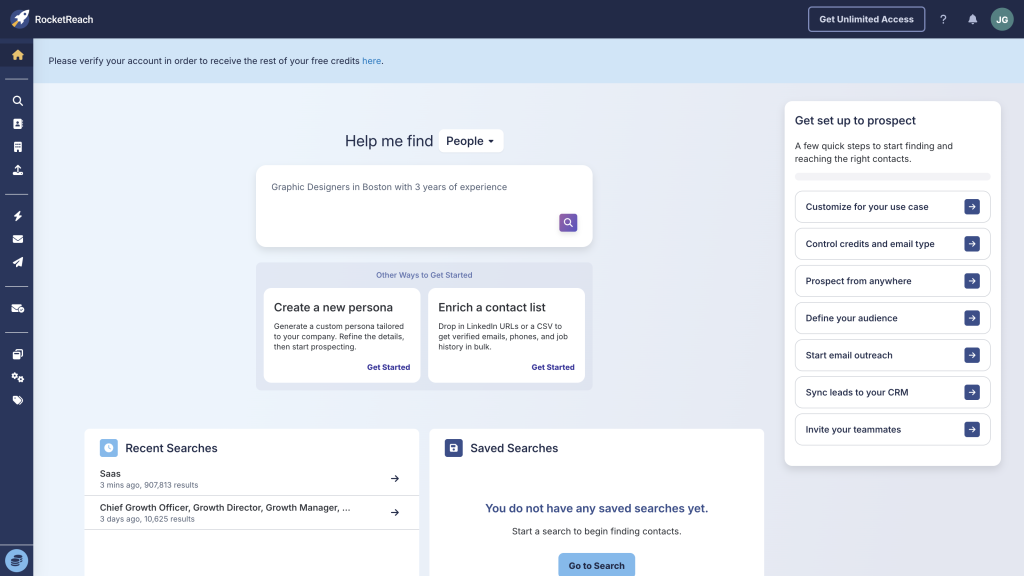
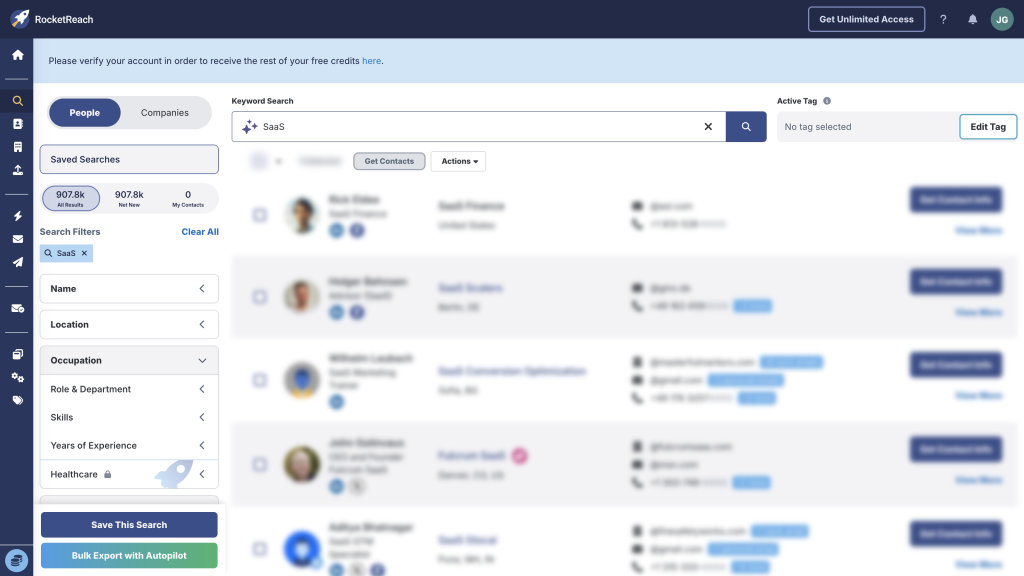
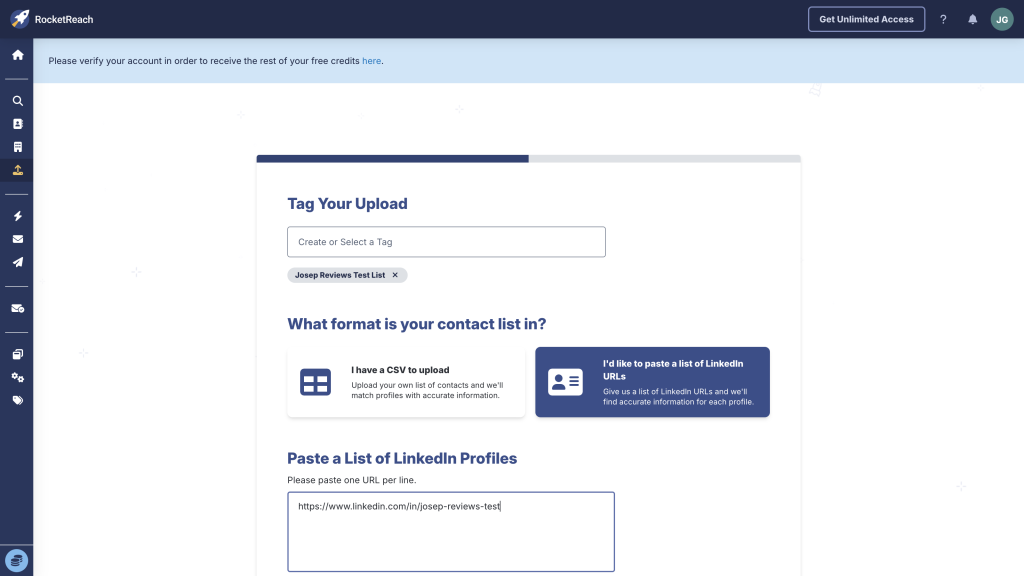
RocketReach is useful when your workflow starts with a known person or company, job title or LinkedIn profile. It feels more like a broad contact lookup database than a full lead generation and outreach system.
That can still be valuable. If your team mostly needs to find emails and phone numbers for known people, save contacts and export them, RocketReach can make sense. If you want deeper outreach, workflow automation or very predictable data quality, I’d compare it carefully with Apollo, Clay and UpLead.
RocketReach Pros
- Very broad contact coverage
Coverage is the standout: RocketReach claims over 700 million professional profiles and tens of millions of companies, which makes it strong when you already know which people or accounts you want to reach and just need their details.
- Easy to use day to day
You sign up, search for a person or company, and reveal email and phone details in a few clicks via the web app or Chrome extension, with most reviewers calling it straightforward to learn.
- Good integrations for handoff
Contacts can be exported to CSV or sent into tools like Salesforce, HubSpot, Salesloft and other sales platforms, often through native integrations or Zapier, so it plugs cleanly into existing stacks.
- Filters that match ideal customer profiles
Advanced search lets you combine job title, seniority, company size, industry, and location, plus AND/OR logic, so you can build focused lists instead of broad, messy exports.
RocketReach Cons
- Accuracy varies by segment
Email validation and confidence icons help, but user reviews repeatedly mention outdated records, bounces, and wrong or disconnected phone numbers, especially outside core markets or in niche industries.
- Sequencing isn't a full platform
Built-in sequences work for simple multi-step email campaigns, but they lack the deeper routing, deliverability control, and reporting of dedicated outbound tools, so most teams will still run serious campaigns elsewhere.
Pricing
RocketReach has a free plan. Paid plans start from $19/month billed annually, but phone data and higher export volume push you toward more expensive tiers.
Which lead generation tool should you choose?
- One practical starting point: test Apollo first if you want database search, enrichment, outreach and CRM handoff together.
- Custom lead workflows: choose Clay when the value is combining different data sources, custom research and repeatable workflow logic.
- Fast contact lookup: choose Lusha if you mainly want a quick browser-based way to find emails and phone numbers.
- Verified-email lists: choose UpLead if clean exports and email verification matter more than built-in outreach.
- Broad people lookup: choose RocketReach for known names, companies or recruiting-style searches.
How I ranked these lead generation tools
I weighted the ranking toward practical small-team use, not enterprise feature checklists. A tool scored better when it helped with the full path from finding the right prospect to moving usable data into the next step.
Ranking emphasis
A practical weighting guide, not a spreadsheet formula.
The most important scoring areas were data quality and search filters, enrichment, list management, pricing clarity, credits, exports, sending safety and whether a normal team could get value without a long implementation project.
I also looked for friction. If a product had strong headline features but unclear credits, weak phone accuracy, slow support, hidden plan limits or a confusing setup path, that affected the ranking.
Parting thoughts
The best lead generation tool isn’t always the one with the biggest database. It’s the one that returns enough usable contacts for your actual market, fits your workflow and doesn’t make costs hard to predict.
If I had to narrow the shortlist to three tools to test first, I’d start here:
- Apollo if you want lead search, enrichment, email sequences and CRM handoff in one place.
- Clay if your best leads need custom enrichment, AI research and workflow logic before outreach.
- Lusha if you want the fastest simple contact finder for LinkedIn-led prospecting.
For most small business-to-business teams, I’d start with a small test list before paying annually. Pull a realistic sample, check bounce rate, check phone usefulness, review export limits and compare the cost per usable contact. That will teach you more than any database-size claim.