



I wanted to review Proposify carefully because it is more focused than tools like PandaDoc, HoneyBook or Dubsado. It is mainly about creating, sending, tracking and closing proposals, not running every part of a client business.
For this Proposify review, I tested and checked the proposal workflow with freelancers, agencies and small sales teams in mind. I looked at the editor, templates, quoting, e-signatures, analytics, pricing limits, integrations and whether it really makes follow up easier after a client opens a proposal.
I am also comparing the full shortlist in the best proposal software guide, so I tested Proposify as a focused proposal tool rather than a full client management platform.
Proposify Review Summary
Here is the short version: Proposify is strongest if proposals are a regular part of your sales process. I liked the editor, reusable content, branded client view, interactive quoting and proposal analytics. It feels more focused than an all-in-one client management tool.
- Best for: small and mid-sized sales teams, agencies and consultants.
- Not ideal for: people who need a full CRM, portal or invoicing system.
- Pricing: paid plans start at $19/user/month on annual billing.
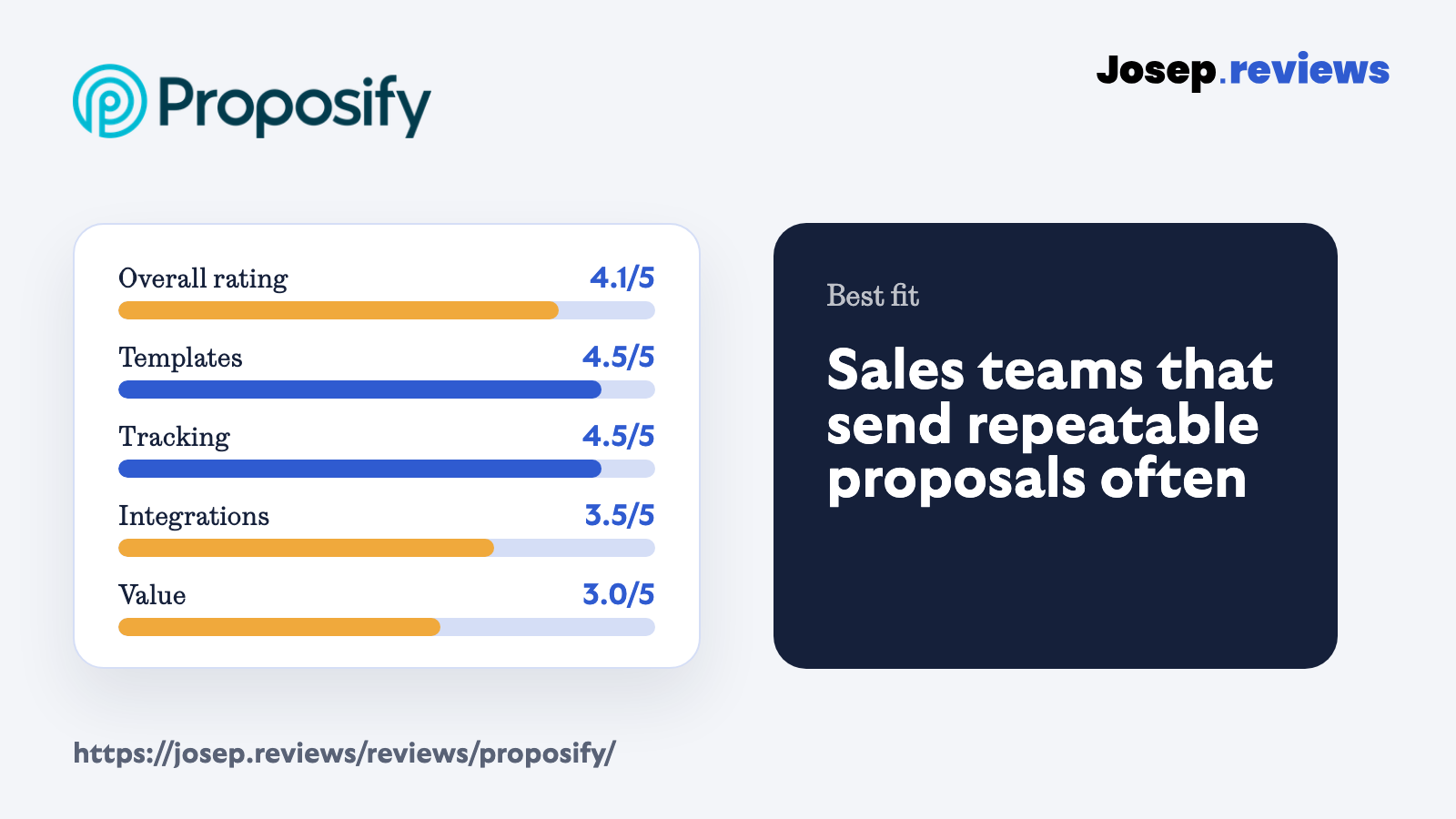
- My rating: 4.1 out of 5 after testing the proposal workflow.
What I do not love is the plan gating. The Basic plan is useful for simple proposal sending, but Team and Business are where analytics, integrations, automations, API access, roles and deeper controls start to matter. That can make Proposify less attractive for low-volume freelancers.
I would think of it this way: Proposify is a very good proposal tool, but I would not call it a full client operating system. If your business needs invoices, portals, scheduling and project workflows in one place, HoneyBook or Dubsado will probably feel more complete.
That is the main thing I would check before signing up. If proposals are already part of your sales process and you repeat the same sections often, Proposify can remove friction. If every proposal is completely custom and rare, the library and analytics will matter less.
What is Proposify?
Proposify is proposal software for teams that want to create branded proposals, quotes and sales documents, send them to clients, collect e-signatures and track what happens after sending. It is built around proposal production rather than general business management.
The platform includes templates, a drag and drop editor, reusable sections and snippets, AI writing help, interactive pricing, e-signatures, proposal analytics, approval workflows and integrations with CRMs and business tools. That makes it most useful when you send similar proposals often and want more control than a PDF process gives you.
The important limitation is that Proposify is not really a CRM, client portal or invoicing platform. Clients mainly interact with proposal links, not a persistent workspace with messages, files, invoices and project history. That is fine if proposals are the main job; less fine if you want one system for the whole client relationship.
I also think Proposify has a clearer identity than some broader tools. It does not try to be accounting, scheduling and project management at the same time. That focus is good if you already have the rest of your stack and only want the proposal layer to improve.
See Proposify in action
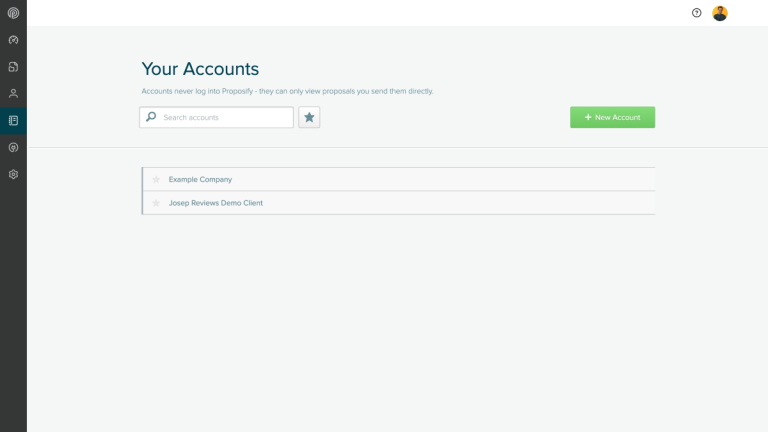
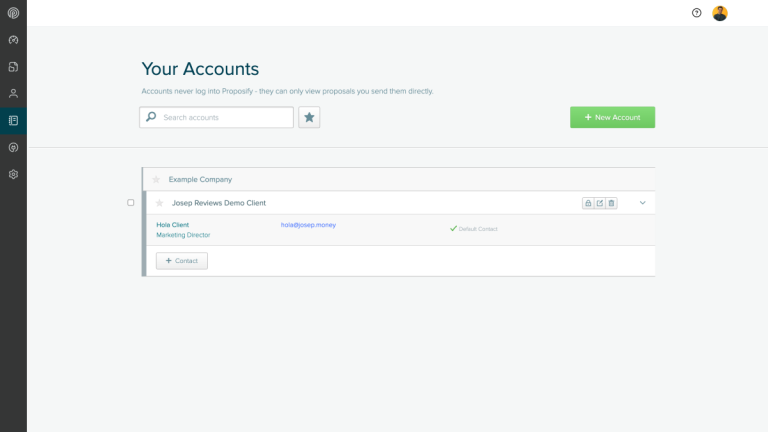
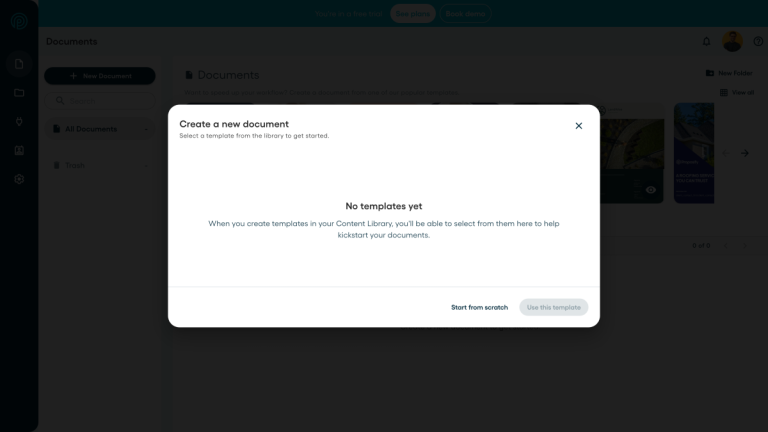
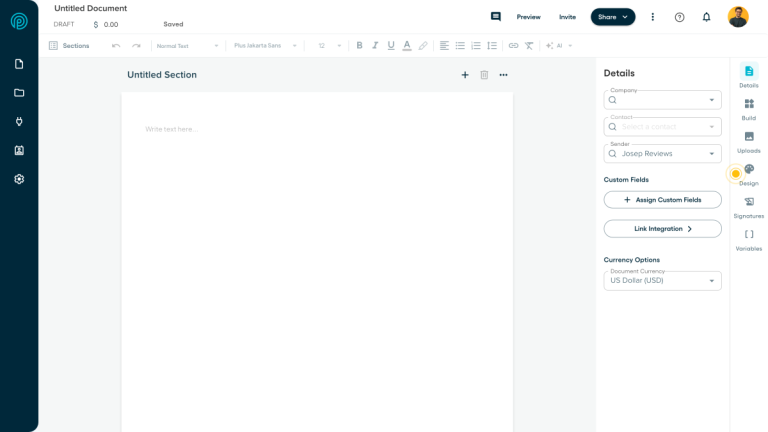
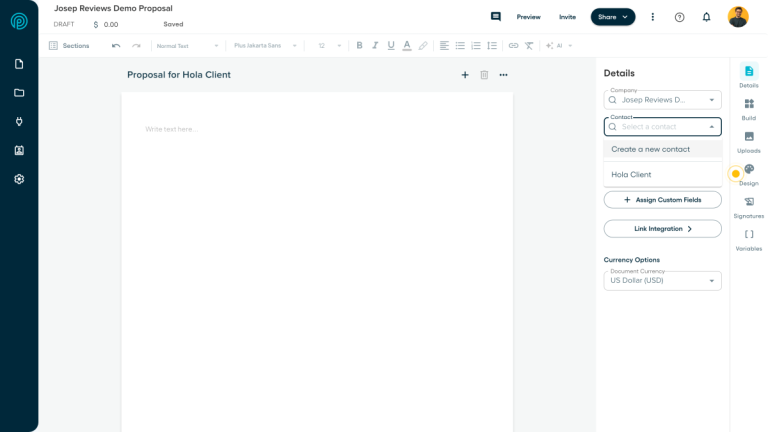
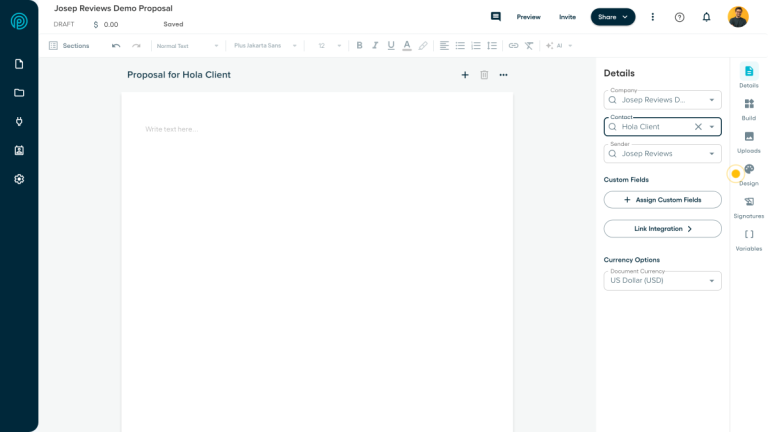
These screenshots show the Proposify workflow I checked during the review: accounts, client records, document creation, setup, contact selection and the proposal editor. The backend shots use the demo client we created for the review.
Proposify pricing
Proposify pricing is user based, and the best public prices are for annual billing:
- Basic: $19/user/month; limited sends, templates and e-signatures.
- Team: $41/user/month; analytics, integrations, automations and 10 templates.
- Business: from $3,900/year; roles, SSO, API and workspaces.
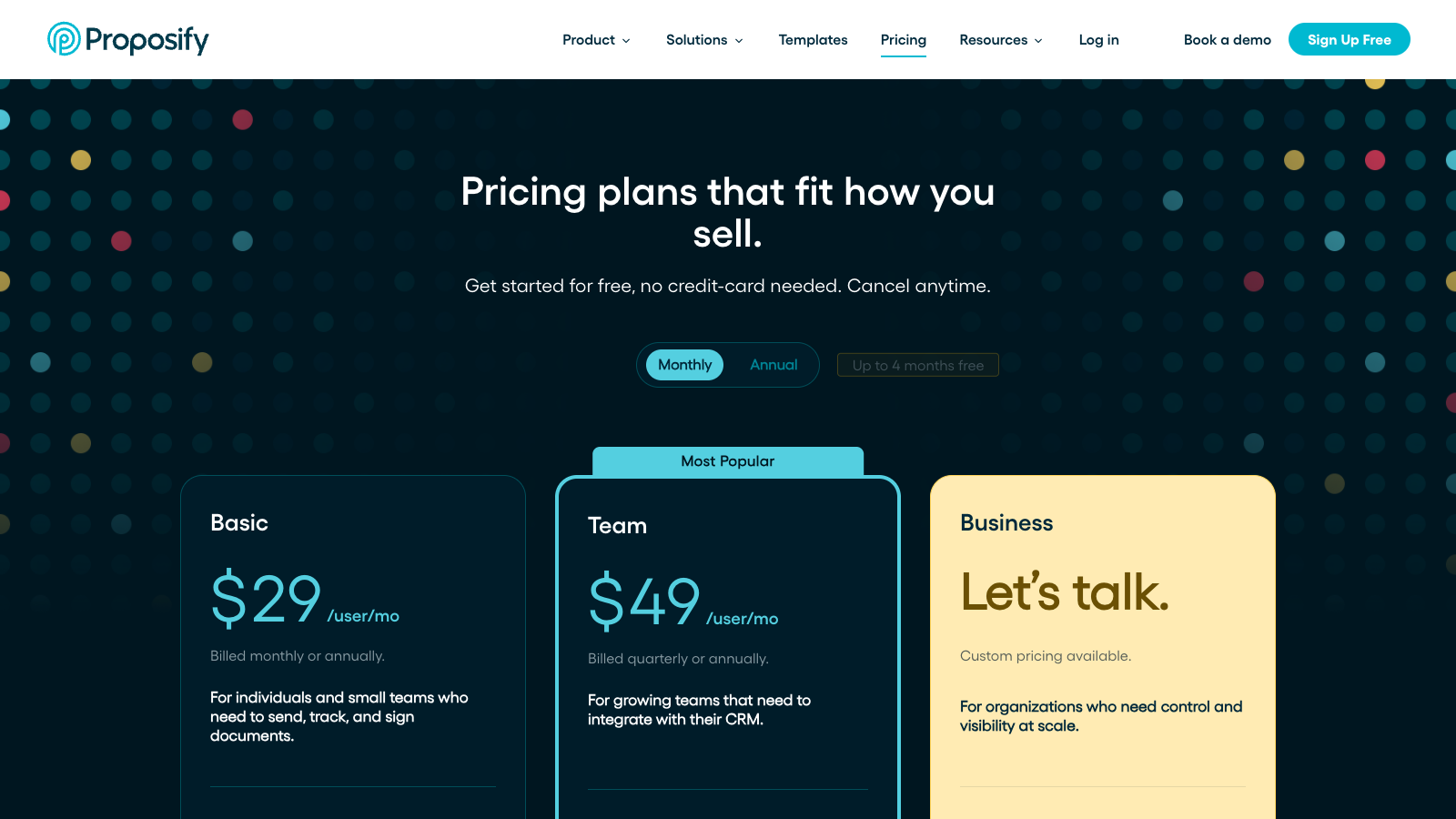
Monthly billing is higher (as you can see in the screenshot above): Basic is $29/user/month, while Team is listed at $49/user/month when billed quarterly and $41/user/month annually. There is also a 14-day free trial, and Proposify says no credit card is required.
For this review, Team feels like the plan where Proposify starts to make proper sense. Basic can work if you send a small number of proposals, but I would check the live send limit before choosing it. The stronger reasons to use Proposify are analytics, CRM integrations, automations, reusable content and team controls.
I would be careful if you only send a few proposals per month. At that point, the editor may still feel nice, but you may not use enough of the tracking and team workflow to justify the subscription.
One pricing detail I would not ignore is the difference between creating documents and sending them. Drafting and editing can be generous, but plan limits, sends, templates, collaborators and add-ons affect the real cost. I would check your monthly proposal volume before choosing Basic or Team.
Proposify is worth checking out if you want branded proposals, e-signatures, quoting and proposal analytics in one focused workflow.
Proposify pros and cons
Pros
Intuitive proposal editor
The editor is one of Proposify’s strongest points. It feels clean, modern and focused on building branded proposals quickly, especially if you already know the content you want to reuse.
Reusable content library
You can save templates, sections, snippets, case studies, service descriptions and pricing blocks. That is useful for teams that send similar proposals and want more consistent wording.
Strong proposal analytics
Proposify tracks opens, view time, section engagement and proposal status. I like this because it gives sales teams a real reason to follow up, not just a guess.
Good client-facing proposals
The proposal pages feel polished from the client side, with navigation, sharing, PDF download, comments, accept or decline actions and e-signatures.
Cons
No true client portal
Clients mainly interact with proposal links. Proposify does not replace a proper client portal with files, invoices, messages and project history.
Limited payment flexibility
Stripe payments can work for deposits or simple payments, but Proposify is not a full invoicing or billing platform and native recurring payments are limited.
Best features cost more
Integrations, automations, API access, SSO, roles and advanced controls are tied to higher plans or add-ons, which weakens the value for smaller teams.
Not for complex quoting
Interactive pricing is good for service proposals, but I would not choose Proposify for complex CPQ-style quoting or deeply customized pricing rules.
My take on Proposify
After testing and reviewing Proposify, my take is that it is one of the better dedicated proposal tools if your main problem is creating, sending and tracking proposals more professionally.
What I liked most is how focused it feels. The editor, templates, reusable content and analytics all point in the same direction: help a team create better proposals and follow up with more context.
I would mainly recommend Proposify to agencies, consultants and sales teams that send proposals regularly. I would not choose it as a full client management system, because CRM, portal, payments and invoicing are much thinner than the proposal side.
Proposify ratings
How I tested Proposify
I tested Proposify by working through the workflow a freelancer, agency or sales team would normally care about: creating a client, starting a document, checking templates, assigning a contact, reviewing the editor and checking pricing limits.
I also checked the public pricing page, support docs, editor resources, analytics materials, integrations, security information and proposal software pages. That matters because Proposify looks simple at first, but the value changes a lot by plan.
For the scoring, I focused on practical proposal work: ease of use, proposal editor, templates, quoting, e-signatures, contracts, payments, tracking, CRM, client portal, automation, integrations, support and value for money.
The biggest thing I wanted to understand was whether Proposify saves time after the first proposal. For me, that is the real test. A proposal tool should not only make one document look better; it should make the next ten proposals easier to create and follow up.
I also checked where Proposify stopped feeling like an all-in-one tool. That part matters for small businesses, because it is easy to like the proposal editor and then discover later that you still need another system for CRM, invoices, recurring payments or client communication.
My personal test was simple: would I use it if I had to send similar proposals every week? For that use case, yes, especially because reusable sections and analytics can save time. For a one-off proposal every few months, I would be more cautious.
Key Proposify features
Proposal editor, templates and reusable content
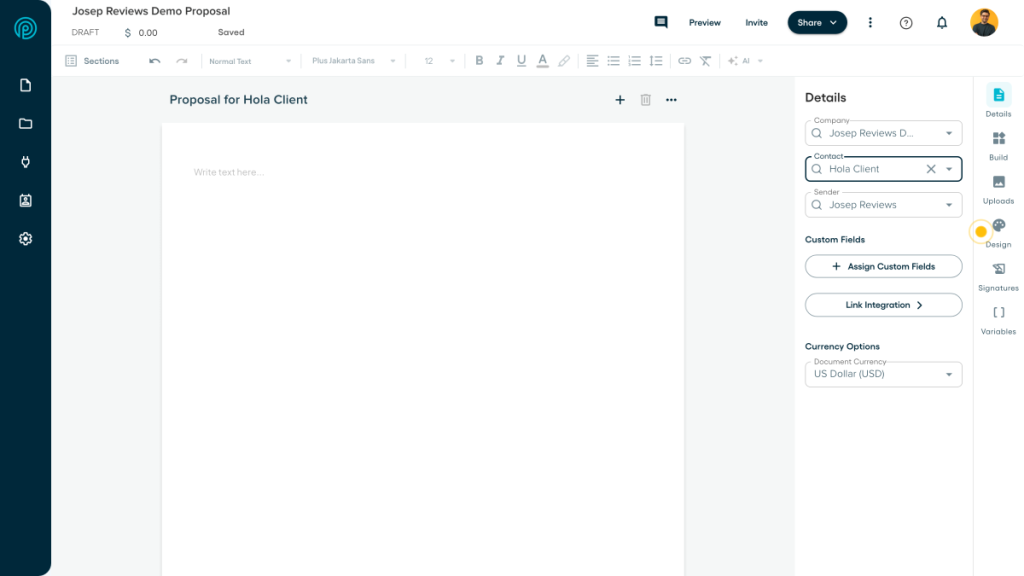
The proposal editor is the main reason to look at Proposify. It feels cleaner than many proposal tools, and it is built for teams that want branded proposals without starting from scratch every time.
The reusable content library is important. You can save templates, sections, snippets, bios, case studies and pricing blocks, which helps keep proposals consistent when more than one person is creating documents.
Interactive quoting and e-signatures
Proposify handles interactive pricing well for services. You can use packages, optional extras, quantities, discounts, taxes and recurring fees, which makes it useful for agencies and consultants selling fairly standard offers.
The e-signature flow is also strong enough for normal proposal acceptance and contracts. Multiple signers, mobile signing and audit trails make it more practical than emailing a PDF and hoping everyone follows the right version.
Proposal analytics and follow up
Analytics are one of Proposify’s best features. You can see opens, view time, section engagement and status changes, which gives sales teams better follow-up signals than simply knowing a proposal was sent.
I like this because it can change the conversation. If a client spends time on pricing or a specific section, your follow up can be more useful and less like a generic check-in.
Integrations, automations and AI
Proposify connects with CRMs and business tools like HubSpot, Pipedrive, Salesforce, QuickBooks, Xero, Stripe, Zapier, Slack and Teams. It also includes AI writing help for drafting and improving proposal copy.
The caveat is that integrations, automations, API access and SSO are not equally available on every plan. I would check the plan limits carefully before assuming Proposify will fit into your full sales workflow.
One thing I would set up early is the content library. If you leave everything as one-off text inside each proposal, you miss a lot of what Proposify is good at. The tool makes more sense when your best sections become reusable assets.
For quoting, I would keep expectations realistic. Proposify is strong for service packages, optional extras and straightforward fees. If your quotes need complex dependencies, approval chains or CPQ-style rules, PandaDoc or a sales quoting tool may be safer.
With analytics, the value depends on actually using the signals. Opens and view time are not magic by themselves, but they are helpful when they tell you where to focus a follow up or whether the client is still engaged.
The AI and automation pieces are useful as helpers, not the whole reason to choose it. I would treat them as a way to speed up drafting and handoffs, while still relying on your own templates and review process.
Final verdict
My final verdict is that Proposify is a strong choice if proposals are a serious part of how your business sells. After testing and reviewing it, I would place it closer to a dedicated proposal and sales document tool than an all-in-one client management platform.
I would recommend Proposify most to agencies, consultants, small sales teams and service businesses that send proposals often and want templates, reusable content, e-signatures, branded client pages and proposal analytics. It feels especially useful when more than one person needs to create or review proposals.
I would not choose Proposify if I mainly needed a CRM, client portal, invoicing system or project workflow tool. It can connect with those systems, but it does not replace them. That is the main difference versus HoneyBook or Dubsado.
The best version of Proposify is not a blank account. It is an account with your common proposal sections, proof points, pricing blocks and approval steps already set up. Once that is in place, the tool starts to feel much more useful than a normal document editor.
If I were choosing, I would start with Proposify when proposal quality, reuse and tracking are the biggest pain points. If the pain is broader admin after a client says yes, I would compare it against HoneyBook, Dubsado or PandaDoc before committing.
Proposify alternatives



PandaDoc is the alternative I would compare first if you want a broader sales document platform. It goes deeper on quotes, contracts, payments, CRM links and document workflows.
HoneyBook is the better fit if you want proposals inside a friendlier client management system. It is less proposal-focused, but stronger for forms, scheduling, invoices, payments and client communication.
Dubsado makes sense if you want more workflow control and a stronger client portal. It takes more setup, but it can manage more of the client journey after the proposal.
Frequently asked questions
Yes, if you send proposals regularly. Proposify is worth it for teams that use templates, reusable content, e-signatures and analytics. It is less compelling for occasional proposals.
Proposify Basic starts at $19/user/month on annual billing. Team is $41/user/month annually, and Business starts at $3,900/year. Check the current send limits before choosing a plan.
No. Proposify does not have an ongoing free plan, but it offers a 14-day free trial with no credit card required.
Proposify is better if you want a focused proposal tool. PandaDoc is better if you need broader document workflows, quoting depth, payments, CRM links and more platform features.
Yes, Proposify can collect simple payments through Stripe, including deposits or full payments after signing. It is not a full invoicing or recurring billing platform.
Proposify is best for agencies, consultants and sales teams that send branded proposals often and care about reusable content, approvals, e-signatures and proposal analytics.
Comment