


At first glance, Lusha feels like the easy one in this category. You are not building a huge outbound machine; you are trying to find the right email or phone number quickly and move the contact somewhere useful. That is why the headline price can look reasonable. The part worth checking is whether the credits match the way you actually prospect.
The headline price is friendly enough: Lusha has a free plan, and paid self-serve plans start at $37.45/month when billed yearly. Nice. But this is not like buying a simple app where the price tells the whole story. With Lusha, the real question is how fast your credits disappear once you start revealing emails, phone numbers and enriched contacts.
My practical read: Lusha pricing makes the most sense when you know roughly how many contacts you need each month. If your work is mostly targeted lookup, a small batch of LinkedIn-led sourcing and a few exports, the paid plans can be easy to justify.
Where I would pause is volume. If you plan to reveal lots of phone numbers, run broad list building, or keep several people prospecting every day, the credit math matters more than the seat price. For built-in outreach, I would compare Apollo. For custom enrichment workflows, compare Clay. For verified-email exports, UpLead is the closest pricing comparison.
I cover the full product in my Lusha review. Here I am only looking at the buying question: which plan makes sense, how credits work, and when the paid plans start to feel expensive.
Note: I based this guide on Lusha’s public pricing page, Lusha’s help documentation and the pricing screen I captured. Pricing pages change, so I would still confirm the final checkout screen before paying yearly.
Lusha pricing plans at a glance
Here is the practical version of Lusha’s current yearly pricing. I would read it as a credit and seat table, not only as a monthly price table.
| Feature | Free | Starter | Pro | Premium | Scale |
|---|---|---|---|---|---|
| Price | $0 | $37.45/mo | $52.45/mo | $299.95/mo | Custom |
| Billing | Monthly | Yearly | Yearly | Yearly | Custom |
| Credits | 40/mo | 4,800/yr | 7,200/yr | 40,800/yr | Custom |
| Seats | 1 | 1 | 2 included | 5 included | Custom |
| Best fit | Sample test | Solo lookup | Small team | Team control | Larger orgs |
| Email reveal | 1 credit | 1 credit | 1 credit | 1 credit | 1 credit |
| Phone reveal | 5 credits | 5 credits | 5 credits | 5 credits | 5 credits |
| Filters | Basic + advanced | Basic + advanced | Basic + advanced | Basic + advanced | Basic + advanced |
| Bulk reveal | Limited | Included | Included | Included | Included |
| AI assistant | Limited | Included | Included | Included | Included |
| Buying intent | Limited | 5 topics | Signals | 5 topics, unlimited | 25 topics |
| API & CSV | Strict limits | Strict limits | API + CSV | Advanced API | Advanced |
| Team controls | Basic | Basic | Basic | Team management | single sign-on + success |
| Support | Standard | Standard | Standard | Standard | Priority |
Try Lusha Free
The big jump is not from Free to Starter. The big jump is from Pro to Premium. Starter and Pro are easier to test; Premium is where Lusha becomes a team budget decision.
What Lusha pricing covers
Lusha pricing makes most sense if you separate the subscription from the actions you will repeat every week.
- Contact lookup: reveal verified emails and phone numbers for people you already want to contact.
- Prospecting: search for contacts and companies with filters and buying intent.
- Enrichment: fill missing emails, phones, company fields or list data.
- Exports: move records into CSV, CRM tools or connected workflows.
- Light outreach: use email sequences and engagement features, though I would not treat Lusha as a full outbound platform.
That is why the price can look fair for a small team. If Lusha replaces a browser extension, email finder and light enrichment tool, Starter or Pro can make sense quickly.
One detail I like for small teams: some Lusha plans include extra logins instead of charging every person as a separate seat. If two or three people need occasional access, that can make the plan feel less painful than tools where every extra teammate immediately increases the bill.
The opposite is also true. If you only reveal a few emails per month, even Starter can be more than you need. The free plan is a good first filter before you pay.
The key question: are you mostly buying email lookup, or do you also need phones, enrichment, exports and team controls? Lusha feels very different depending on that answer.
Lusha plans in detail
Free plan
The free plan gives you 40 credits per month and does not require a credit card. I would use it as a sample test, not as a serious lead generation setup.
The free plan is mainly a feeler, not a real prospecting setup. You get a small monthly credit allowance, enough to try the search flow, reveal a few contact details and see whether Lusha has useful data in your market. It is helpful for checking the interface and sample quality before paying, but phone reveals can eat that small allowance very quickly.
Free plan check: good for checking the interface, the browser extension, the first contact searches and whether Lusha has useful data in your market. Not enough for real weekly prospecting, phone-heavy sourcing or team workflows.
Starter plan
Starter is the first paid plan I would consider if one person needs a simple contact finder. It is shown at $37.45/month billed yearly, with 4,800 credits per year granted upfront and 1 seat included.
Compared with Free, Starter adds contact and company lookalikes (similar people or companies), bulk enrichment, the AI assistant and 5 buying intent topics. That makes it more useful for a solo founder, recruiter or salesperson who wants to build lists without jumping into a heavier sales platform.
Starter price snapshot: yearly billing is $37.45/month, or about $449.40/year. Because Lusha shows yearly billing as 25% off, monthly billing is roughly $49.93/month if you remove that discount.
Pro plan
Pro is the practical upgrade if more than one person will use Lusha. It is shown at $52.45/month billed yearly, with 7,200 credits per year and 2 seats included, meaning two different team members can have their own Lusha login.
The useful jump is not only the extra credits. Pro adds API access, CSV enrichment, signals and webhooks. That makes it a better fit if Lusha data needs to move into other tools instead of staying as one-off contact reveals.
Pro price snapshot: yearly billing is $52.45/month, or about $629.40/year. The main upgrades over Starter are 2 included seats, API, CSV enrichment, signals and webhooks.
Premium plan
Premium is where Lusha stops being a cheap contact finder and becomes a team plan. It is shown at $299.95/month billed yearly, with 40,800 credits per year and 5 seats included.
This plan can make sense if several people are using Lusha every week and you need team management, credit allocation and more serious buying-intent usage. It is also the point where I would be more careful, because the annual commitment is much higher.
Premium price snapshot: yearly billing is $299.95/month, or about $3,599.40/year. The main upgrades over Pro are 5 included seats, 40,800 credits, team management, credit allocation and advanced API.
Scale plan
Scale is the custom plan for larger organizations. Lusha describes it as fully customizable, with custom credits and seats, 50%+ off price per credit, single sign-on, 25 buying intent topics, advanced compliance, dedicated success and priority support.
I would not start here unless you already know Lusha is central to your sales or recruiting workflow. Scale is less about “can I find a phone number?” and more about buying governance, higher volume, compliance and support.
Scale price snapshot: custom pricing. Ask about credit price, unused credit rules, contract length, support response times, single sign-on, compliance needs and whether your team really needs Lusha at this volume.
How Lusha credits work
Credit basics
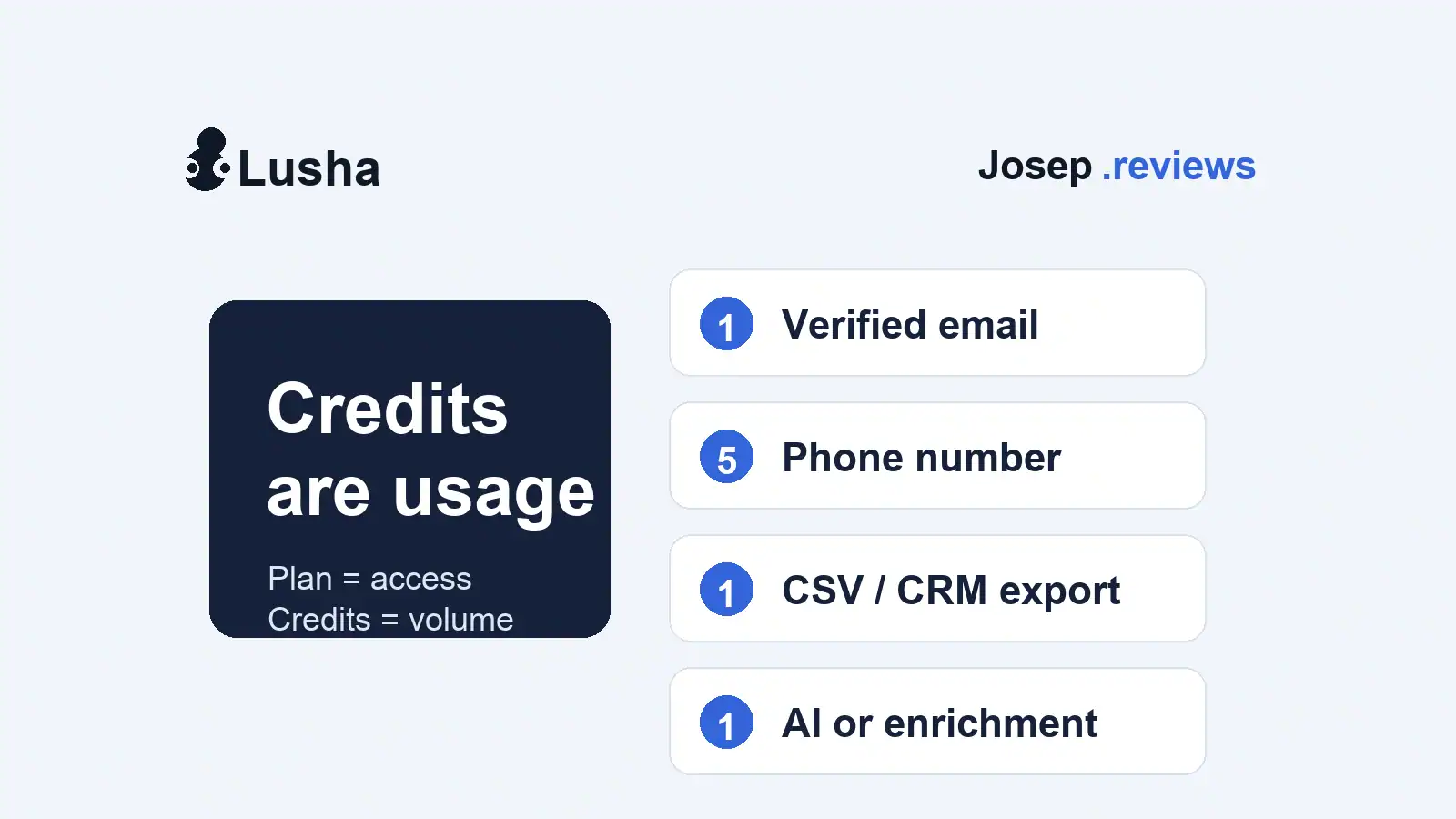
Credits are Lusha’s usage currency. The plan price gets you access; credits decide how many contact details, exports and enrichment actions you can actually run.
The useful thing is that Lusha’s credit math is easier to understand than some tools. The risky thing is that phones cost much more than emails, so a phone-heavy workflow can burn through credits quickly.
The main credit costs I would model first are:
- Verified email: 1 credit per contact email address.
- Phone number: 5 credits per contact phone number.
- CSV export: 1 credit per 1-25 company/contact results.
- CRM export: 1 credit per company/contact result.
- AI search: 1 credit per 5 prompts.
- Signals or data enrichment: 1 credit per company/contact result.
Pro tip: before choosing a plan, model one normal month. For example: 150 email reveals, 30 phone reveals, one CSV export and a few AI searches. That is already around 300+ credits before extra enrichment. It is much clearer than judging the plan by the monthly price alone.
Credit rollover
Lusha’s credit documentation explains how credits are deducted across reveals, API, workspace, CSV enrichment and recommendations. Lusha’s pricing page also says yearly subscriptions receive the full yearly credit amount upfront. Monthly plans can roll over unused credits, but only up to twice the monthly credit limit.
That means yearly billing gives you more room to work with from day one, but it also means you need to use the plan properly across the year. If you buy credits for a big outbound push and then slow down for months, the value gets weaker.
Credit check: test a small real list first. I would rather know that 100 target contacts return 70 useful emails and 20 useful phones than buy a bigger plan based only on the credit allowance.
The real cost of Lusha
The real Lusha cost is not just the plan price. I would model it with four questions:
- How many seats? One user on Starter is very different from a 5-person Premium team.
- How many phone numbers? Phones use 5 credits, so calling changes the budget quickly.
- Where does the data go next? CSV, CRM and API workflows can add credit usage.
- Are you paying yearly? Annual billing lowers the monthly price, but asks you to commit upfront.
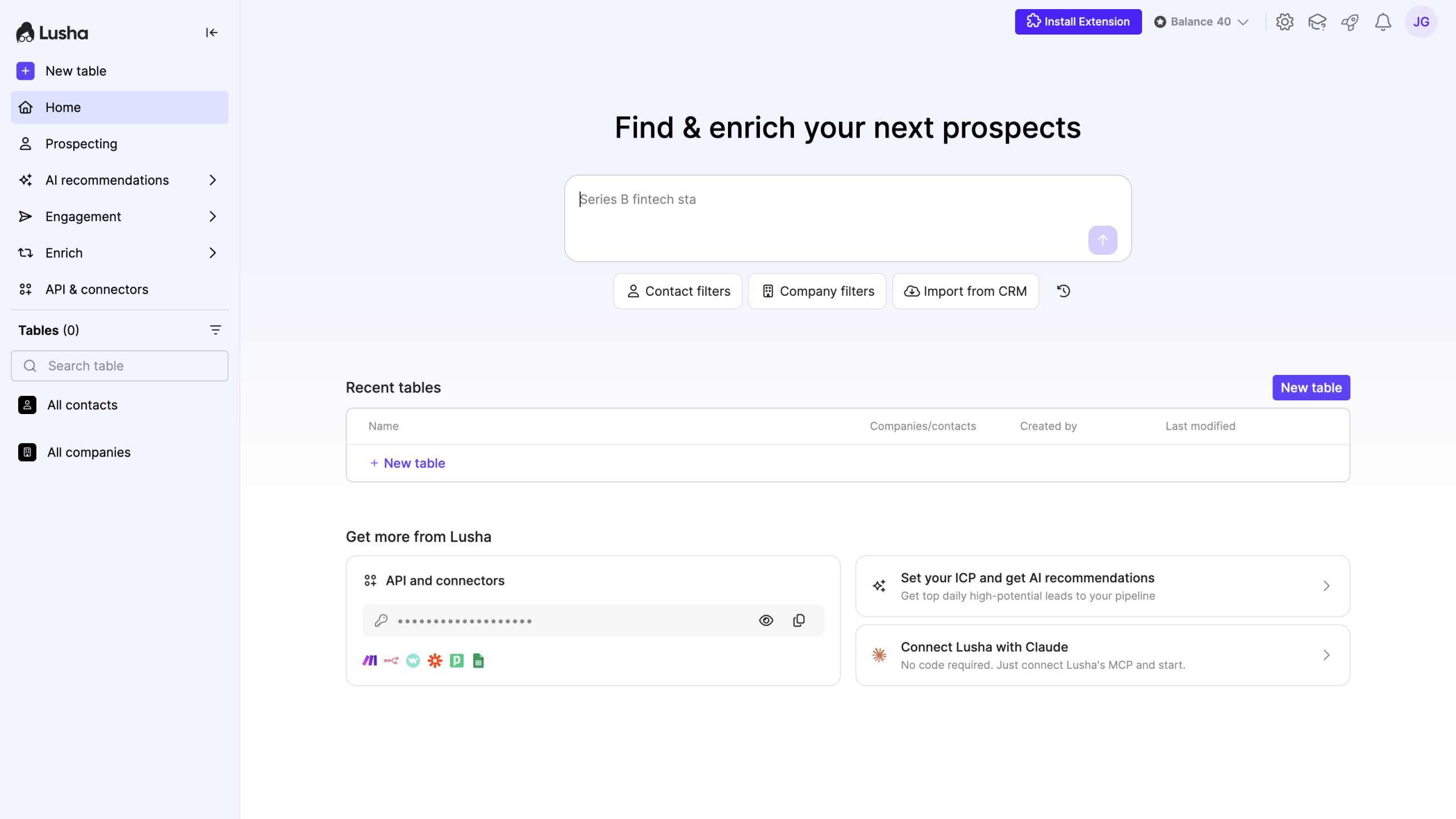
A solo user on Starter is very different from a team on Premium. The public price is useful, but your actual month depends on how many usable emails and phones you need.
| Cost question | Solo contact finder | Small sales team |
|---|---|---|
| Likely plan | Starter | Premium |
| Seats | 1 seat | 5 seats included |
| Annual price | About $449.40/year | About $3,599.40/year |
| Credits | 4,800/year | 40,800/year |
| Example month | 150 email reveals and 30 phone reveals | 1,000 email reveals and 200 phone reveals |
| Simple credit floor | About 300 credits before exports | About 2,000 credits before exports |
| My read | Good if your workflow is email-led and selective. | Only worth it if several people use Lusha every week. |
Seat advantage: Lusha can be easier to budget for small teams because some paid plans include extra seats. Instead of paying for every teammate straight away, more than one person can use the same plan, which makes the real cost easier to anticipate.
Lusha limits to check before buying
Annual billing changes the decision
Lusha shows yearly billing as 25% off. That makes the monthly-looking price more attractive, but you are still committing to a yearly payment. For example, Starter at $37.45/month billed yearly is about $449.40 upfront.
That can be fine if you already know Lusha works for your market. I would be more cautious if you have not tested your real job titles, regions and company sizes yet.
Phone data changes the math
Email-led prospecting and phone-led prospecting are not the same purchase. A verified email costs 1 credit; a phone number costs 5 credits. If calling is central to your workflow, do not judge Lusha only by the email lookup side.
Realistic example:
- 100 email reveals = 100 credits
- 40 phone reveals = 200 credits
- One CSV export batch = at least 1 extra credit
That is already about 301 credits before extra enrichment or CRM export.
Exports and API are not free
The Pro plan is interesting because it adds API, CSV enrichment, signals and webhooks. But once data starts moving between systems, you need to watch credit usage more closely.
This is not a reason to avoid Pro. It is a reason to test your real workflow before assuming 7,200 credits will be enough.
Don’t rely on refunds
Lusha’s cancellation help says subscriptions are generally non-refundable, though some refund reviews may be considered case by case. Its incorrect-data help also says credits are deducted when you reveal data and are not automatically refunded if a phone number or email later turns out to be wrong, though support can manually review cases.
That is normal enough for SaaS, but it reinforces the practical point: test the data first, report bad records properly, then pay yearly when you trust the sample.
Pro tip: if you are not sure yet, start with a monthly plan first. You can always upgrade later if you find yourself using Lusha every week and the app is clearly saving enough time or data work to justify the yearly commitment.
Lusha pricing vs alternatives



The closest comparisons in this lead-generation group are Apollo, UpLead and RocketReach. They are not identical tools, but they answer the same buying question: how much does usable contact data really cost?
| Tool | Starting price | Pricing model | Why compare it with Lusha? |
|---|---|---|---|
| Lusha | Free plan; Starter from $37.45/mo billed yearly | Plan price plus credits | Best if you want a fast contact finder, browser workflow and simple enrichment. |
| Apollo | Free plan; paid from $49/seat/mo billed annually | Seat price plus credits and optional add-ons | Better if you want search, enrichment, sequences and CRM handoff together. Read Apollo review. |
| UpLead | Free trial; paid from $99/mo | Monthly credits with verified-email focus | Better if verified emails and clean exports matter more than built-in outreach. Read UpLead review. |
| RocketReach | From $19/mo billed annually | Lookup/export limits by plan | Useful if you already know the people or companies you want to find. Read RocketReach review. |
I would choose Lusha when speed and simplicity matter most. I would choose Apollo when the outreach workflow needs to live in the same product. I would choose UpLead when email verification is the main buying reason. I would choose RocketReach when broad people lookup matters more than workflow depth.
You can see the wider ranking in my best lead generation tools guide.
My verdict on Lusha pricing
Lusha pricing is easy to like because it is fairly simple. The free plan is useful, Starter is approachable, and Pro can be a practical small-team upgrade because it includes 2 seats plus API, CSV enrichment, signals and webhooks.
I also think Lusha can come out cheaper than some broader lead-generation tools if your workflow is mainly contact lookup, light enrichment and clean exports. You are not paying for a huge outbound workspace you may not use.
The main thing I would not ignore is credit usage. Email-led use can stay fairly efficient. Phone-heavy prospecting, exports, enrichment and team usage can make the real cost rise quickly.
My default path would be simple: start with Free, test a real sample, move to Starter if one person needs regular contact lookup, and only choose Pro or Premium when the extra seats, API, team controls and credit allowance clearly solve a real workflow problem.
Try Lusha FreeLusha pricing questions answered
Lusha has a free plan. Paid self-serve plans start with Starter at $37.45/month when billed yearly. Pro is shown at $52.45/month billed yearly, and Premium at $299.95/month billed yearly.
Yes. Lusha has a free plan with 40 credits per month and no credit card required. I would use it to test contact quality and the workflow before paying.
The cheapest paid Lusha plan is Starter. It is shown at $37.45/month billed yearly, with 4,800 credits per year and 1 seat included.
Credits are used when you reveal or move data. A verified email is listed as 1 credit, a phone number as 5 credits, and CSV, CRM, API or enrichment actions can also use credits.
Lusha’s current pricing breakdown lists a phone number reveal as 5 credits per contact phone number.
Yes, Lusha lists automated email sequences among its platform features. I would still treat it as lighter outreach than a full sales engagement platform like Apollo.
Lusha can be worth it if you need fast email and phone lookup, LinkedIn-led prospecting and simple enrichment. If you only need occasional email lookups, the free plan or a smaller test may be enough.
The most relevant alternatives are Apollo for an all-in-one outbound workspace, UpLead for verified-email lists, and RocketReach for broad people lookup.