


I wanted to write this Apollo pricing guide because Apollo is easy to underestimate from the pricing table on their website. I probably spend too much time comparing SaaS prices over coffee, but this is exactly the kind of tool where a quick glance can fool you. The seat price is visible, but the real cost sits in the usage.
On paper, Apollo has a free plan and paid plans start at $49 per seat/month when billed annually. Useful, yes. But that number doesn't tell you whether Apollo will be cheap or expensive for your workflow. Your plan sets the base subscription, but credits decide how far you can go with email reveals, phone numbers, enrichment, exports, API use and automation.
My practical read: Apollo's entry price is reasonable if you want database search, enrichment and email sequences together. The plan price is only the base cost; the important question is how many credits your real prospecting workflow burns.
If you mostly need occasional email lookups, Apollo may be more tool than you need (I would also compare Lusha, UpLead or RocketReach). If you want one workspace for finding accounts, revealing contacts, enriching lists and pushing them into your CRM, the paid plans can make sense faster.
That matters because Apollo isn't just an email finder. I cover the full product in my Apollo review, but for pricing the important bit is this: you're paying for a lead database, search filters, enrichment, email sequences, calling features, workflows and CRM handoff in one product. It can be very good value when it replaces several tools, but it can feel pricey if you only need occasional contact lookups.
Note: I based this guide on Apollo's public pricing page and Apollo's API pricing docs. I’ll keep it updated, but Apollo may adjust plan details, credits or billing terms over time.
Apollo pricing plans at a glance
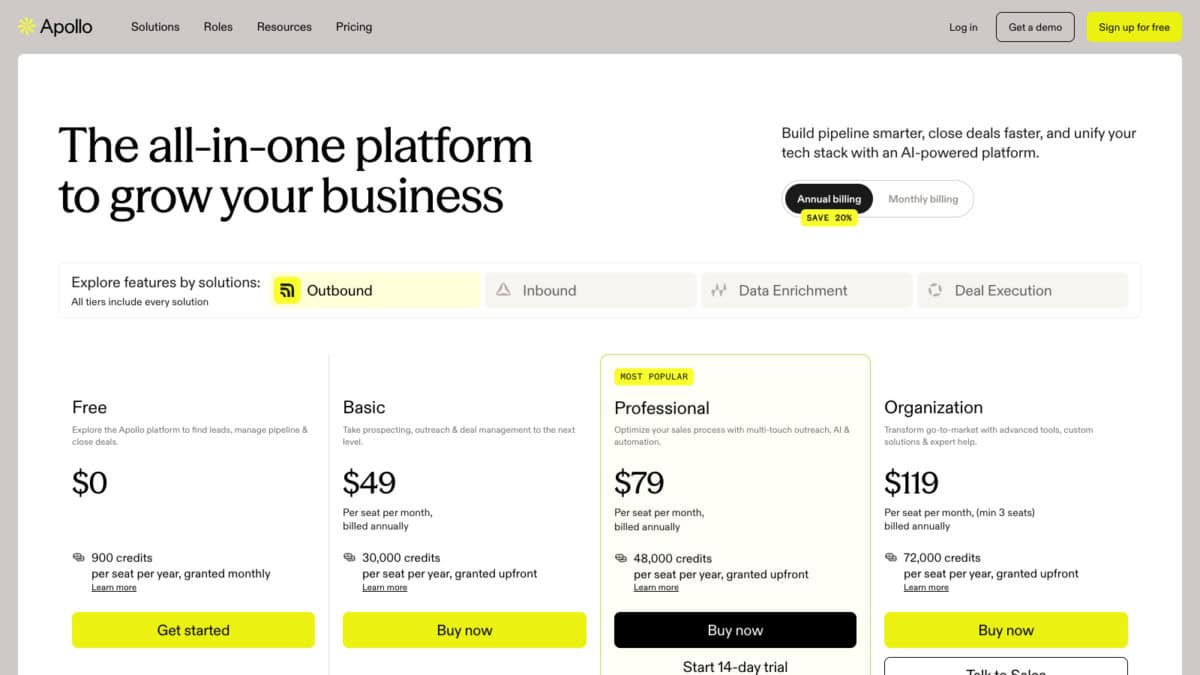
Here is the practical version of Apollo's current annual pricing. I would read this less like a price list and more like a usage map: credits, sequences, mailboxes and workflow limits are what separate the plans.
| Feature | Free | Basic | Professional | Organization |
|---|---|---|---|---|
| Annual price | $0 | $49/seat/mo | $79/seat/mo | $119/seat/mo |
| Credits | 900/yr, monthly | 30k/yr, upfront | 48k/yr, upfront | 72k/yr, upfront |
| Best fit | Small test | Simple prospecting | Daily outreach | Larger teams |
| Search filters | Basic filters | Advanced filters | Advanced filters | Advanced filters |
| Record limit | 25 records | 1k records | 2.5k records | 10k records |
| Sequences | 2 per team | Unlimited | Unlimited + tests | Unlimited + tests |
| AI writing | 5k words/mo | 250k words/mo | 800k words/mo | 1m words/mo |
| Mailboxes | 1 per user | 1 per user | Unlimited + 5 SMTP | Unlimited + 15 SMTP |
| Daily sends | 250 emails | 250 emails | Unlimited emails | Unlimited emails |
| Workflows | 2 per team | 5 per team | 50 per team | 500 per team |
| Data enrichment | AI + CSV | CRM/API + waterfall | CRM/API + waterfall | CRM/API + waterfall |
| Calling tool | No calling | US calling | US calling | US calling |
| Support/admin | Email support | Chat + onboarding | Chat + reports | Security + SSO |
The better way to read this table is by asking how much of your outbound process you expect Apollo to own.
What Apollo pricing actually covers
Apollo pricing makes more sense when you stop thinking about it as one tool. It is closer to a small outbound stack inside one product.
- Lead database: search for people and companies using filters.
- Contact data: reveal emails and phone numbers where available.
- Enrichment: fill missing fields in contacts, companies or uploaded lists.
- Email outreach: build sequences and connect mailboxes.
- Calling: use dialer features, with credits applying in some cases.
- CRM handoff: send useful records into tools like Salesforce or HubSpot.
That is why Apollo can be good value for a small B2B (business-to-business) team. If it replaces a separate database, enrichment tool, email finder and basic outreach platform, the subscription can make sense quickly.
The opposite is also true. If you only want to look up a few emails each month, you may be paying for a lot of product you don't really use.
The key question: are you replacing several tools, or only buying a contact lookup tool? Apollo pricing feels very different depending on that answer.
Apollo plans in detail
Free plan
The free plan is useful because you can touch the product without booking a demo. You can check the interface, try basic searches, use a small amount of AI and run a tiny data-quality check.
I would use it like a sample test, not a mini CRM. Search for 20 to 30 real prospects from your market: the job titles, countries, company sizes and industries you actually target. Then ask the practical question: are these records useful enough to trust?
If the sample looks weak, upgrading probably won't magically fix the problem. If the sample looks promising, Basic is where Apollo starts becoming a real working tool.
What Free includes
900 credits per year
Enough to run a small sample test, with credits granted monthly rather than all upfront.
Contact and account search
You can use Apollo's database with basic filters to check whether your real target market is there.
AI research and limited AI assistant
Useful for light research and testing the AI workflow, but not for heavy daily use.
Two sequences
You can test simple outreach structure before deciding whether Apollo should become your sending tool.
Browser and email extensions
The prospecting, Gmail and Salesforce extensions help you see how Apollo fits into normal daily work.
What Free does not include
Advanced filters and signals
The stronger targeting options sit on paid plans, so Free is better for sampling than serious list building.
Waterfall enrichment
You do not get the richer paid workflow that tries multiple sources to fill missing contact data.
Full CRM handoff
Free is not where Apollo becomes a proper customer-database sync and enrichment system.
Serious outreach automation
Unlimited sequences, A/Z testing, email warmup, workflows and dialer features are paid-plan territory.
Basic plan
Basic is the first realistic plan for ongoing use. You get advanced filters, CRM integrations, waterfall enrichment, CSV/CRM/API enrichment, unlimited sequences, email warmup and a much larger credit allowance than Free.
This is the plan I would test first if your workflow is straightforward: find prospects, reveal contact data, enrich missing fields, send some outreach and push the useful records into your customer database.
A simple example: one founder or salesperson builds a weekly list, checks emails, saves the best contacts and sends them into HubSpot or Salesforce. Basic can cover that kind of workflow without forcing you into the heavier team plan too early.
Basic price snapshot: monthly billing is $65 per seat/month. Annual billing brings it down to $49 per seat/month, or $588 per seat/year.
What you get over Free: a much larger credit allowance, advanced filters, CRM integrations, waterfall enrichment, CSV/CRM/API enrichment, unlimited sequences, email warmup and US Dialer (calling within the United States) access.
Professional plan
The Professional plan is where Apollo starts to feel like a full outbound workspace. It adds more credits, more meeting events, A/Z testing for sequences, automated workflows, unlimited Gmail and Microsoft mailboxes, call recordings, AI insights and deeper reports.
If a few people on your team will use Apollo every week, Professional is often the more practical plan. The extra automation and reporting are less exciting on paper, but they matter once you are running real campaigns rather than just building lists.
I would upgrade for a reason, though. Professional makes sense when sequences, workflows and reporting save time every week. It isn't worth choosing only because the feature list looks longer.
Professional price snapshot: monthly billing is $99 per seat/month. Annual billing brings it down to $79 per seat/month, or $948 per seat/year.
What you get over Basic: more credits, A/Z testing for sequences, unlimited Gmail and Microsoft mailboxes, more meeting events, automated workflows, call recordings, AI insights and deeper reporting.
Organization plan
Organization is the heavier team plan. It has a 3-seat minimum and includes more credits, stronger reporting, more advanced security settings, SSO (single sign-on, so your team logs in with one company login) and the option to bring your own LLM API key (for example OpenAI, Anthropic or another AI model provider).
I wouldn't start here unless you already know Apollo will be central to your team. The single-seat price looks reasonable, but the minimum-seat requirement changes the real starting cost.
This plan is less about buying more Apollo and more about buying control: team visibility, governance, reporting and fewer loose ends once several people are working from the same data.
Organization price snapshot: annual billing is $119 per seat/month, with a 3-seat minimum. That makes the annual starting commitment about $4,284/year. Apollo's monthly view shows $149 per seat/month, but this tier is really a larger-team commitment.
What you get over Professional: more credits, unlimited meeting events, 12 intent topics, higher AI and call limits, stronger admin controls, custom permission profiles, SSO, advanced security and the option to bring your own LLM API key.
Credits explained
Credits are Apollo's usage currency. This is the part I would pay most attention to, because credits can make a plan feel generous or tight depending on how you use the product.
Think of credits as the meter running behind the product. Clicking one email reveal feels obvious. But enrichment jobs, phone lookups, exports and API workflows can spend credits more quietly, especially if you run them in batches.
The main credit costs I would model first are:
- Email reveal: 1 credit per verified business or personal email.
- Phone reveal: 8 credits per verified phone number.
- Email + phone enrichment: up to 9 credits per record if both are found.
- Power-up or AI research run: 1 credit per run.
- Company search through the API: credits are consumed per page when data is returned, so I would test a small page before running large searches.
In simple terms, credits can matter when you reveal contact data, pull phone numbers, enrich lists, export records, sync data or use API-based workflows. Apollo's API pricing documentation also says several search and enrichment endpoints consume credits, including person details, organization search, people enrichment and phone-number retrieval.
The real cost of Apollo
The real Apollo cost isn't only the seat price. I would think about it like this:
- Seat cost: how many users need access?
- Credit usage: how many emails, phones, enrichments and exports do you need?
- Add-ons: do you need Inbound or Advanced Dialer?
- Commitment: are you paying monthly or annually?
A solo user testing Basic is very different from a 3-person team on Organization with dialer usage and heavy phone reveals. The public price is useful, but your actual month depends on the workflow.
Here is the difference in practical terms, using Apollo's public annual prices and the credit rules explained in its pricing and help documentation.
| Cost question | Solo user | 3-person sales team |
|---|---|---|
| Likely plan | Basic, if the main job is prospecting, enrichment and light outreach. | Organization, if Apollo becomes a shared sales workspace with admin, reporting and heavier usage. |
| Seats | 1 seat. | 3 seats, because Organization has a 3-seat minimum. |
| Listed annual price | $49 per seat/month, billed annually. | $119 per seat/month, billed annually. |
| Subscription math | $588/year before add-ons or extra credits. | $4,284/year before add-ons or extra credits: 3 seats x $119 x 12 months. |
| Included credits | 30,000 credits per seat/year, granted upfront. | 72,000 credits per seat/year, granted upfront. For 3 seats, that is 216,000 team credits/year. |
| Example month | 500 prospects searched, 200 email reveals, 50 phone checks, one small CSV enrichment and a few active sequences. | Three users building lists, revealing data, calling prospects, enriching CRM records and running sequences every week. |
| Simple credit floor | 200 email reveals plus 50 phone checks is about 600 credits before CSV enrichment, exports or API work. | 1,500 email reveals plus 600 phone checks is about 6,300 credits before enrichment, exports, dialer minutes or API work. |
| Main features needed | Advanced filters, CRM integrations, waterfall enrichment, CSV/CRM/API enrichment, unlimited sequences, email warmup and US Dialer (calling within the United States) access. | More credits, shared reporting, admin controls, unlimited meeting events, more intent topics, A/Z testing, automated workflows, call recordings, AI insights and stronger security controls. |
| My read | Basic can make sense if the solo workflow is mostly email-led and you test phone numbers carefully. | Organization only makes sense if the team will actually use the shared controls, reporting, dialer and higher credit pool. |
This is not a fixed quote. It is a workflow model using Apollo's listed plan prices and public credit guidance. API, enrichment and dialer usage can vary depending on what data Apollo returns and how often you run each workflow.
Apollo limits to check before buying
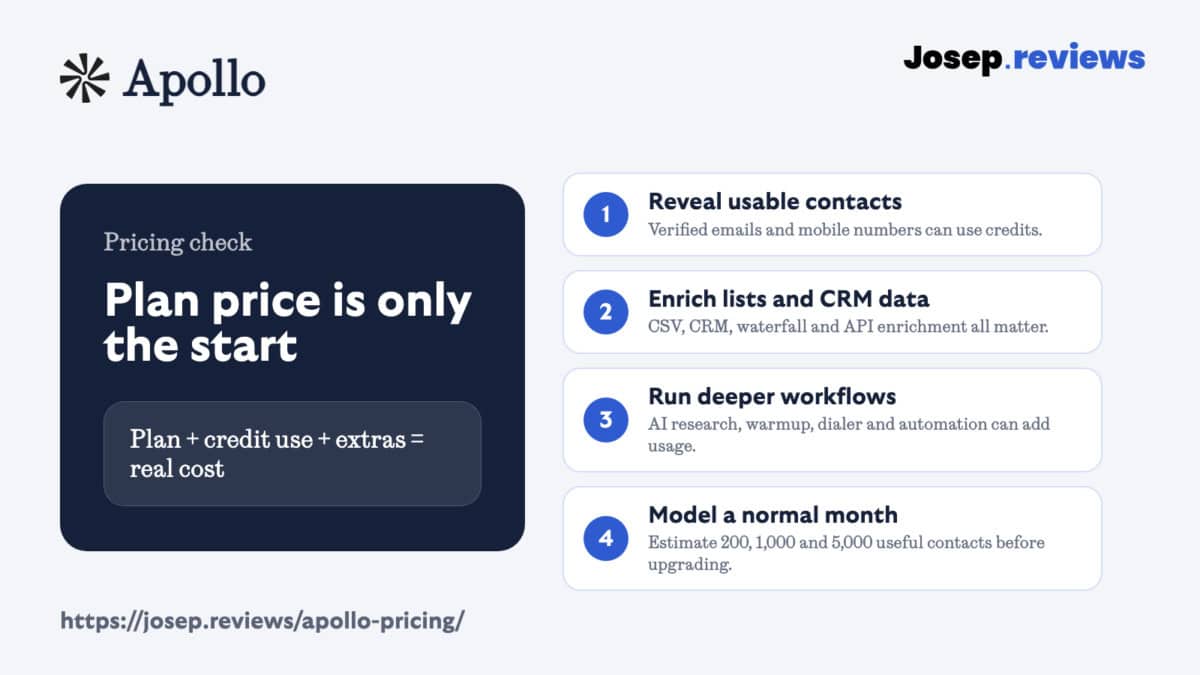
This is where Apollo pricing can surprise people, not because the pricing is unfair, but because your workflow decides the bill. These are the things I would check before committing.
Annual billing changes the decision
The lowest advertised prices are annual-billing prices. Monthly billing costs more. For example, Apollo's Basic plan is shown at $49 per seat/month when billed annually, while the monthly view is $65 per seat/month. That is normal for SaaS, but lead data is the kind of thing I would want to test with my actual market before paying for a year.
Annual billing can save money once you know Apollo fits. The tradeoff is commitment: you pay upfront, downgrades mid-term don't trigger refunds, and cancellations take effect at the end of the billing cycle. I would test real prospects, credits and exports first.
Phone numbers can change the economics
Email-led prospecting is one thing. Phone-heavy prospecting is another. Apollo marks the US Dialer (calling within the United States) with "credits apply", and Apollo says phone-number retrieval consumes credits. If calling is central to your process, don't judge Apollo only by the email lookup side.
Calling example: if you reveal 100 emails and check 40 phone numbers, the phone side is the expensive part.
- 100 email reveals: about 100 credits
- 40 phone reveals: about 320 credits
- Total before enrichment/export: about 420 credits
- Basic plan reference: 30,000 credits/year
Exports and enrichment need a plan
Lead generation usually doesn't end inside Apollo. You may want to export records, enrich a CSV, push contacts into HubSpot or Salesforce, or use an API workflow. That handoff is useful, but it is also where usage can grow quickly.
Apollo add-ons worth knowing about
Apollo currently shows two main add-ons: Inbound and Advanced Dialer. On annual billing, each is shown at $119 per team/month. On monthly billing, each is shown at $149 per team/month.
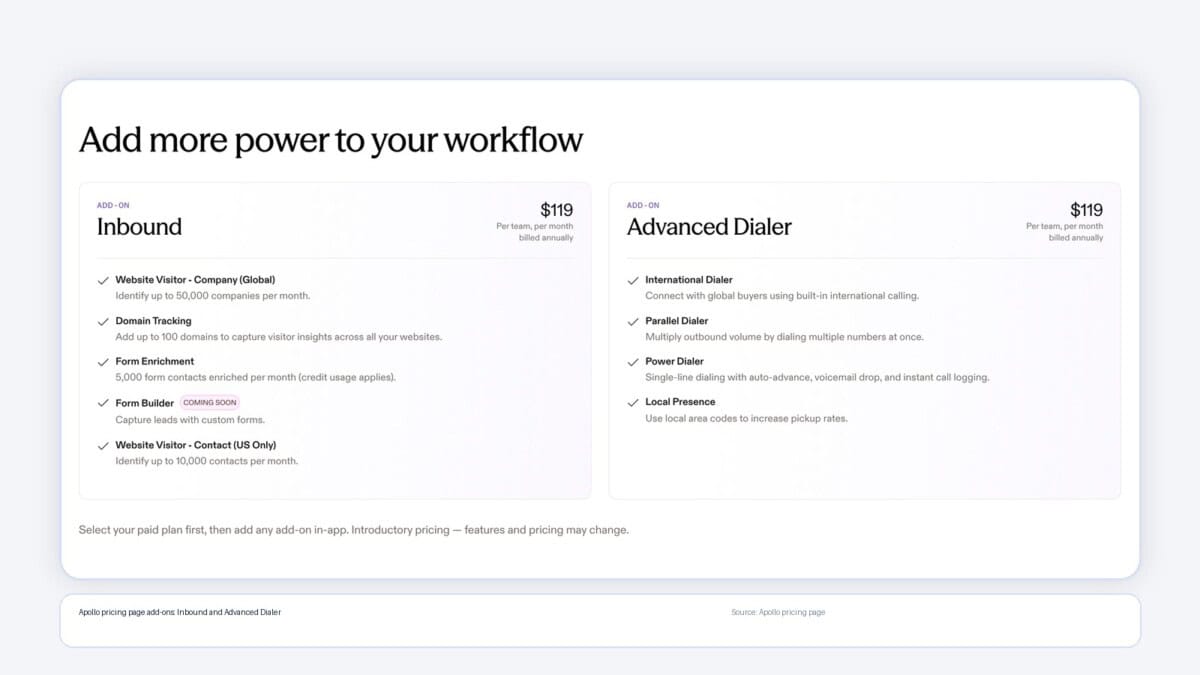
Inbound is for turning website traffic into sales signals. It helps identify visiting companies, track domains, enrich forms and route higher-intent visitors into follow-up workflows.
Advanced Dialer is for teams that call prospects seriously. It adds international dialing, parallel dialing, power dialing and local presence, so it is more relevant if phone outreach is part of your actual sales motion.
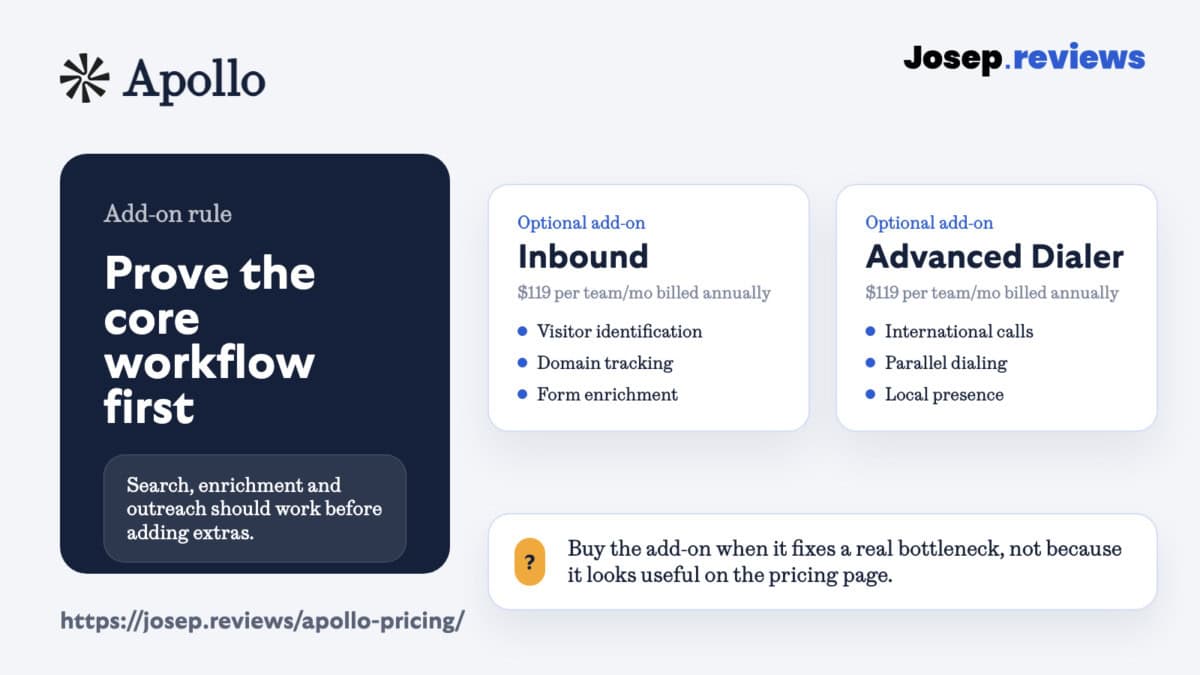
Pro tip: don't buy either add-on during the first pricing decision unless that motion already exists in your team. First prove the core database, enrichment and outreach workflow. Then decide whether the add-on solves a real bottleneck. Apollo will still be happy to sell you the add-on later if you genuinely need it.
Apollo pricing vs alternatives



| Tool | Starting price | Pricing model | Why compare it with Apollo? |
|---|---|---|---|
| Apollo | Free plan; paid from $49/seat/mo billed annually | Seat price plus credits and optional add-ons | Best if you want lead search, enrichment, email sequences and CRM handoff together. |
| Clay | Free plan; paid from $167/mo billed annually | Plan price plus actions and data credits | Better if the value is custom enrichment, AI research and workflow logic before outreach. Read Clay review. |
| RocketReach | From $19/mo billed annually | Lookup/export limits by plan | Useful when you already know the people or companies you want and mainly need contact lookup. Read RocketReach review. |
My verdict on Apollo pricing
Apollo's pricing is fair for what it includes, but it isn't a plan I would choose lazily. The subscription is easy to understand. The credit model is what needs more thought.
If Apollo has strong data in your market, it can replace a messy stack of separate tools. If the data is thin for your target customers, or your team burns through credits too quickly, the headline price will matter less.
Bottom line: Apollo is a good value when it replaces tool sprawl. It is less compelling when it becomes a paid contact lookup habit. I would test the data first, model one real month of usage, and only then decide whether Basic or Professional is the right starting point.
Apollo pricing questions answered
Apollo has a free plan. Paid plans start at $49 per seat/month when billed annually. Monthly billing costs more, and Organization has a minimum of 3 seats.
Apollo.io pricing starts with Free, then Basic from $49 per seat/month annually, Professional from $79 per seat/month annually, and Organization from $119 per seat/month annually with a 3-seat minimum.
Yes. Apollo has a free plan. I would use it to check the interface, filters and a small sample of data, not as a full outbound setup.
The cheapest paid Apollo plan is Basic. It starts at $49 per seat/month when billed annually.
Credits are used for data and enrichment actions. They can matter when you reveal contact data, pull phone numbers, enrich lists, export records, sync data or use API search and enrichment endpoints.
Yes. Apollo includes email sequences. The free plan has limited sequencing, while paid plans unlock more serious outreach use.
Apollo can be worth the price if you use the full workflow: search, enrichment, sequences and CRM handoff. If you only need a few contact lookups, a simpler tool may be enough.
The most relevant alternatives are Clay for custom workflows, Lusha for fast contact lookup, UpLead for verified-email exports, and RocketReach for broad people lookup.