


Clay pricing looks simple until you try to budget a real workflow. You may be wondering: is the Launch plan enough, or will Actions, Data Credits and enrichment providers push the cost up faster than expected? That is the question this guide is meant to answer.
I’ll break down what each plan unlocks, how the usage meters work, and where costs can creep in. If you want the full product context first, I also have a hands-on Clay review.
My quick overview: Clay’s first paid plan is Launch, from $167/month paid annually. It can be good value if it replaces manual research, messy enrichment chains and copy-paste CRM (customer relationship management) work, but I would test a small workflow first because Actions and Data Credits decide the real cost.
Clay pricing plans at a glance
Clay’s plan names are easy to scan, but I would not choose a plan from the headline price alone. The important part is how much usage you get, and which plan unlocks the workflow you actually need.
Quick pricing note: Clay’s lowest advertised paid prices are annual-billing prices. Clay’s docs also mention monthly pricing at $185/mo for Launch and $495/mo for Growth, so I would check the billing toggle before comparing it with another tool.
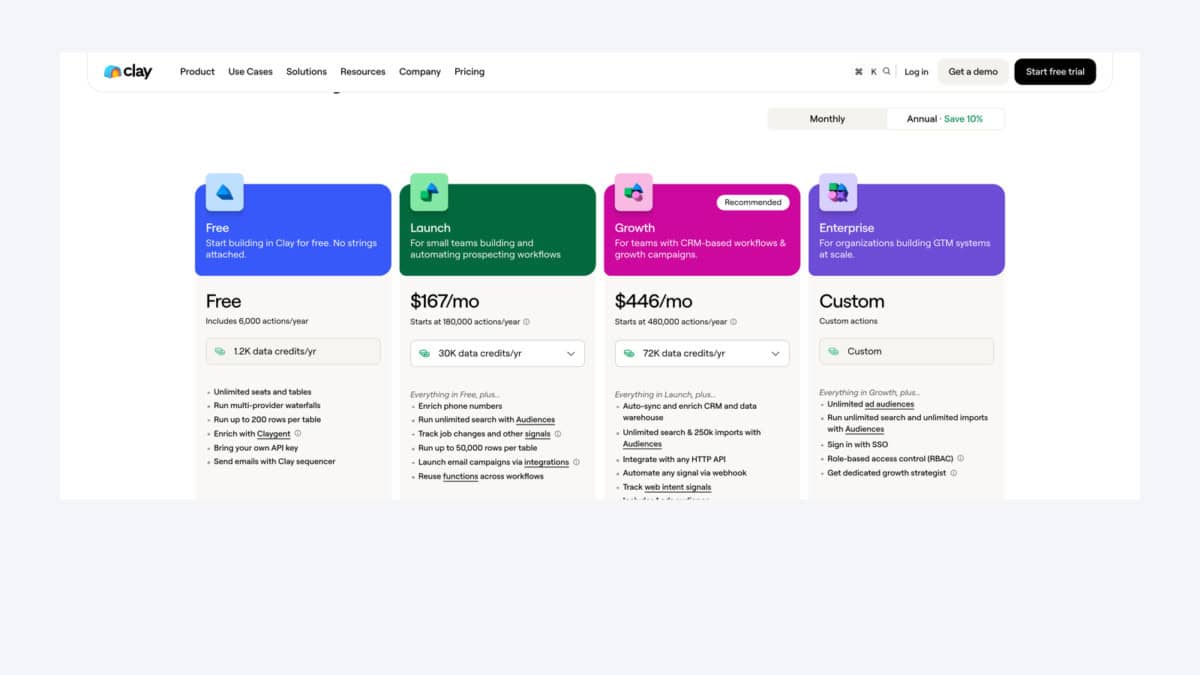
Here is the detailed Clay plan comparison, so you can see what each tier costs and what it actually unlocks.
| Feature | Free | Launch | Growth | Enterprise |
|---|---|---|---|---|
| Starting price | Free | $167/mo, paid annually | $446/mo, paid annually | Custom |
| Best for | Testing small workflows | Prospecting workflows | CRM-connected workflows | Larger go-to-market teams |
| Actions included | 6,000/year | 180,000/year | 480,000/year | Custom |
| Data Credits included | 1.2K/year | 30K/year | 72K/year | Custom |
| Users and tables | Unlimited | Unlimited | Unlimited | Unlimited |
| Table size | 200 rows/table | 50,000 rows/table | Higher limits | Custom scale |
| Waterfall enrichment | Included | Included | Included | Included |
| Phone enrichment | Basic | Standard | Standard | Advanced/custom |
| Prospect search/imports | Limited | Unlimited search | 250K imports | Unlimited imports |
| Signals and Claygent | Claygent included | Job-change signals | Web intent signals | Advanced signals |
| Email outreach options | Clay sequencer | Campaign integrations | Campaign integrations | Campaign integrations |
| CRM/developer access | Use own provider keys | Email integrations/functions | Developer access, CRM sync, webhooks | Warehouse/custom setup |
| Support and admin | Basic self-serve | Self-serve team use | Priority support | Advanced security and support |
Quick terms:
Actions are workflow steps Clay runs, such as enrichment, AI (artificial intelligence) research, exports or syncs.
Data Credits pay for provider data and AI usage, such as emails, phone numbers and company enrichment.
Rows per table is the size of one Clay workspace table, not your total account database.
What Clay pricing actually covers
Clay pricing has three moving parts. The plan subscription is the easy one. It unlocks plan-level features, table limits, support level and the amount of included usage.
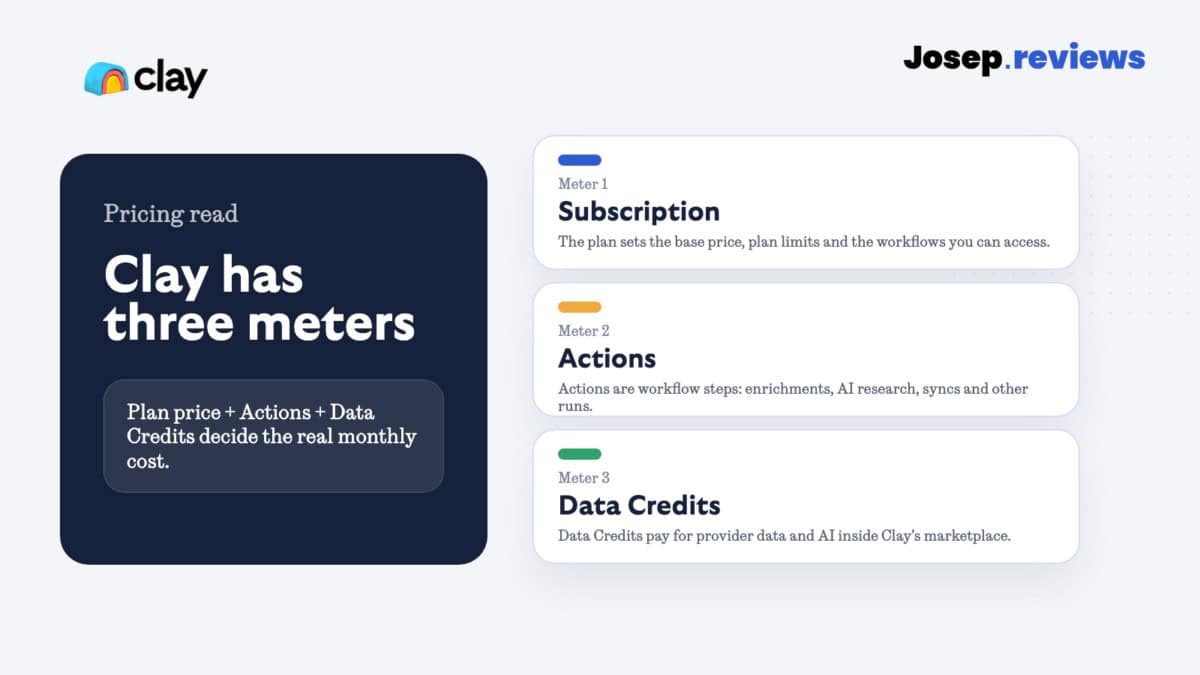
Actions measure platform usage. In plain English, an Action is a workflow step Clay runs for you: enrichment, AI research, exports, syncs and similar tasks.
Data Credits are different. They pay for data and AI from Clay’s marketplace providers. For example, finding work emails, adding phone numbers, enriching companies or running AI research can all affect the final usage cost differently.
Clay plans in detail
Free plan
The Free plan is good for learning the product. You get unlimited seats and tables, multi-provider waterfalls, Claygent, bring-your-own provider keys and the Clay sequencer, but the 200 rows per table limit keeps it small.
I would use Free to build a simple test workflow, not to judge the full cost of a real campaign.
What Free includes
Unlimited seats and tables
You can invite teammates and build small test workspaces without paying per user.
6,000 Actions per year
Enough to run small workflow tests, but not enough to judge a serious campaign.
1.2K Data Credits per year
Useful for a small enrichment or AI research sample before committing.
Waterfalls, Claygent and sequencer
You can test the core Clay workflow style: enrich, research and lightly sequence.
Bring-your-own provider keys
Helpful if you already have external data providers and want to connect them.
What Free does not include
Real campaign scale
Each table is capped at 200 rows, so Free is better for testing than production.
Enough usage to model full cost
The included Actions and Data Credits can disappear quickly in richer workflows.
CRM sync and webhooks
Free is not the plan for pushing enriched data into your customer database automatically.
Large imports and priority support
Those start to matter once Clay becomes part of your weekly lead workflow.
Launch plan
Launch is the first plan that feels realistic for small teams. It starts at $167/mo billed annually, includes 180,000 Actions per year and 30K Data Credits per year, and unlocks phone enrichment, Audiences search, signals, 50,000 rows per table and campaign integrations.
This is the plan I would test if your goal is something like: “find SaaS companies hiring SDRs (sales development reps), enrich the head of sales, verify emails, add a phone number where possible, then export the clean list.”
Launch vs Free: from $167/month paid annually ($2,004/year), or $185 month to month. The upgrade is mostly scale: 50,000 rows per table, more Actions and Data Credits, phone enrichment, signals and campaign integrations.
Growth plan
Growth is where Clay becomes more of an operating system for lead generation. It starts at $446/mo billed annually and adds stronger CRM, API (application programming interface), webhook and import workflows.
I would only jump here if Clay is going to sit close to your customer database. If all you need is a list once a week, Growth may be more tool than you need.
Growth vs Launch: from $446/month paid annually ($5,352/year), or $495 month to month. This is the CRM/developer step: more usage, CRM sync, developer API, webhooks, larger imports, web intent signals and priority support.
Enterprise plan
Enterprise is for larger teams that need custom scale, SSO (single sign-on), stricter user permissions, data warehouse workflows and dedicated support. It is the right direction if Clay becomes part of your company’s go-to-market infrastructure, not just a personal prospecting workspace.
Enterprise vs Growth: custom pricing. This is where Clay adds custom scale, single sign-on, role-based access, data warehouse workflows and dedicated support. I would only ask about it if Clay is becoming core infrastructure.
The real cost of Clay
The real cost of Clay depends on how much work you ask it to do per record. A plain list with a simple email lookup is very different from a workflow that enriches companies, finds decision makers, pulls phone numbers, runs AI research, scores accounts and syncs everything into your CRM.
One simple example from Clay’s own documentation: a 100-contact workflow with LinkedIn profile enrichment and work emails can use around 95 Data Credits. That kind of test is useful because it turns pricing from an abstract plan table into a real cost-per-usable-contact number.
| Use case | What Clay has to run | Why cost changes |
|---|---|---|
| Simple email list | Import contacts, enrich profiles, find work emails | Usually lighter because you are asking for fewer data points per row. |
| Full account workflow | Find companies, identify buyers, add phones, run AI research, score accounts and sync to CRM | Heavier because each row can trigger several Actions and more Data Credit use. |
Pro tip: before running a large workflow, test 50 to 100 records from your actual market. If you sell to mid-market SaaS companies in the UK, don’t test with random US tech companies. Use your real job titles, countries, company sizes and tools, then check the Data Credits, Actions and usable contacts you get back.
Clay limits to check before buying
Clay is powerful, but I would check these limits before paying annually.
- Actions don’t roll over. If you don’t use them during the billing period, they don’t carry forward.
- Data Credits can roll over, but with limits. That helps, but it still doesn’t mean you can ignore monthly usage planning.
- Phone enrichment can change the economics. Email-led prospecting is one thing. Phone-heavy prospecting is another, because phone numbers are usually more expensive and less predictable than work emails.
- Free is mostly a test workspace. The 200-row table limit is fine for learning, but it gets tight quickly for serious lead generation.
- Growth is where CRM/developer work gets serious. If you need CRM sync, developer API, webhooks or larger imports, don’t only compare the Launch price.
Clay usage-based pricing explained
Clay calls part of its model usage-based pricing. That sounds a bit abstract, but the idea is simple enough: workflow usage and marketplace data usage are counted separately.
That is fair in one way because different workflows cost different amounts to run. It is also the reason I would never judge Clay only from the plan price. A cheap-looking workflow can become expensive if every row triggers several paid enrichment steps.
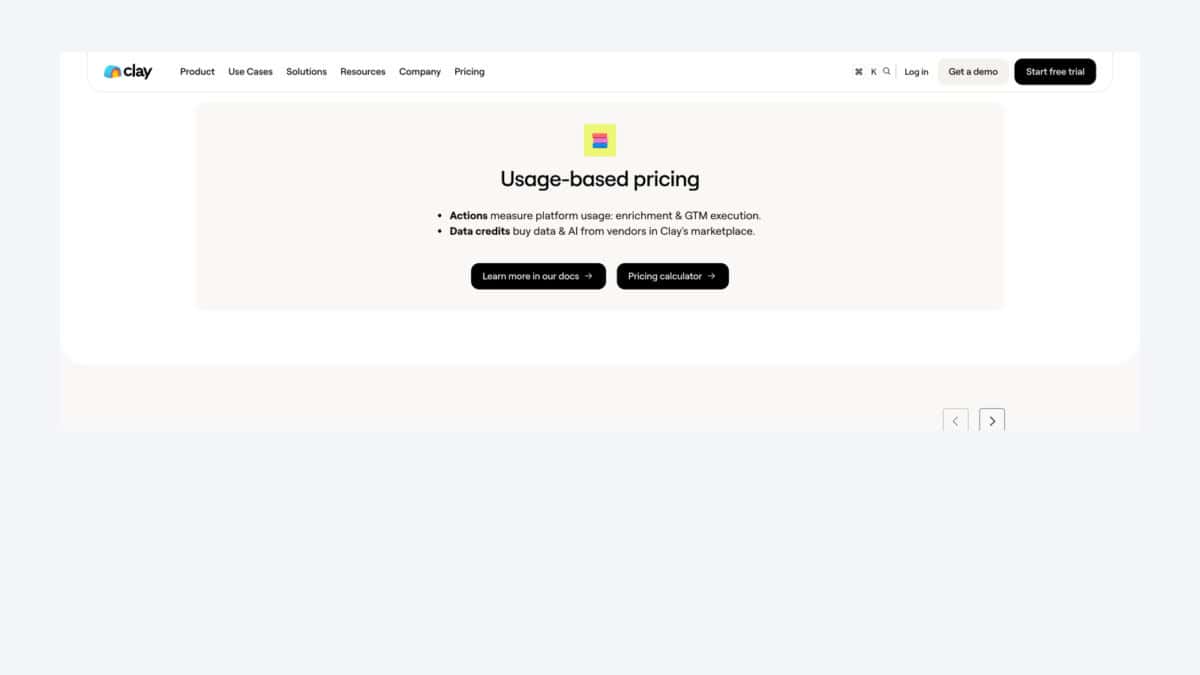
A practical example: imagine you upload 1,000 companies, find the right contacts, verify emails, add mobile numbers, ask Claygent to summarize each company, then push the result into HubSpot. That is a much heavier workflow than uploading 100 known contacts and only checking their work emails.
Clay pricing vs alternatives



Clay is not the cheapest path if all you need is quick contact lookup. If you want one tool with database search, enrichment and outreach together, Apollo may be easier to justify. If you mostly care about verified-email lists, UpLead is simpler. If you already know the people you want to find, RocketReach can be enough. I would also compare Lusha if you want a faster browser-led contact finder.
| Tool | Starting price | Where it is stronger than Clay |
|---|---|---|
| Apollo | Free plan; paid from $49/seat/mo | More complete if you want prospecting, enrichment and email sequences in one place. |
| UpLead | Free trial; paid from $99/mo | Simpler if verified emails and clean exports matter more than custom workflows. |
| Lusha | From $37.45/mo billed yearly | Faster if you mainly want browser-based contact lookup. |
| RocketReach | From $19/mo billed annually | Useful for broad people lookup when you already know who you want to find. |
My verdict on Clay pricing
Clay pricing is fairer than it looks if you use the product for what it is best at: custom enrichment, AI research, data workflows and repeatable lead-generation systems. It makes less sense if you only want a simple email finder.
My verdict: Clay is worth testing when the workflow matters. If a better workflow saves hours of manual research or helps you find leads that normal filters miss, the Launch or Growth price can make sense. If you only need occasional emails, I would start with a simpler and cheaper tool first.
Visit ClayClay pricing questions answered
Clay has a Free plan. Paid plans start at $167/mo billed annually for Launch, with Growth from $446/mo billed annually and Enterprise on custom pricing.
Yes. Clay has a Free plan with 6,000 Actions per year, 1.2K Data Credits per year, unlimited seats and tables, and a 200-row limit per table.
The cheapest paid Clay plan is Launch, currently shown at $167/mo billed annually. It is the first plan I would consider for real prospecting workflows.
Actions measure workflow usage. Think of them as the tasks Clay runs: enrichment steps, AI research, syncs, exports and similar workflow activity.
Data Credits pay for data and AI from Clay’s marketplace providers. Emails, phone numbers, company data and AI research can all use credits depending on the workflow.
Clay’s public pricing highlights unlimited seats and tables across the listed plans, so the bigger cost question is usually Actions, Data Credits and workflow scale.
Start with Free if you only need to learn the product. For a serious small-team test, Launch is usually the plan to model first.
Apollo is stronger for all-in-one outbound, UpLead is simpler for verified-email lists, and RocketReach is useful for broad people lookup.