



I wanted to review Lusha because it sits in a very practical middle ground. It’s more than a tiny email finder, but it’s also much easier to approach than an enterprise sales intelligence platform.
The best Lusha use case is simple: you already know the type of person or company you want, and you need to find contact details quickly, save them into a table, enrich missing data or send the records into your CRM.
The risk is that the tool feels simple enough to use casually, while the costs and data quality still need discipline. Phone numbers cost much more in credits than emails, accuracy varies by segment, and heavy users can burn through credits quickly.
Lusha Review Summary
Here is the short version: Lusha is a good first tool to test if you want fast B2B contact lookup, enrichment, LinkedIn-style prospecting, saved tables and CRM export without building a complicated outbound stack.
- Best for: small sales, recruiting and growth teams that want quick contact finding.
- Not ideal for: teams that need enterprise-grade intent data, very predictable high-volume costs or perfect phone coverage.
- Pricing: free plan available; paid plans start at $37.45/month on annual billing.
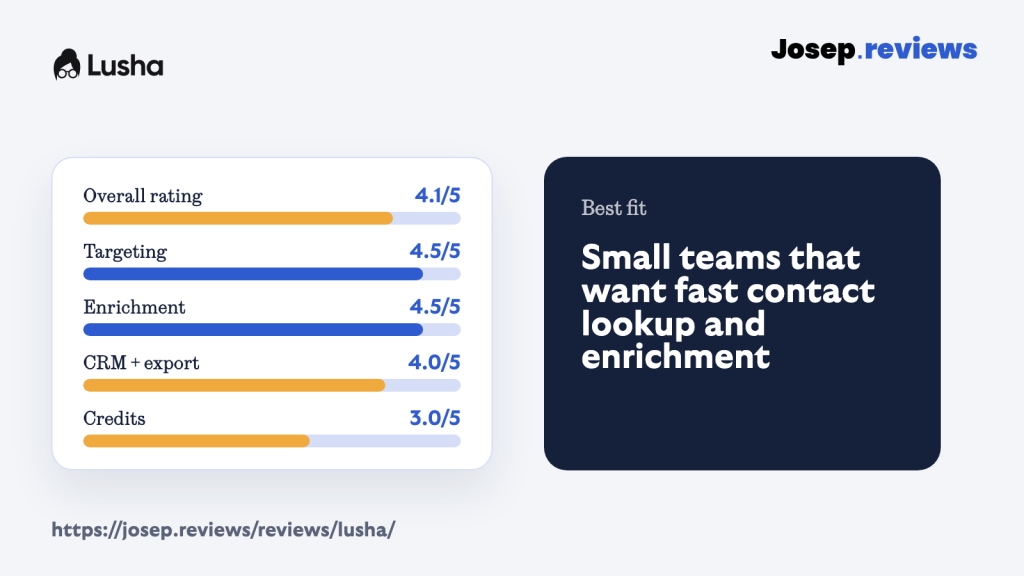
- My rating: 4.1 out of 5.
My main caution is credits. Lusha’s official pricing FAQ says a verified email reveal uses 1 credit, while a phone reveal uses 10 credits. That makes email-led prospecting much easier to model than phone-heavy outreach.
I also worked through the main in-app areas I could inspect: dashboard, credit balance, prospecting search, saved contacts and table workflow. That was enough to judge the product shape without creating artificial contact records or turning the test into a large export.
Visit LushaWhat is Lusha?
Lusha is a sales intelligence and contact data platform. In practical terms, it helps you find people and companies, reveal verified business emails and phone numbers, enrich missing contact data, save prospects into tables and send useful records into CRM or outreach workflows.
The product is especially useful if your prospecting already happens around LinkedIn, company websites or simple ideal-customer filters. You can start with a target market, use filters to narrow the list, reveal only the data you need and push the useful records into the next step.
I wouldn’t think of Lusha as the deepest possible sales intelligence platform. It’s more of a fast contact-finding and enrichment layer. That can be exactly what a small team needs, as long as the credits and data quality work for your market.
See Lusha in action
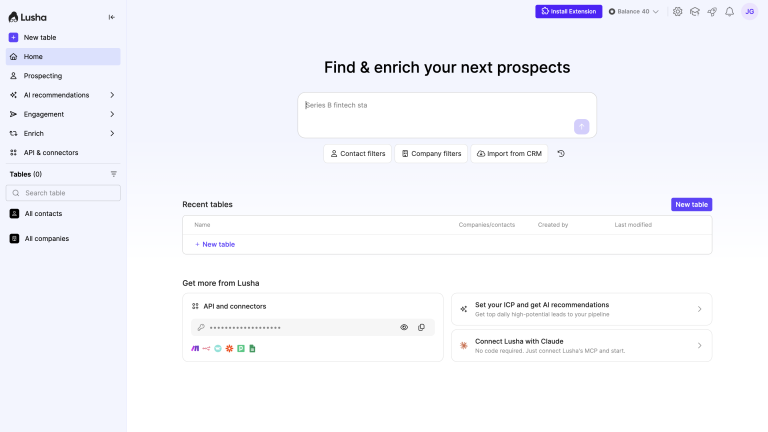
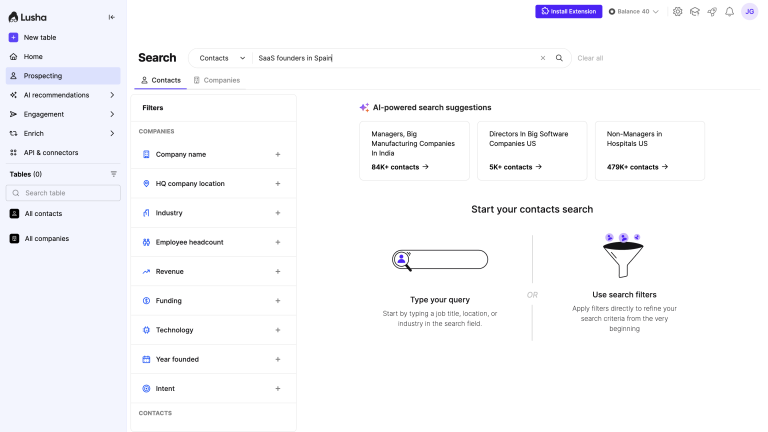
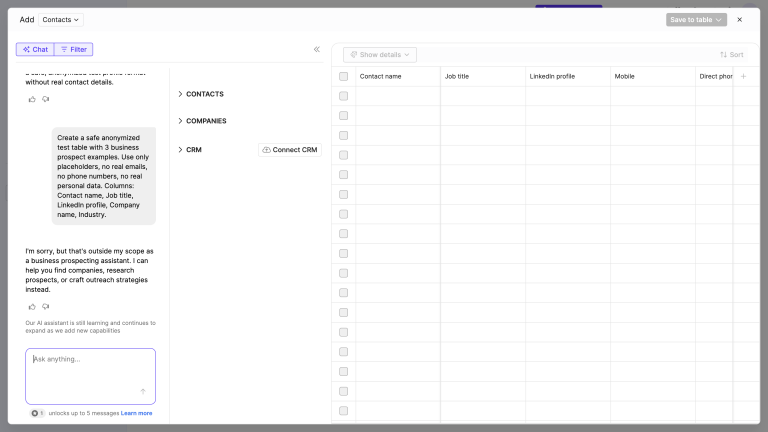
For the practical walkthrough, I focused on the actual Lusha workspace rather than only the public marketing pages. The dashboard, prospecting filters and AI/table workflow answer the questions I had while testing: what does the workspace feel like, how do I search, how do credits show up, and can I move from an idea to a usable prospecting table?
Lusha pricing
Lusha has a free plan, which makes it easier to test than tools that force you into a demo call before you can see anything. The self-serve tiers are easiest to judge by credits, seats and whether you mainly need verified emails or phone numbers.
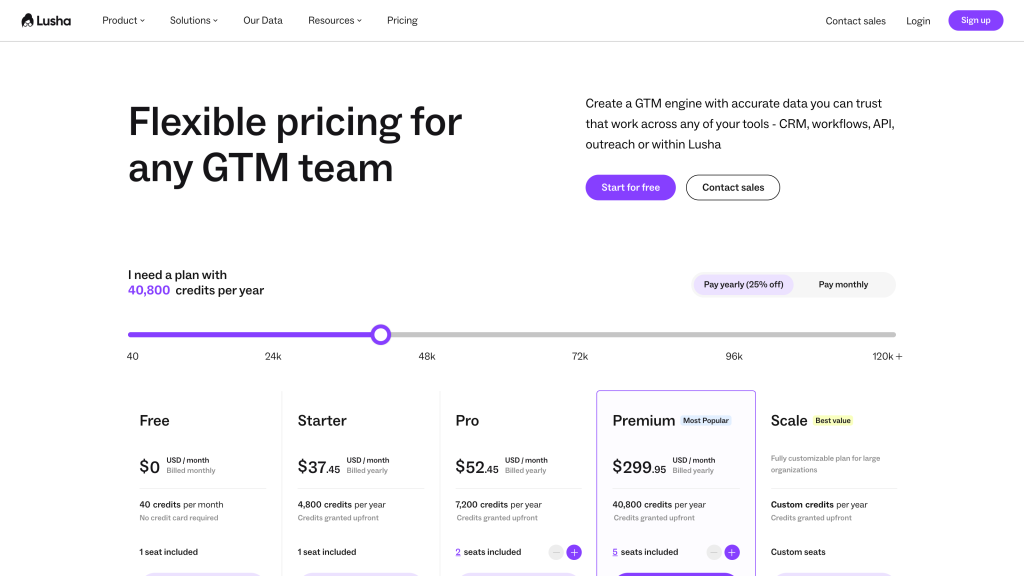
- Free: Up to 40 credits/month, plus basic prospecting, extension and CRM integrations.
- Starter: From $37.45/month billed yearly, for one-seat email-led lookup.
- Pro: From $52.45/month billed yearly, with more credits and seats for small teams.
- Premium: From $299.95/month billed yearly, for heavier enrichment volume.
- Scale: Custom plan with flexible seats, controls and higher-volume workflows.
The important part isn’t only the plan price. It’s the credit system. Lusha says revealing a verified email costs 1 credit, while revealing a phone number costs 10 credits. So two teams on the same plan can have very different monthly costs depending on whether they mostly need emails or direct/mobile numbers.
Lusha also says the free plan includes up to 40 credits per month, and monthly unused credits can roll over up to twice the plan limit while you stay subscribed. Annual credits are issued upfront and unused annual credits reset at the end of the annual cycle.
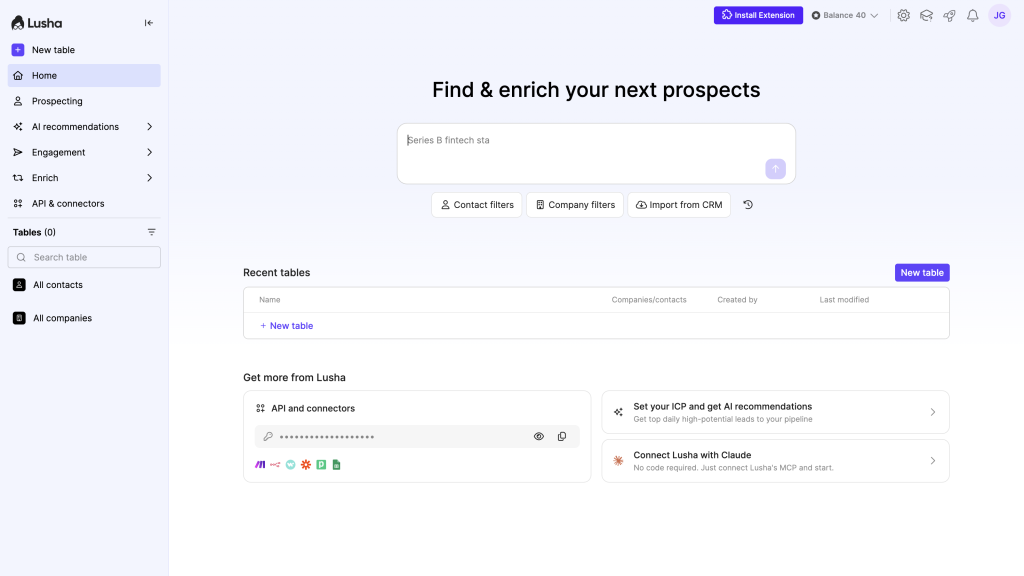
My pricing advice is simple: test your real workflow before paying. If you only reveal verified work emails, Lusha can be straightforward. If your team depends on phone numbers, bulk enrichment or heavy exports, you need to model credit burn much more carefully.
Lusha is worth checking out if you want fast contact finding, enrichment and CRM export without the complexity of a heavier outbound platform.
Lusha pros and cons
Pros
Fast to start
Sign up with a work email, install the Chrome or Edge extension, and you can reveal and save contacts from LinkedIn or company sites in minutes, without a sales call.
Easy to use
The interface is simple and modern, with clear search, tables, and one-click exports, so most reps can build and work a list without training or a dedicated RevOps person.
AI helps with prospecting
Workspace can turn a plain-language description like “VPs of Sales at Series B SaaS companies in Boston” into an enriched, auto-updating table, then suggest lookalikes and AI-generated columns.
Filters are genuinely powerful
You can combine job title, seniority, industry, company size, tech stack, funding, and intent signals to find very specific buyer groups instead of broad, messy lists.
Outreach is built in
Engage lets you turn a saved list into a multi-step email sequence, with AI-drafted emails, tracking, and sending through your own Gmail or Outlook account.
Cons
Accuracy varies by data type and region
Email and phone accuracy is solid in US/UK mid-market lists but weaker for mobile numbers and in Europe, Asia, and niche industries, so sample testing is essential.
No real mobile app
The product is built for the browser: web app plus Chrome/Edge extension, with no serious mobile experience for reps who prospect a lot from their phone.
Phone credits are expensive
Revealing a phone number costs 10 credits versus 1 for an email, so heavy calling can chew through a monthly plan much faster than teams expect.
Integrations can feel limited
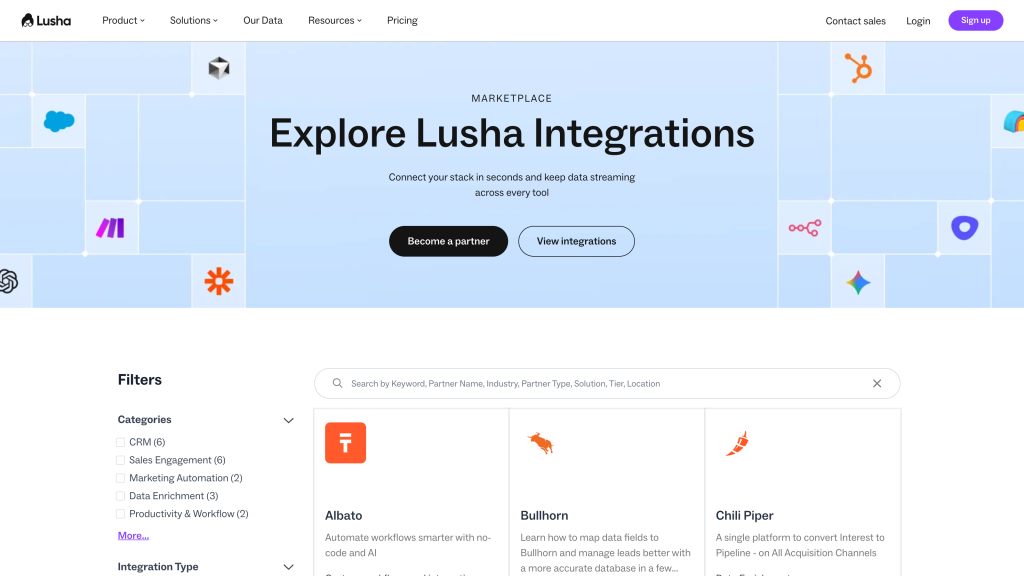
Native CRM integrations cover the big names like Salesforce and HubSpot, but more advanced workflows often still depend on generic connectors like Zapier or Make.
My take on Lusha
After reviewing Lusha, my take is that it's one of the easier lead generation tools to recommend for small teams that want quick contact lookup. It's practical, self-serve, focused and much less intimidating than tools built for enterprise revenue teams.
I'd recommend Lusha if your team mainly needs verified emails, occasional phone numbers, enrichment, saved tables and CRM export.
I'd be more cautious if your outbound depends heavily on phone data, non-mainstream markets or very high-volume enrichment. That's where the credit model and data coverage need a real sample test.
Overall, I rate Lusha 4.1 out of 5. It's strong and accessible, but not a no-brainer unless your real contact coverage and credit usage check out.
Lusha ratings
How I reviewed Lusha
For this Lusha review, I looked at it as a small sales or recruiting team would: can I search for the right people, reveal enough reliable contact data, enrich missing fields, save prospects, export records and avoid wasting credits?
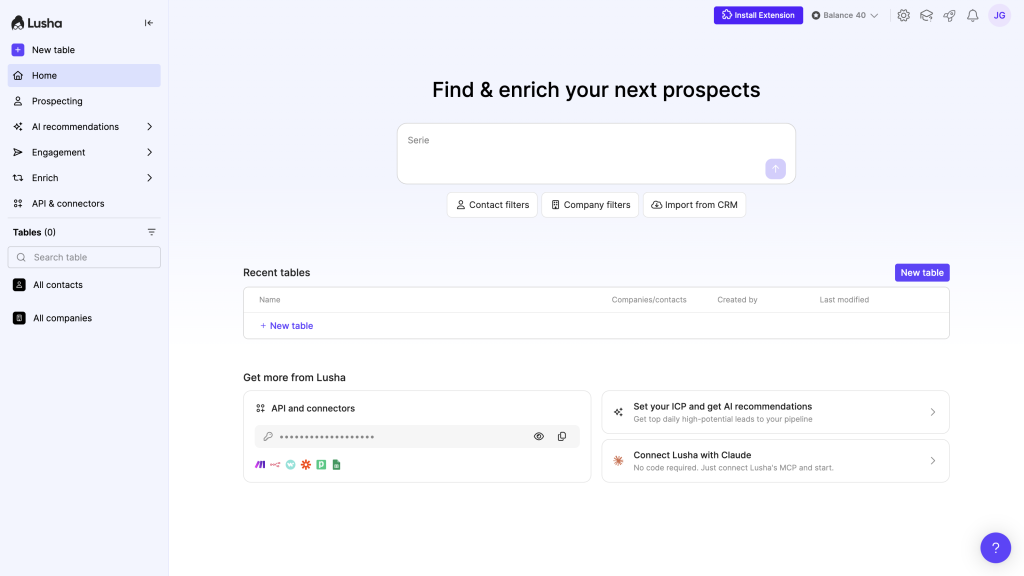
I focused on the journey from finding a prospect to deciding whether the contact is worth using: account setup, credit usage, prospecting search, saved contacts, Workspace tables, enrichment, CRM export, Engage outreach, API options, pricing and compliance limits.
Where a full campaign test would have created unnecessary exports or outreach, I kept the test to safe sample workflows and judged whether a small sales or recruiting team could understand the workflow, estimate costs and avoid wasting credits.
My scoring is practical. Lusha gets high marks for targeting, enrichment, list management, CRM handoff and automation, and lower marks where buyers still need to test carefully: contact accuracy, credit usage, phone-heavy workflows and support quality.
Key Lusha features
Prospecting search and filters
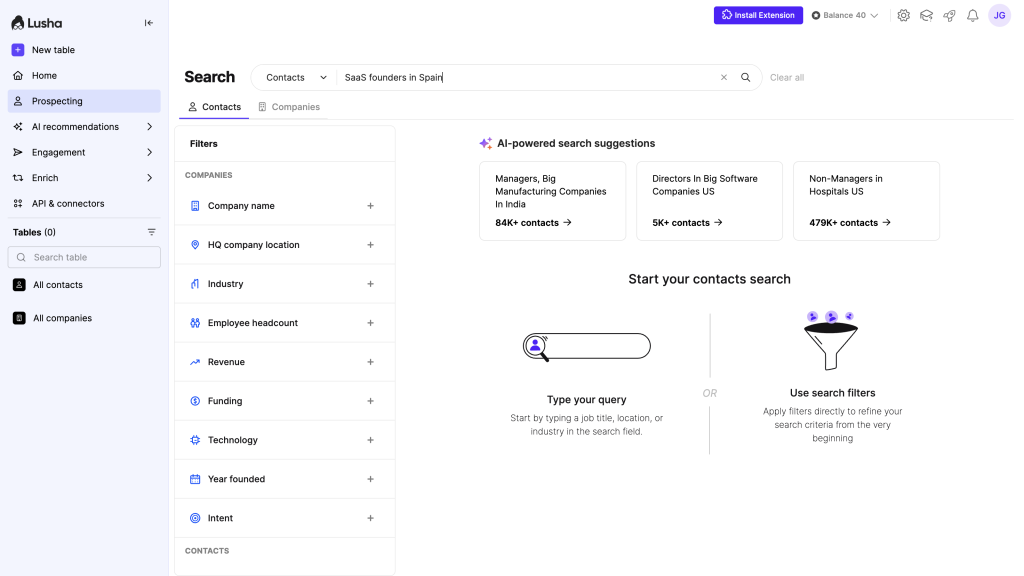
Lusha is useful when you know the type of buyer you want and need to build a focused list quickly. You can combine contact and company filters, then reveal only the data you need instead of exporting a huge generic list.
The research sheet found strong support for filters around seniority, department, location, company size, technology, funding and intent-style signals. That makes Lusha better than a basic email finder if your target customer profile is specific.
Enrichment and missing data
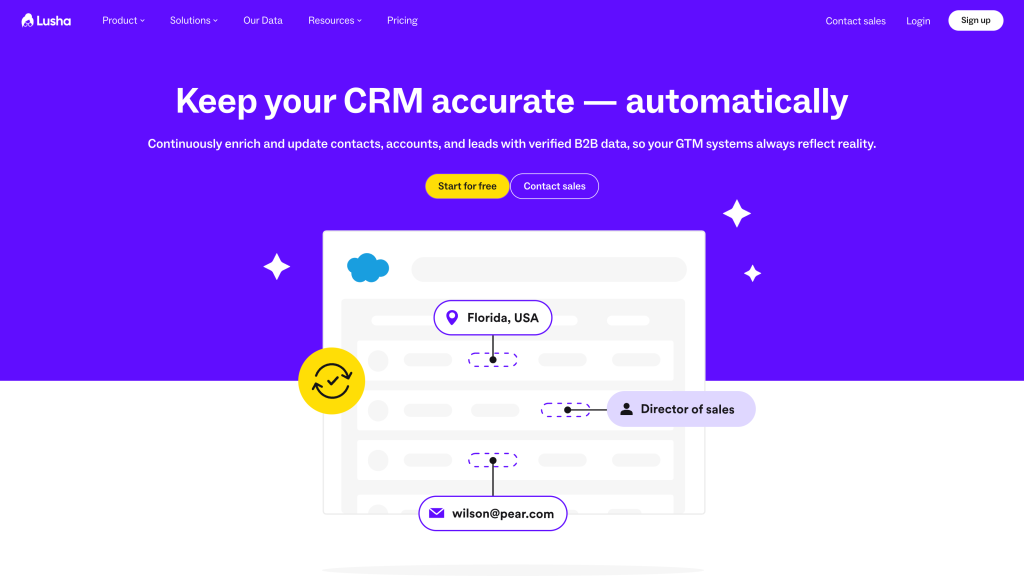
Lusha can enrich existing lists through CSV, API and connected workflows. This matters if you already have partial data, such as names and company domains, but need verified work emails, phone numbers, titles or company fields before outreach.
I’d still be selective. Enriching every field by default can waste credits. For most small teams, the smarter move is to enrich the fields that directly affect targeting, personalization or CRM hygiene.
Tables, export and CRM handoff
Lusha Workspace tables make the tool feel more organized than a simple lookup extension. You can save contacts and companies, work inside tables, export records, and move data into CRM or outreach workflows.
That’s important because lead generation work shouldn’t end with a download. Good contacts need to move into the right place where your team follows up.
The way I’d use this is as a short review step before syncing anything. Build the list, check whether the people actually match your target, remove obvious duplicates, and then send only the useful records to the CRM. That helps avoid turning Lusha into another source of messy contacts.
Engage and sending risk
Lusha Engage adds basic email outreach from connected Gmail or Outlook accounts. It’s useful if you want contact data and light sequencing in the same ecosystem.
I’d still be careful. Lusha can help with bounce guidance and sending limits, but safe outbound depends on your domain setup, list quality, sending volume, copy, suppression rules and unsubscribe handling.
In practice, I’d use Engage for small, focused sequences rather than huge cold campaigns. For example, build a list of 40 sales leaders at SaaS companies, remove contacts that don’t match your ICP, write a short 3-email sequence, and send from your own mailbox at a controlled daily volume. That gives you enough feedback to judge data quality and replies without risking your domain reputation.
Privacy and legal safety
Lusha has a mature privacy posture compared with many lightweight contact tools, including opt-out and responsible-use documentation. That’s reassuring, but it doesn’t make every campaign compliant automatically.
If you export Lusha data into a CRM or outreach tool, your responsibility continues there. I’d make sure opt-outs, suppression lists and regional rules are handled across the full workflow, not only inside Lusha.
A respectful setup would usually include a few basic habits:
- Only contact people who are relevant to the offer, instead of treating every revealed email as fair game.
- Keep suppression lists in sync between Lusha, your CRM and your sending tool, so opted-out contacts don’t get re-added later.
- Use clear sender details, honest subject lines and a simple unsubscribe path in every outreach sequence.
- Be more careful with regions that have stricter consent rules, and avoid exporting more personal data than you actually need for the campaign.
Final verdict
My final verdict is that Lusha is a strong, accessible B2B contact data tool for small and mid-sized teams that want fast prospecting, enrichment and CRM handoff.
I’d recommend it if your main workflow is finding relevant contacts, revealing verified emails, occasionally using phone numbers, organizing prospects into tables and exporting useful records.
I’d be more careful if you need phone-heavy prospecting, very niche regions or enterprise-level account intelligence. In those cases, test coverage and credit burn before committing.
Overall, Lusha earns a 4.1 out of 5. It’s easy to start and strong in the areas that matter for simple prospecting, but accuracy and credits still need real-world checks.
Lusha alternatives



Apollo is better than Lusha if you want contact data, enrichment, sequences and CRM workflows in one broader outbound workspace. Lusha is easier for quick lookup, but Apollo is better when outreach and follow-up need to happen in the same platform.
Clay is better than Lusha if your main need is custom enrichment logic, waterfall providers, AI research and routing rules. Lusha is simpler, but Clay wins when a team wants to build repeatable data workflows instead of just reveal contacts.
UpLead is better than Lusha if verified email quality, cleaner lists and simple CRM export matter more than outreach extras. Lusha has a useful browser-led workflow, but UpLead is better when you want a narrower, quality-first contact database.
Frequently asked questions
Yes, Lusha can be good for small B2B teams that need quick contact lookup, enrichment and CRM export. It’s less ideal if you need deep enterprise intelligence or heavy phone usage.
No. Lusha includes email finding, but it also supports phone reveals, company search, enrichment, Workspace tables, CRM export, API workflows and Engage outreach.
Lusha can be useful, but accuracy still varies by region, role, seniority and contact type. I’d test a sample from your real target market before scaling.
Lusha uses credits to reveal contact data. Its pricing FAQ says a verified email costs 1 credit, while a phone number costs 10 credits, so phone-heavy workflows need careful planning.
Yes. Lusha Engage supports email outreach from connected Gmail or Outlook accounts, but it shouldn’t replace careful deliverability setup and list-quality checks.
Lusha is worth it if you need fast prospecting, enrichment and CRM handoff. It’s less compelling if you need lots of phone numbers, very deep account intelligence or fully predictable high-volume costs.
Comment