



I wanted to review Better Proposals because it sits in a slightly different place from PandaDoc, Proposify, HoneyBook and Dubsado. It is less about running your whole client business and more about sending polished online proposals quickly. That makes it interesting if your current process is still a mix of Google Docs, PDFs and follow-up emails.
For this Better Proposals review, I tested and checked the proposal workflow with freelancers, consultants and small teams in mind. I looked at the editor, templates, pricing tables, e-signatures, payments, tracking, plan limits and whether it would actually make proposals easier to send every week. I also paid attention to where the tool stops, because that is usually where small businesses get surprised after signing up.
This review also feeds into the wider proposal software comparison, where Better Proposals needs to be judged against deeper tools like PandaDoc and Proposify.
Better Proposals Review Summary
Here is the short version: Better Proposals is strongest if you want attractive online proposals, simple signing, payment collection and tracking without a heavy sales document system. I liked how quickly it gets you from a blank document to something client-ready.
- Best for: freelancers, consultants, small agencies and lean service teams.
- Not ideal for: teams needing a full CRM, invoicing system or client portal.
- Pricing: paid plans start at $13/user/month on annual billing.
- My rating: 4.0 out of 5 after testing the proposal workflow.
What I do not love is that the lower plans have send limits, and several more useful business features sit higher up. It is still affordable compared with many proposal tools, but I would check your monthly proposal volume before choosing the cheapest plan.
My simple take is this: Better Proposals makes sense if your main problem is making proposals look better and getting them signed faster. If the problem is managing the whole client relationship after the client says yes, I would compare it against HoneyBook or Dubsado.
The thing I would set up first is your template library. Without reusable sections, it is just a nice proposal editor. With a good library, it becomes much faster and more consistent.
I would especially look at Better Proposals if you sell services with a fairly repeatable structure: discovery, scope, timeline, pricing, terms and signature. If every proposal is completely different, the template value is smaller. If most proposals share the same core pieces, the tool can save proper time.
What is Better Proposals?
Better Proposals is proposal software for creating online proposals, quotes, sign-off documents and contracts. You can use templates, add interactive pricing tables, send a client link, collect a legally binding e-signature and track what happens after the document is opened.
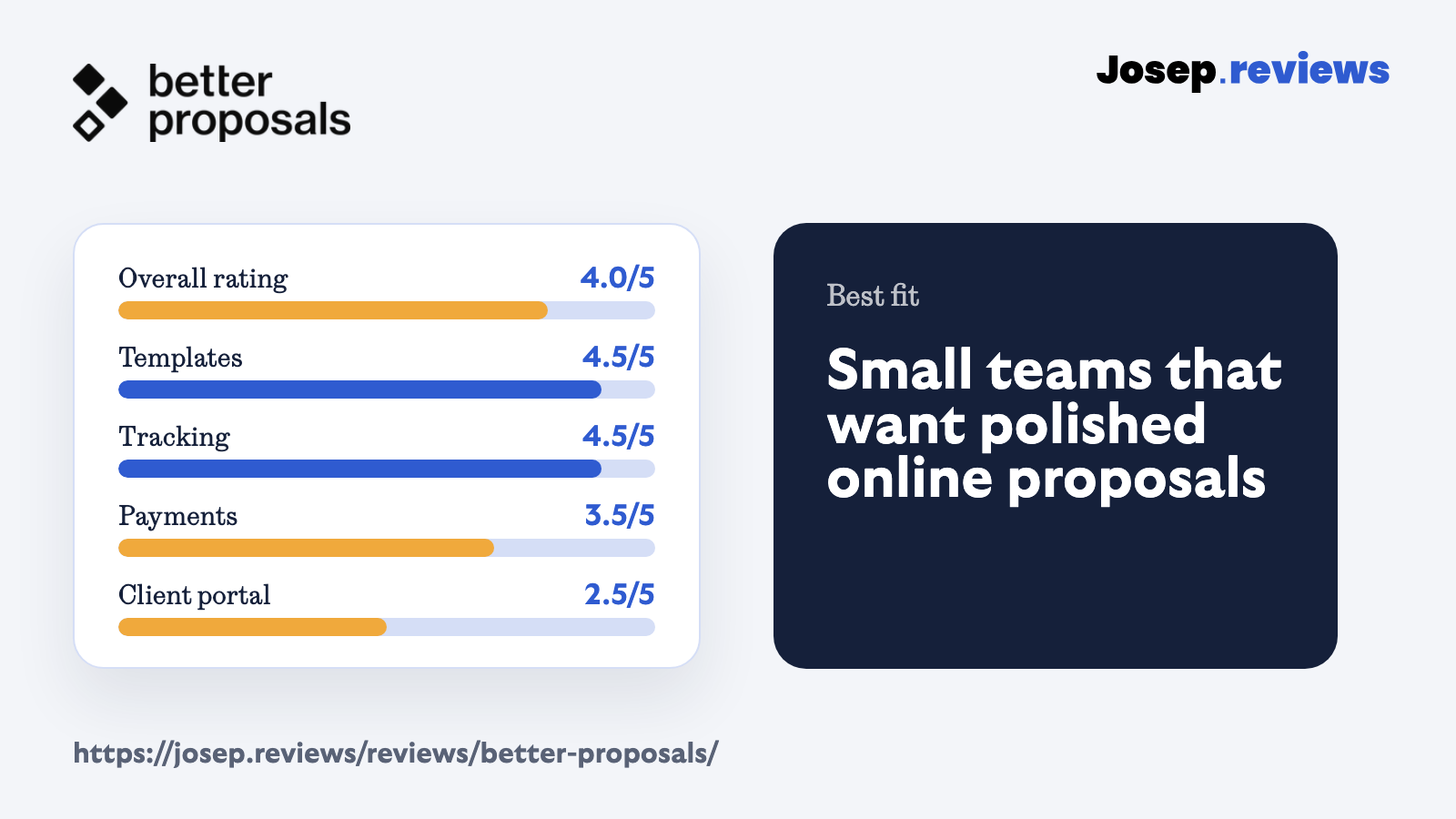
The platform is built around the proposal experience. It includes templates, a content library, branding options, online payments, proposal tracking, CRM integrations, Zapier/API access on higher plans and team controls on Enterprise.
The important limitation is that Better Proposals is not a complete client management platform. Clients mainly interact with documents and links, not a persistent portal with invoices, messages, files and project history. That is fine if proposals are the job; less fine if you want one place for everything.
I actually like that focus. It makes the product easier to understand. You do not have to learn a huge business operating system before sending your first proposal, but you also should not expect it to replace every admin tool you use.
In practice, I would think of Better Proposals as the layer between a sales call and a signed client. It helps with the moment where you need to present the offer clearly, let the client accept it, take payment if needed and know whether they are engaging with it.
That is why I would not compare it directly with a pure e-signature tool. It can collect signatures, yes, but the real value is the proposal page around the signature: pricing, content, proof, branding, tracking and a clearer path to saying yes.
See Better Proposals in action
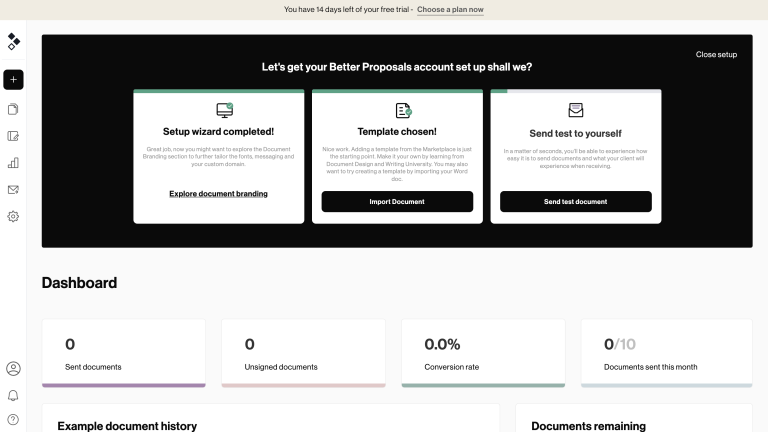
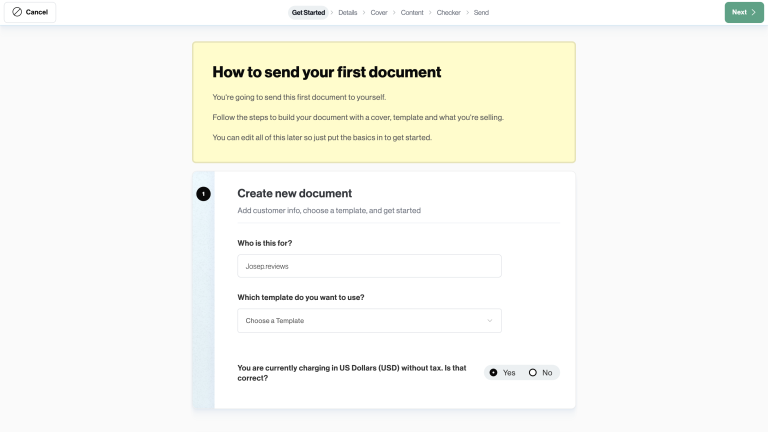
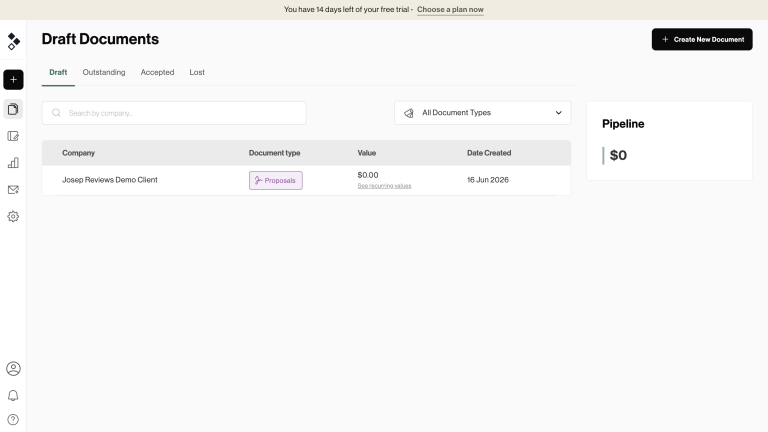
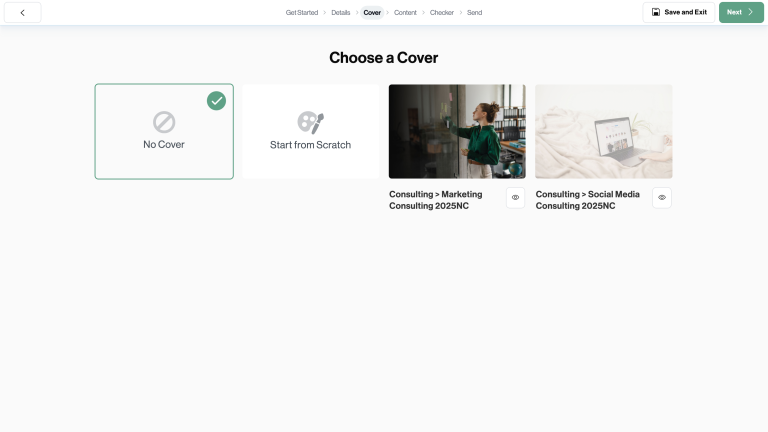
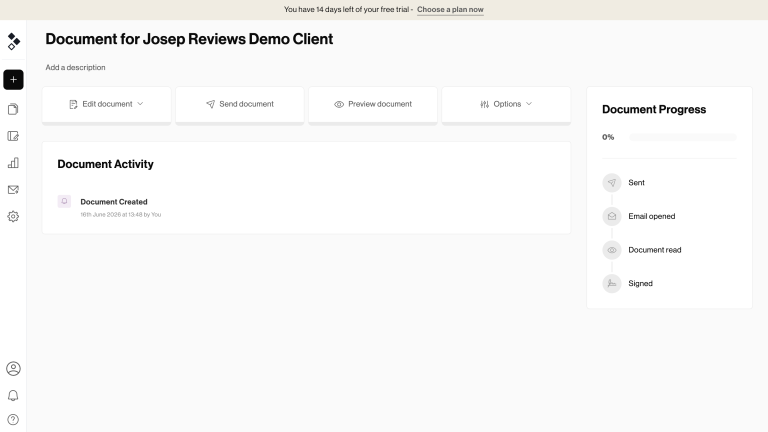
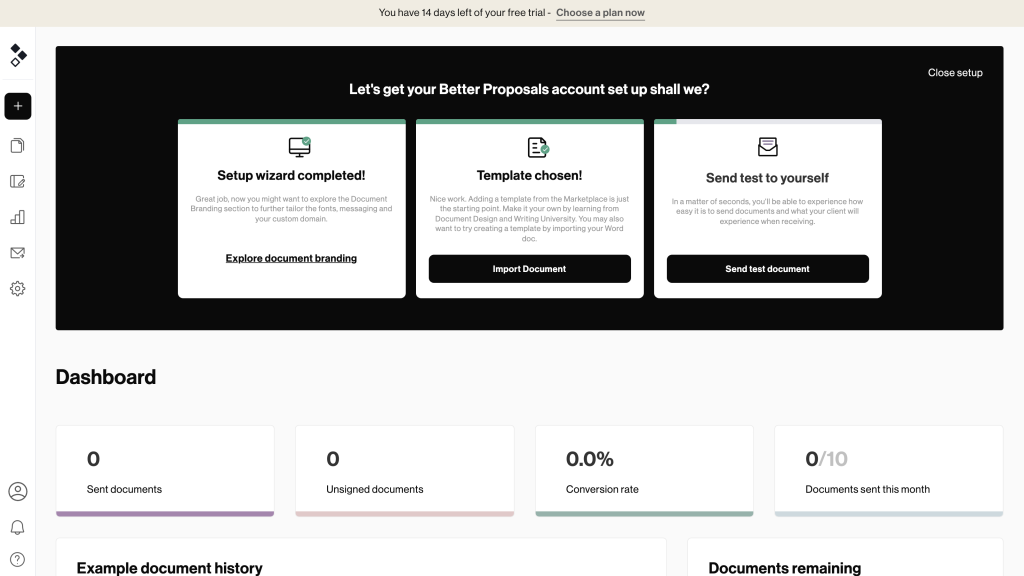
These screenshots show the Better Proposals workflow I checked during the review: dashboard, document creation, draft list, cover setup and the draft detail view. The backend shots use the demo client created for this review.
Better Proposals pricing
Better Proposals pricing is user based, and the best public prices are for annual billing:
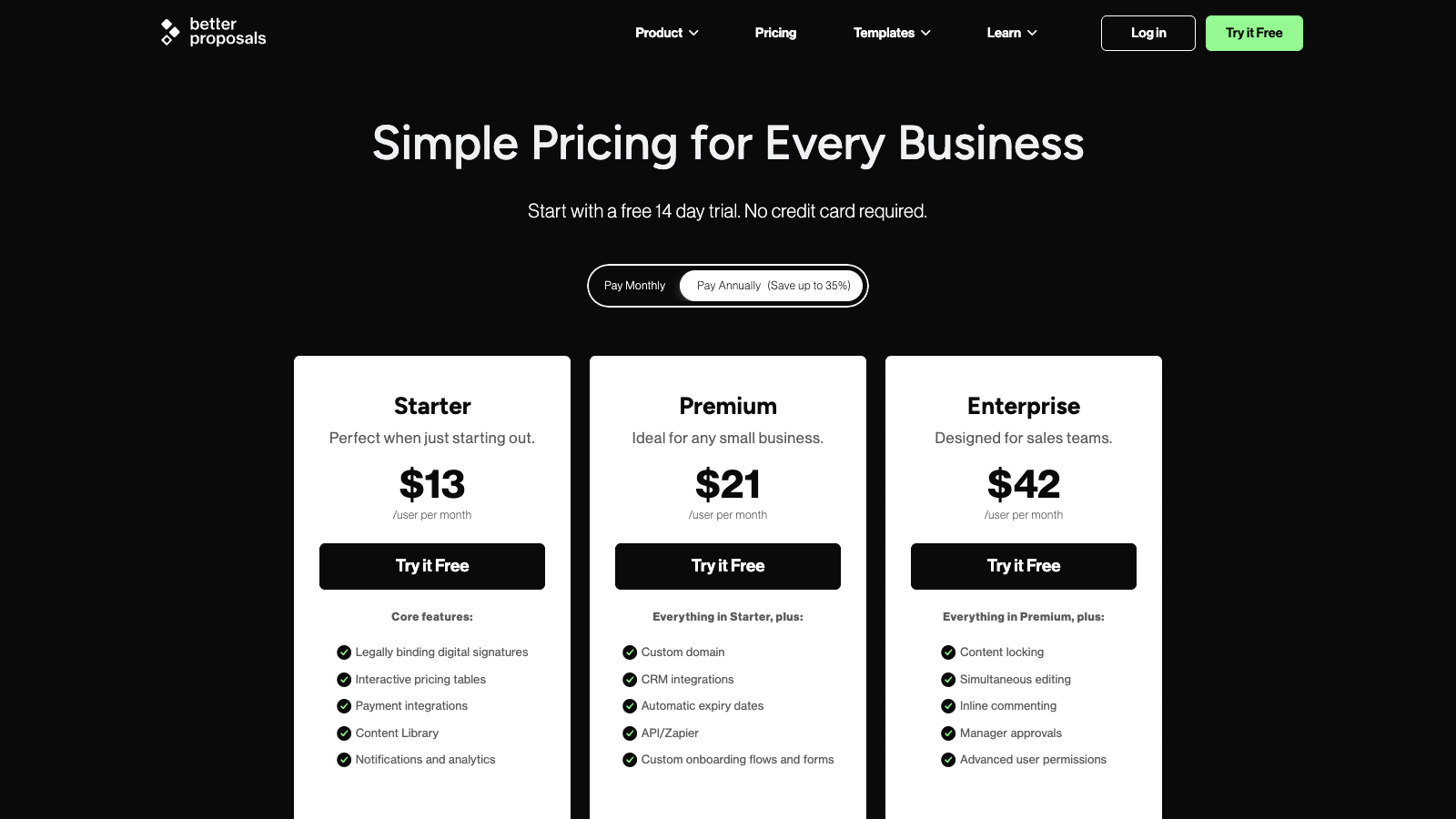
- Starter: $13/user/month; 10 sends, signatures and pricing tables.
- Premium: $21/user/month; 50 sends, CRM, custom domain and Zapier/API.
- Enterprise: $42/user/month; unlimited sends, approvals and advanced permissions.
Monthly billing is higher: Starter is $19/user/month, Premium is $29/user/month and Enterprise is $49/user/month. There is also a 14-day free trial, and Better Proposals says no credit card is required.
For this review, Premium feels like the plan where Better Proposals starts to make proper sense for a small business. Starter is cheap and can work for solo users, but the 10-send monthly limit and one-user cap can become tight quickly.
I would not ignore the optional extras either. Nudge follow-up automation is listed separately at $10/user/month, and custom template design starts from $1,495. You may not need those, but they affect the real cost if you want more help.
Compared with PandaDoc or Proposify, Better Proposals is one of the cheaper tools I tested. The tradeoff is depth. You get a strong proposal workflow, but less breadth around CRM, billing, approvals and wider client operations.
If you are a solo freelancer, Starter may be enough as long as 10 sends per month covers your volume. If you are an agency with several people sending proposals, I would probably look at Premium first. The custom domain, CRM integrations and 50-send allowance make it a more realistic business plan.
Enterprise is where Better Proposals becomes more team oriented, with unlimited sends, manager approvals, permissions, commenting and collaboration features. I would not start there unless you already know proposals are a team workflow and not just something one person sends.
My advice would be to choose the plan by send volume first, then by workflow needs. It is easy to be drawn to the lower price, but the real question is whether the limit matches how many serious leads you send proposals to each month.
Better Proposals pros and cons
Pros
Fast proposal creation
The editor and template system make it quick to get a proposal ready. I liked this more for repeatable service proposals than for very complex custom documents, because the value is in reusing what already works.
Polished client experience
Proposals feel modern from the client side, with online viewing, signing, pricing tables and payment options. It feels much better than sending a static PDF and waiting for the client to figure out the next step.
Strong templates and library
The templates, content library, reusable blocks and pricing tables are useful if you send similar offers often. This is where the tool starts saving time, especially if several people need to stay on-brand.
Good value for small teams
Starting at $13/user/month on annual billing, Better Proposals is affordable compared with many proposal tools, especially for freelancers and small agencies that do not need a heavy sales system.
Cons
Send limits on cheaper plans
Starter includes 10 monthly sends and Premium includes 50. That may be enough for many freelancers, but busier agencies can hit the limit quickly if every lead gets a proposal.
Not a full client portal
Clients get polished proposal links, but not a full workspace with messages, files, invoices and project history. HoneyBook or Dubsado go further there if post-sale admin matters.
Limited invoicing depth
Payments through Stripe, PayPal and GoCardless are useful, but Better Proposals is not a full invoicing, deposits or recurring billing platform. I would still keep accounting separate.
Advanced features are gated
CRM integrations, API/Zapier, custom domains, approvals, permissions and collaboration features require higher plans. The cheaper plan is more limited than the headline price suggests.
My take on Better Proposals
After testing and reviewing Better Proposals, my take is that it is one of the easiest proposal tools to understand. It does not try to become your CRM, accountant and project manager at the same time.
That focus is the main reason I like it. If you sell services and send proposals often, the templates, pricing tables, e-signatures, payments and tracking cover the parts that usually slow people down.
I would mainly recommend Better Proposals to freelancers, consultants and small agencies that want better proposal pages without a complicated setup. I would be more careful if you need complex approvals, deep CRM workflows or a proper client portal.
For me, the key question is volume. If you only send one proposal now and then, you may not get enough value from another monthly subscription. If proposals are part of your weekly sales process, the editor and reusable content make much more sense.
Better Proposals ratings
How I tested Better Proposals
I tested Better Proposals by working through the workflow a freelancer or small agency would normally care about: starting a document, checking the draft list, choosing a cover and reviewing the draft detail view.
I also checked the public pricing page, support documentation, document tracking resources, e-signature information, integrations, payment options, branding features and plan limits. That matters because a tool can look affordable until send limits or gated features appear.
For the scoring, I focused on practical proposal work: ease of use, templates, branding, quoting, e-signatures, contracts, payments, tracking, CRM, client portal, automation, integrations, support and value for money.
The question I kept asking was simple: would this help someone send better proposals every week without creating more admin? For many freelancers and small agencies, I think the answer is yes. For larger teams, I would be more selective.
I also looked at where it stops. Better Proposals is good at the proposal part, but it does not remove the need for a proper CRM, accounting tool or client workspace if your business already depends on those.
I tried not to judge it only by how nice the templates look. Proposal tools often look impressive on the marketing page, then feel weaker when you need contacts, pricing, signatures, payments and follow-up to work together. That full path is what I cared about most.
I also checked the plan table against the review content. The difference between Starter, Premium and Enterprise matters here, because send limits, custom domains, CRM integrations, approvals and collaboration can change whether the tool feels cheap or restrictive.
Key Better Proposals features
Proposal editor and templates
The proposal editor and templates are the main reason to consider Better Proposals. You can start from designed templates, reuse content blocks and build online documents without fighting a blank page every time.
I would use it most for repeatable service proposals. If you already know your offer, case studies, pricing and proof points, the content library can make each new proposal much faster.
The part I would prepare carefully is the content itself. A nice template will not save a weak offer, but a good template with clear scope, proof and pricing can make the proposal feel much easier to accept.
E-signatures and acceptance
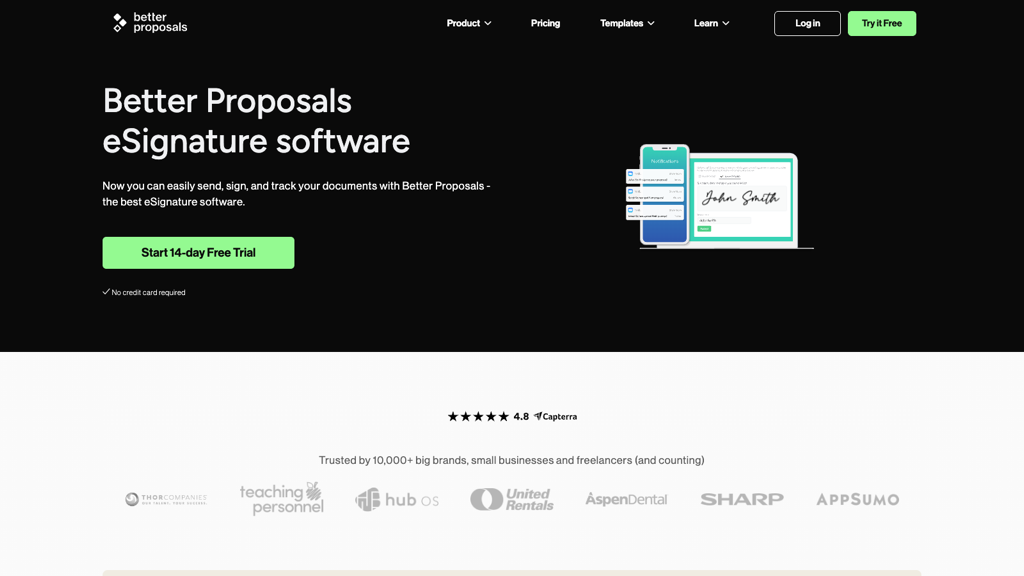
Better Proposals includes legally binding digital signatures, so clients can accept documents online. Multiple signatures are supported on Premium and Enterprise, while Starter is more limited.
For normal service proposals and sign-off documents, this is enough. I would still use a dedicated contract tool if legal approval, clause libraries or complex contract workflows were the main problem.
What I like is that signing sits naturally inside the proposal, instead of being a separate PDF step. That removes a small but common source of friction when a client is ready to move ahead.
Pricing tables and payments
The pricing tables are useful because clients can review packages, options, quantities and discounts inside the proposal. That is much better than hiding the offer in a flat PDF table.
Payments can be collected through Stripe, PayPal or GoCardless after signing. I like that for deposits or simple payments, but I would not call it a full invoicing system.
For a freelancer, that can still be enough: proposal accepted, signature collected and first payment handled. For businesses with more complex billing rules, I would keep a separate accounting workflow.
Tracking, integrations and workflow
Tracking is one of the most useful features. Better Proposals can show opens, reads, downloads, forwards, signatures, page order and time spent, which makes follow-up more specific.
Integrations include CRMs, payment tools, Zapier/API and live chat options, but not everything is on the entry plan. I would check the plan table before assuming it fits your full workflow.
One practical note: tracking is only valuable if you use it. Seeing that someone spent time on pricing should change the follow-up; otherwise it is just another dashboard number.
I would also connect the CRM or Zapier pieces early if they are part of your process. Otherwise Better Proposals can become a separate island where proposals live, while the rest of the sales activity stays somewhere else.
Final verdict
My final verdict is that Better Proposals is a strong choice if you want polished online proposals without a heavy setup. After testing and reviewing it, I would place it closer to a lightweight proposal and sign-off tool than a full sales document platform.
I would recommend Better Proposals most to freelancers, consultants, small agencies and service businesses that send proposals regularly and care about presentation, templates, signing, payments and follow-up tracking.
I would not choose it if I needed a full CRM, client portal, invoicing system or advanced contract workflow. It can connect with other tools, but it does not replace them. That is the main difference versus HoneyBook, Dubsado or PandaDoc.
If I were using it seriously, I would start by building a small set of reusable proposal sections, pricing options and proof blocks. That is where the tool can save time. Without that setup, it is mostly a nicer way to send one proposal.
For small teams that want proposals to look better and get signed faster, Better Proposals is one of the more practical tools I tested. For complex sales processes, I would compare it against PandaDoc and Proposify before choosing.
The strongest reason to choose Better Proposals is not that it has every feature. It does not. One of my favourite things is that it keeps the proposal process focused and affordable, while still covering the steps that matter most: create, send, track, sign and collect payment.
The main reason not to choose it is also clear. If your business needs one central place for leads, scheduling, client messages, invoices, files, projects and long-term client management, this is not that tool. It is better as a proposal layer in your stack.
Better Proposals alternatives



PandaDoc is the stronger option if you want proposals, contracts, quotes, payments, CRM links and document workflows in one broader sales platform. It is heavier, but deeper.
Proposify is the closest dedicated proposal alternative. I would compare it if reusable sections, proposal analytics, approvals and sales-team proposal workflows matter more than price.
HoneyBook makes more sense if proposals are only one part of your client process. It adds forms, scheduling, invoices, payments and client communication in a friendlier workspace.
Frequently asked questions
Yes, if you send proposals regularly. Better Proposals is worth it for freelancers and small teams that want templates, online proposals, e-signatures, payments and tracking without a complicated setup.
Better Proposals starts at $13/user/month on annual billing. Premium is $21/user/month, and Enterprise is $42/user/month. Monthly billing costs more.
No. Better Proposals does not have an ongoing free plan, but it offers a 14-day free trial and says no credit card is required.
Better Proposals is simpler and cheaper for polished proposals. PandaDoc is better if you need broader document workflows, deeper quoting, CRM links, approvals and more sales platform features.
Yes. Better Proposals can collect payments through Stripe, PayPal and GoCardless. It is useful for simple proposal payments, but not a full invoicing or recurring billing system.
Better Proposals is best for freelancers, consultants, agencies and small service teams that send regular proposals and want a cleaner way to create, sign, track and collect payment.
Comment