



PandaDoc is one of the tools people usually find when they search for proposal software, electronic signatures or a better way to send client quotes. On paper, it promises a lot: proposals, contracts, pricing tables, payments, tracking and CRM integrations in one place.
But what about its cons?
For this PandaDoc review, I tested it with the questions I think matter most for freelancers and small businesses: how easy is it to build a proposal, what does PandaDoc pricing really include, where does it feel better than a simple signing tool, and which PandaDoc alternatives might make more sense.
PandaDoc Review Summary
Here is the short version: PandaDoc is strongest if you send proposals often and want the proposal, quote, contract, signature and payment steps connected. I liked the editor, templates, pricing tables and tracking more than its built in CRM or client portal features.
- Best for: freelancers, consultants and small teams that send regular proposals.
- Not ideal for: people who only need occasional electronic signatures.
- Pricing: free plan available; paid plans start at $19/month on annual billing.
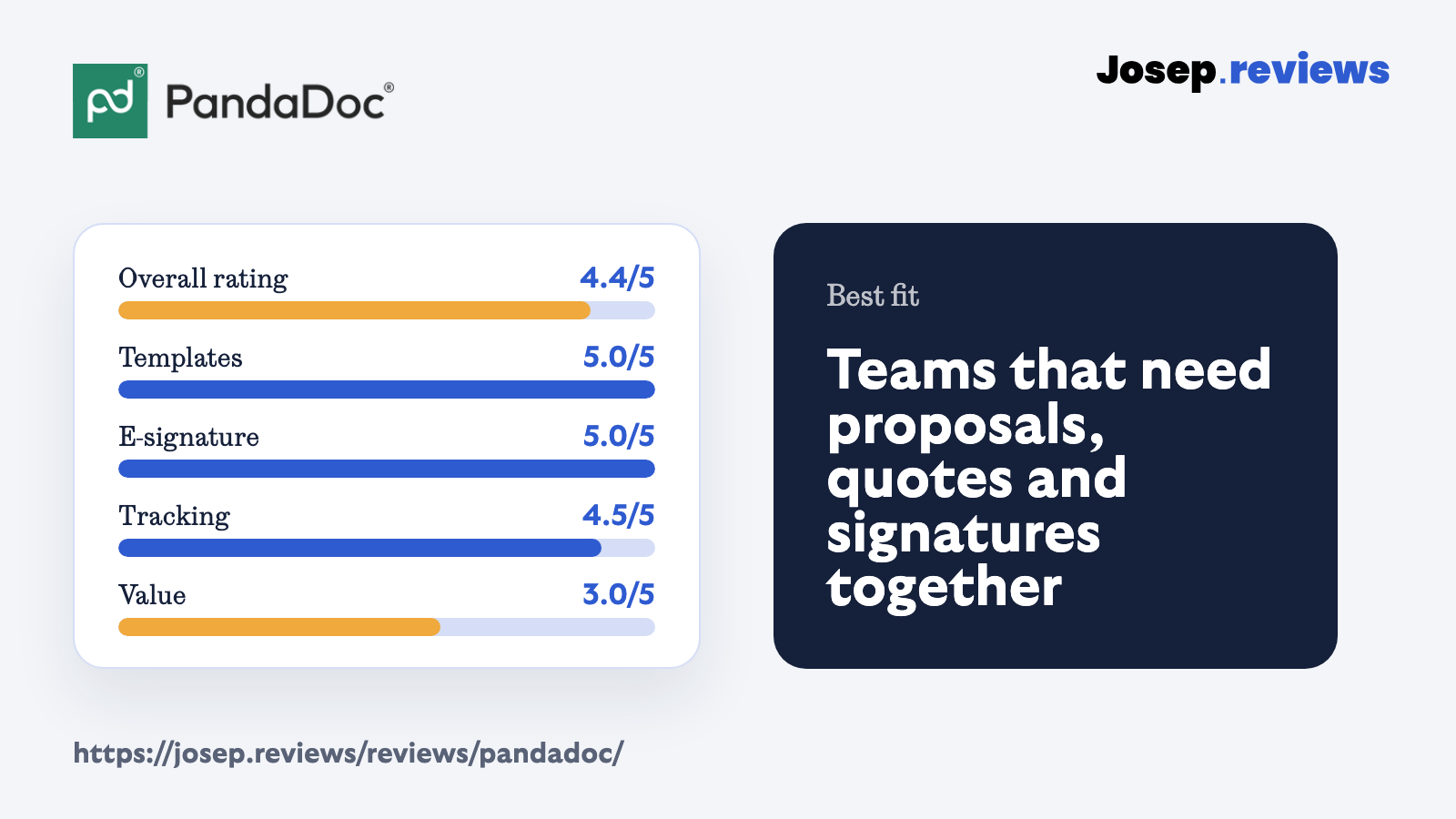
- My rating: 4.4 out of 5 after testing the proposal workflow.
What I did not love as much is that some of the best features sit behind higher plans. If you mainly need a simple signing tool, PandaDoc can feel a bit too much; if proposals are part of your sales process, it starts to justify itself more.
Visit PandaDoc
What is PandaDoc?
PandaDoc is a proposal and document workflow platform. You can use it to create proposals, quotes, contracts and other client documents, then send them for electronic signature and track what happens after the client opens them.
The main difference from a basic signing tool is that PandaDoc tries to cover more of the sales document process. It includes templates, a drag and drop editor, pricing tables, approval workflows, payments, analytics and integrations with tools like HubSpot, Pipedrive, Stripe, Google Drive and Zapier.
See PandaDoc in action
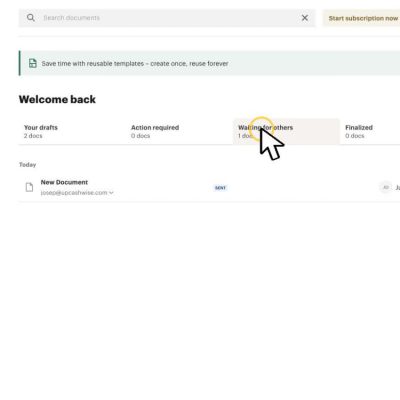
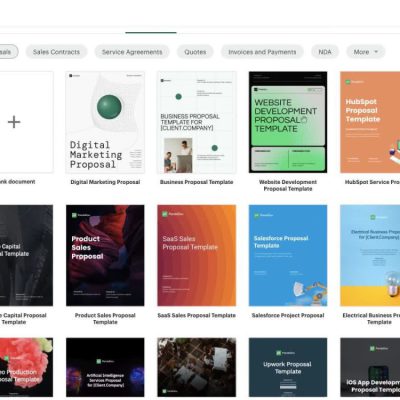
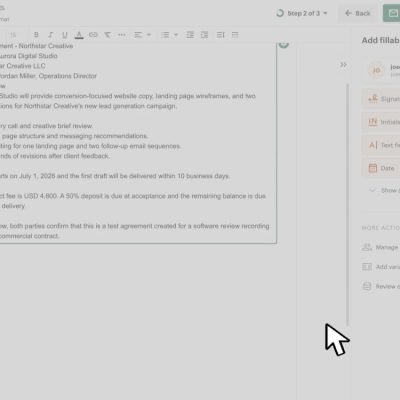
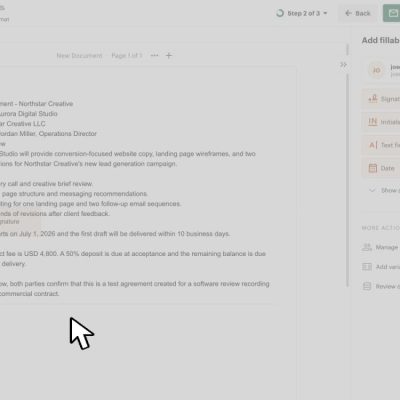
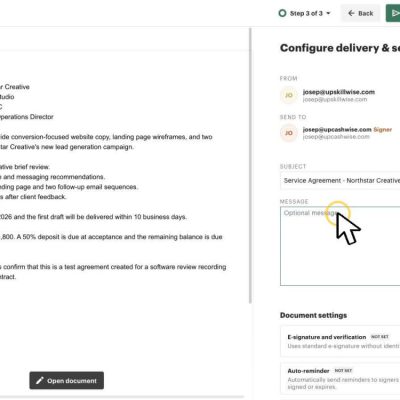
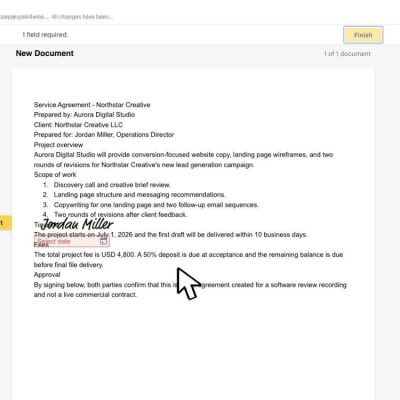
These screenshots show the parts of PandaDoc I found most useful to check during the review: the dashboard, templates, editor, signing fields, sending flow and recipient experience.
PandaDoc pricing
I would not call PandaDoc cheap, but the pricing is fairly easy to understand. These are the monthly prices when choosing annual billing:
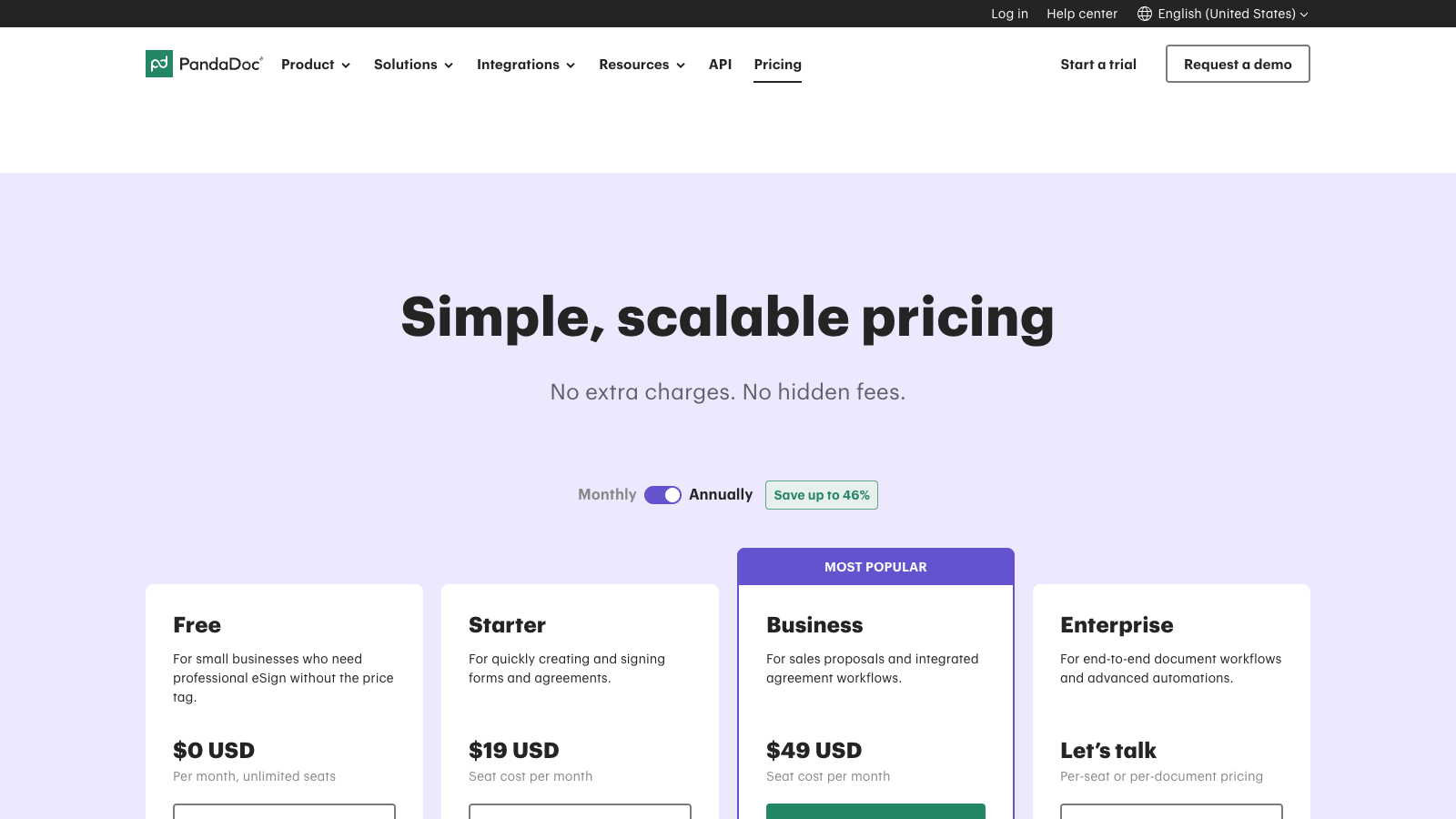
- Free: $0/month; 60 documents per year, tracking and unlimited seats.
- Starter: $19/month; forms, agreements, comments and audit trail.
- Business: $49/seat/month; proposals, CRM integrations, branding and approvals.
- Enterprise: Custom pricing; automation, CPQ, SSO, workspaces and API.
For this review, Business felt like the plan where PandaDoc starts to make proper sense. Starter can work for simpler documents and electronic signatures, but the real value is in proposals, CRM links, content libraries, deal rooms and approval workflows.
PandaDoc is worth checking out if you want proposals, contracts, electronic signatures and payments in one workflow.
Visit PandaDocPandaDoc pros and cons
Pros
Generous free plan
I liked that PandaDoc’s free plan is actually useful for light document signing, not just a trial with a timer attached.
Good collaboration and approvals
You can comment, suggest edits, add collaborators and use approval workflows before documents are sent to clients.
Strong proposal editor
The editor lets you add blocks, columns, images, videos and pricing tables, so proposals can feel like polished online documents rather than static PDFs.
Reusable templates and content
Once I had a structure in place, the reusable sections made the tool feel faster and more practical for repeat proposal work.
Useful reporting
PandaDoc shows views, time spent on pages and recipient engagement; that helps you follow up when there is a real reason to do it.
Payments inside documents
You can add payments directly to proposals and contracts, including deposits and installments through tools like Stripe, PayPal, Square and QuickBooks Payments.
Cons
PandaDoc can get expensive
The headline price looks reasonable, but CRM integrations, payments, advanced analytics and stronger collaboration push you toward higher plans or add ons.
Limited built in CRM
PandaDoc’s contact management is useful for assigning recipients, but it does not replace a proper CRM with pipelines, stages and custom fields.
Not a full client portal
Rooms are useful, but they are not the same as a long term portal where clients can access all proposals, contracts, invoices and messages.
White label branding gets expensive
You can brand documents, but deeper white label options like sending emails from your own domain require extra fees.
Setup takes some thought
PandaDoc is powerful, but getting the best out of templates, approvals, pricing tables and integrations takes more setup than a simpler signing tool.
My take on PandaDoc
After testing PandaDoc, my take is that it is one of the most complete proposal tools in this group. It is not just a place to upload a PDF and collect a signature; it can handle proposals, quotes, contracts, approvals, payments and tracking from the same place.
That is what I liked, but it is also where I would be careful. If you only need electronic signatures, PandaDoc is probably more tool than you need. If proposals are part of how you sell, the extra structure starts to make much more sense.
I would mainly recommend PandaDoc to small businesses, agencies, consultants and sales teams that send proposals regularly and want better control over templates, pricing, approvals and follow ups.
Visit PandaDocPandaDoc ratings
How I tested PandaDoc
I tested PandaDoc by going through the workflow a freelancer or small business would normally care about: creating a document, checking templates, editing proposal content, adding signing fields and reviewing the send and sign process.
I also checked the pricing page, plan limits, integrations, contact area and support resources. That matters because proposal tools often look simple at first, then become more complicated once you try to use them for real client work.
For the scoring, I focused on the practical parts of using PandaDoc for proposals: ease of use, templates, electronic signatures, quoting, contracts, payments, tracking, CRM and contact features, automation, integrations and value for money. I used the same general approach across the related proposal software reviews.
Key PandaDoc features
Proposal editor and templates
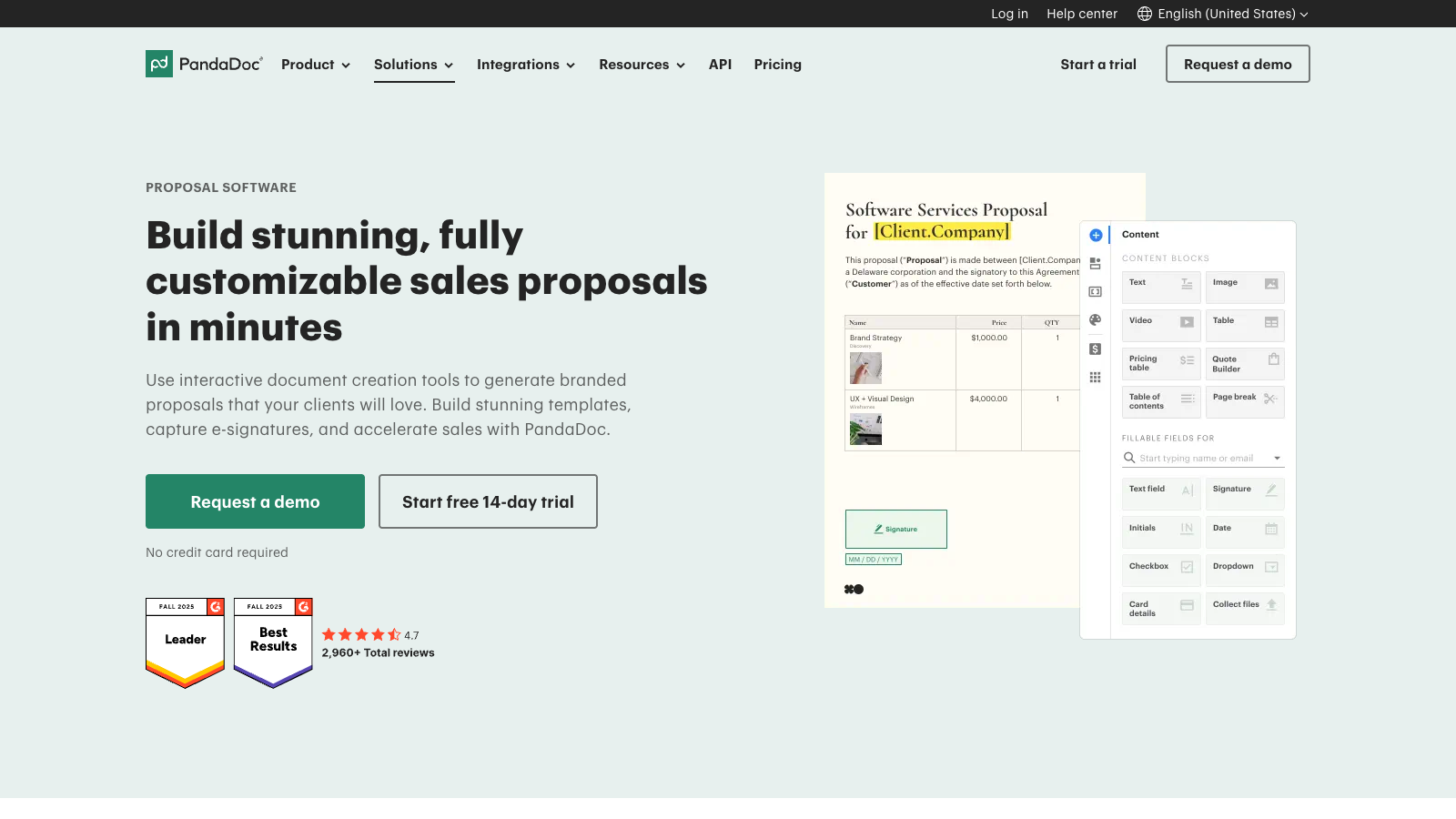
The proposal editor was the part of PandaDoc I found strongest. It works with drag and drop content blocks, so you can build proposals with text, images, pricing, videos, signatures and client details without designing everything from scratch.
In practice, templates and reusable content are where PandaDoc starts saving time. The first setup takes work; after that, you can clone proposals, adjust sections and keep recurring parts consistent instead of rebuilding every client document manually.
Electronic signatures and contracts
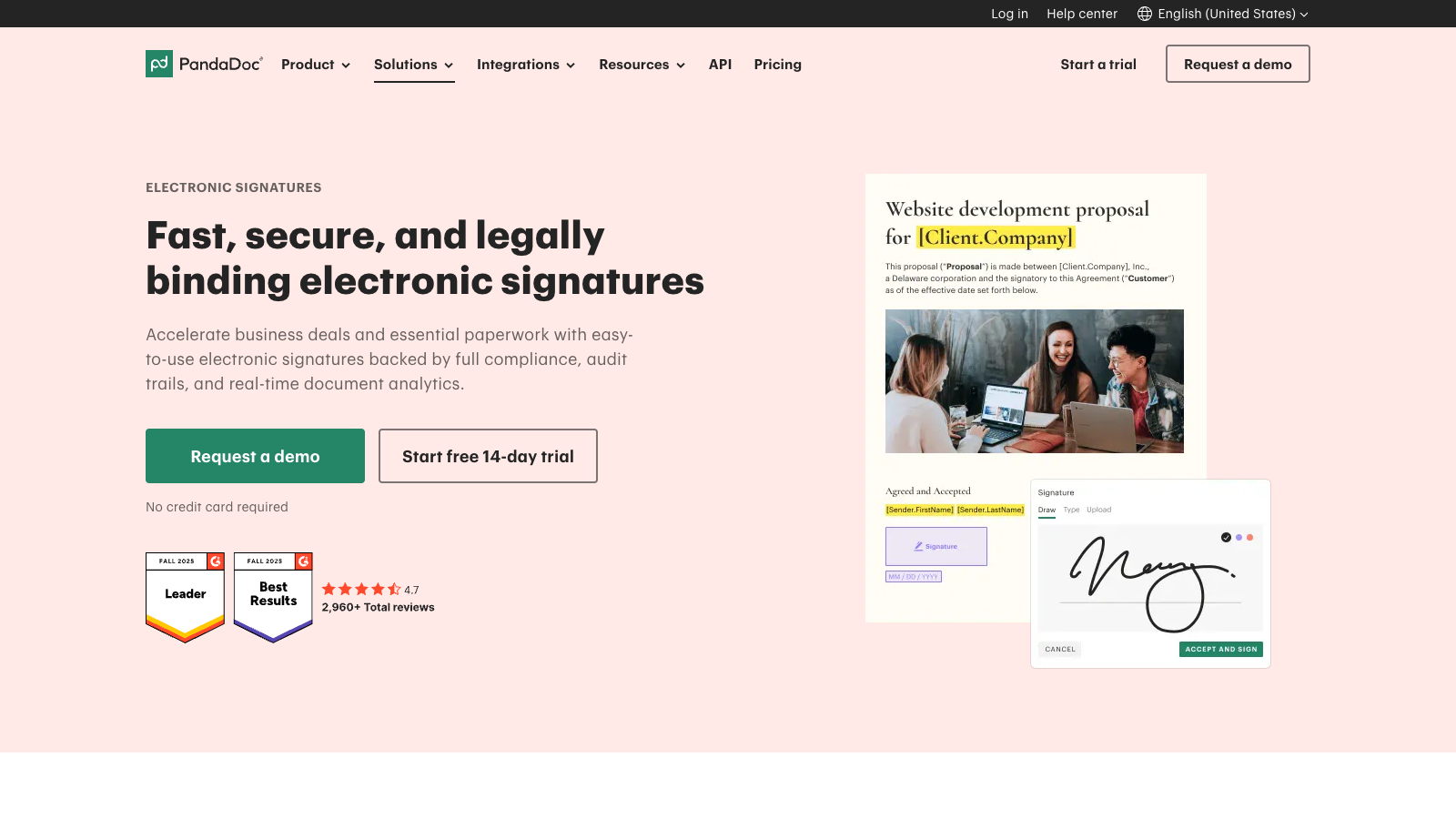
PandaDoc’s signing flow is more than a signature box on a PDF. You can assign recipients, add signer roles, set a signing order and keep the signature inside the same proposal or contract workflow.
PandaDoc says its electronic signatures are legally binding and compliant with major laws like ESIGN, UETA, eIDAS and GDPR. I would still check your own country and contract type for anything sensitive; for normal business proposals, it covers the evidence trail I would expect.
Pricing tables and Quote Builder
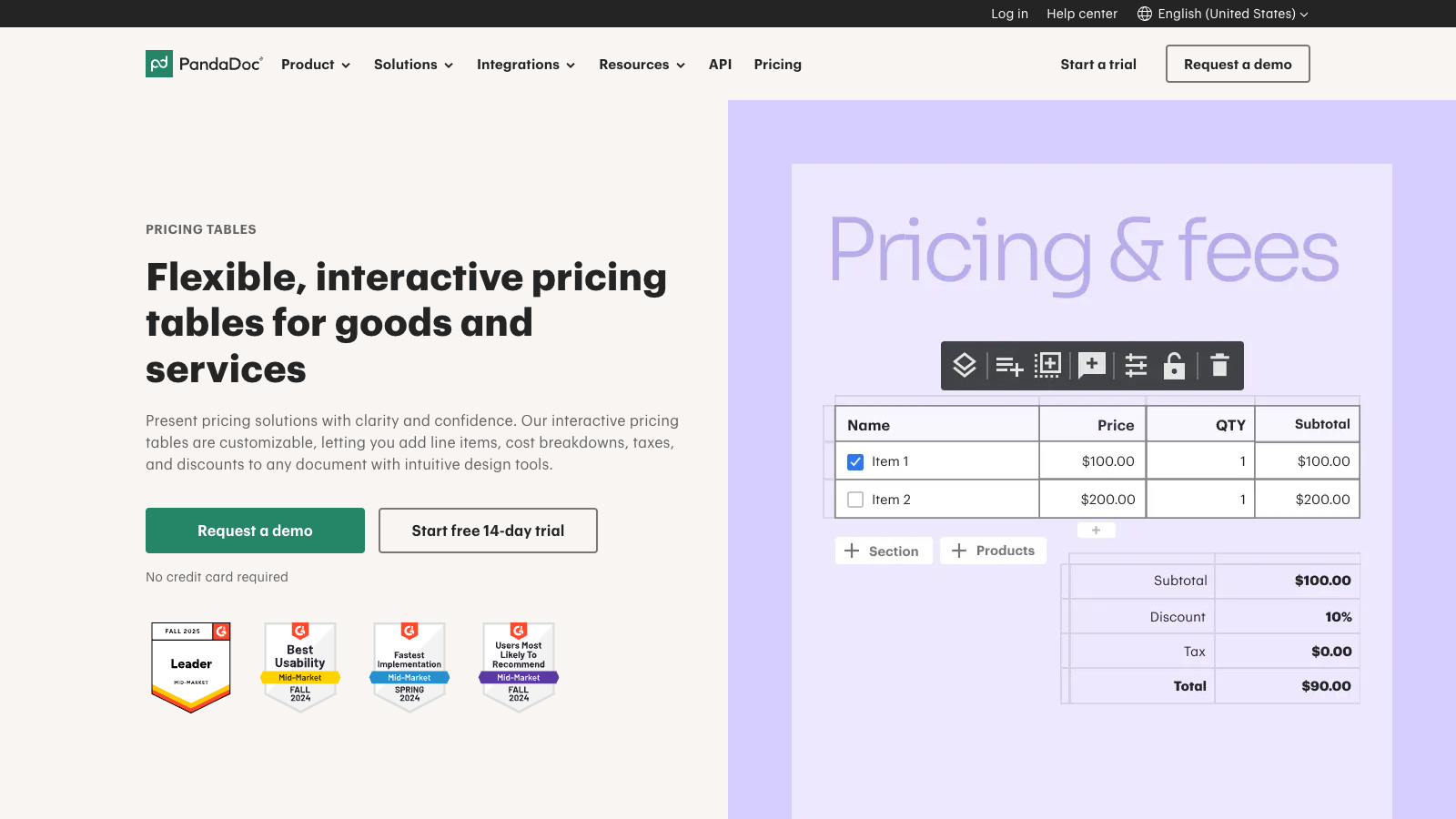
Pricing tables and Quote Builder are a real reason to choose PandaDoc over a basic signing tool. You can show line items, optional products, quantities, discounts, taxes and recurring fees, so the proposal feels closer to a guided buying process.
The catch is that these tools matter most if your offers have packages, add ons or recurring services. For a simple quote, PandaDoc may be more than you need; for agencies and service businesses, the structure is useful. If your priority is a lighter proposal-only flow, my Proposify review is worth comparing too.
Tracking, payments, integrations, API, AI and MCP
PandaDoc also gives you the follow up layer: document status, open and view tracking, audit trails and payment collection. I found this useful because it gives you a practical reason to follow up, rather than guessing whether a client has read the proposal.
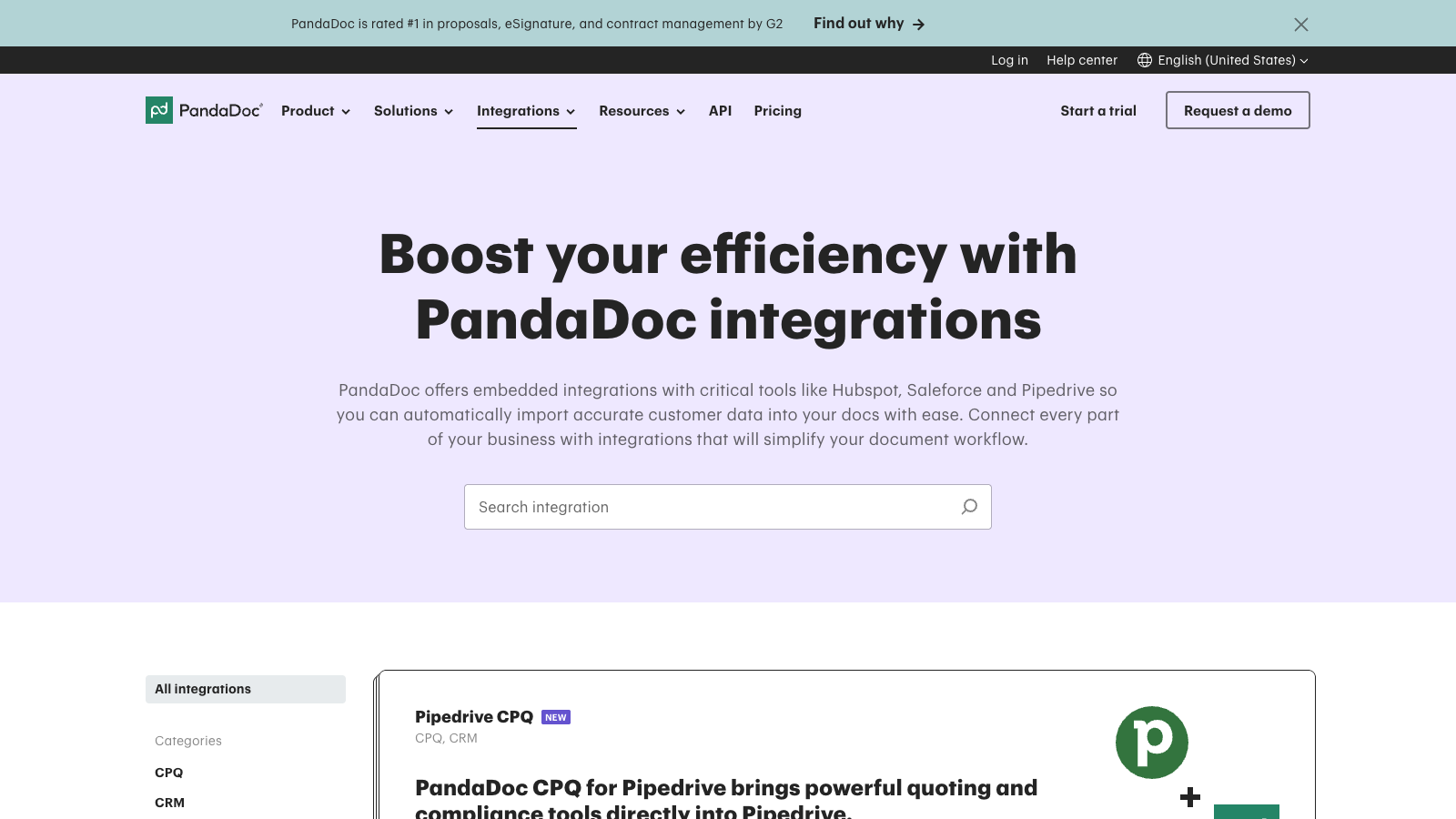
The integrations matter too. PandaDoc connects with CRMs like HubSpot, Salesforce and Pipedrive, plus payment gateways and automation tools. For technical teams, the API can create documents from templates, fill fields, add pricing and listen for workflow changes through webhooks.
The newer AI and MCP angle is interesting, but I would treat it as a bonus for now. It could matter for advanced teams; most freelancers will care more about proposals, signing, payments and tracking first.
Final verdict
My final verdict is that PandaDoc is a strong choice if proposals are a real part of how you win clients. After testing and reviewing it, I would place it closer to a full sales document platform than a simple signing app.
I would recommend PandaDoc most to freelancers, consultants, agencies and small businesses that send proposals regularly and want templates, quotes, contracts, tracking and payments in one workflow. It feels especially useful when you need polished client documents and a more organized follow up process.
I would not choose PandaDoc just to collect the occasional signature. For that, it can feel too expensive and a bit more complex than necessary. But if you want one tool to create proposals, price services, get approval, collect signatures and move clients closer to payment, PandaDoc is one of the better options I tested. You can see how it sits beside the other tools in the proposal software comparison.
Visit PandaDocPandaDoc Alternatives



HoneyBook is better if you want proposals inside a broader client workflow. I would choose it for freelancers who also need lead forms, scheduling, invoices, payments and client communication.
Proposify makes sense if proposals are the main job. It feels more focused than PandaDoc, especially for reusable proposal sections, approvals, comments and sales proposal analytics.
Better Proposals is the lighter option I would compare if you want polished online proposals, simple signing and payments without building a broader sales document system.
Frequently asked questions
Yes, if you send proposals regularly and want templates, quotes, contracts, electronic signatures and payments in one place. I would not choose it only for occasional signing, because simpler tools will usually feel lighter and cheaper.
Yes. PandaDoc has a Free plan with 60 documents per year, unlimited seats, its drag and drop editor, real time tracking and notifications. It is useful for light signing needs, but serious proposal workflows will probably need a paid plan.
PandaDoc starts at $19 per month on the Starter plan when billed annually. The Business plan is $49 per seat per month on annual billing, and Enterprise uses custom pricing. For proposals, I would mainly look at Business.
PandaDoc says its electronic signatures are legally binding and compliant with ESIGN, UETA, eIDAS and GDPR. Signed documents include a certificate and audit trail, but I would still check local rules for sensitive contracts.
Yes. PandaDoc can collect payments through providers such as Stripe, PayPal, Square, Authorize.net and QuickBooks Payments. This helps when you want a client to accept a proposal, sign the agreement and pay in one flow.
HoneyBook is better for broader client management, Proposify is close if proposals are the main workflow, and Better Proposals is the lighter option for simple online proposals, signing and payments.
Comment