



HoneyBook is one of the tools I wanted to test more carefully because it is not just proposal software. It tries to manage the whole client flow: leads, proposals, contracts, invoices, payments, scheduling and a client portal.
For this HoneyBook review, I checked how it works for freelancers, consultants and small service businesses that want fewer tools stitched together. I focused on the practical bits: how fast you can create a client file, whether Smart Files feel polished, what the pricing really includes and where a simpler or more proposal-focused tool may make more sense.
HoneyBook Review Summary
Here is the short version: HoneyBook is strongest if you want proposals inside a broader client workflow. I liked the UX, Smart Files, client portal, invoicing and automations more than its advanced proposal editing or sales-document controls.
- Best for: freelancers, consultants and small service businesses.
- Not ideal for: teams that only need deep proposal software.
- Pricing: no free plan; paid plans start at $29/month on annual billing.
- My rating: 4.2 out of 5 after reviewing the clientflow workflow.
What I do not love is that Starter misses some of the features that make HoneyBook feel properly useful, especially automations, scheduler, branding removal and team members. So the headline price looks good, but Essentials is probably the plan many small businesses will compare seriously.
The way I would frame it is simple: HoneyBook is not the cheapest way to send a proposal, but it can be a sensible way to run a service business if it replaces several smaller tools. That is the question I kept coming back to while testing it.
What is HoneyBook?
HoneyBook is a clientflow management platform for service businesses. You can use it to capture leads, manage projects, create proposals, send contracts, collect electronic signatures, invoice clients, take payments, schedule meetings and give clients a portal to return to.
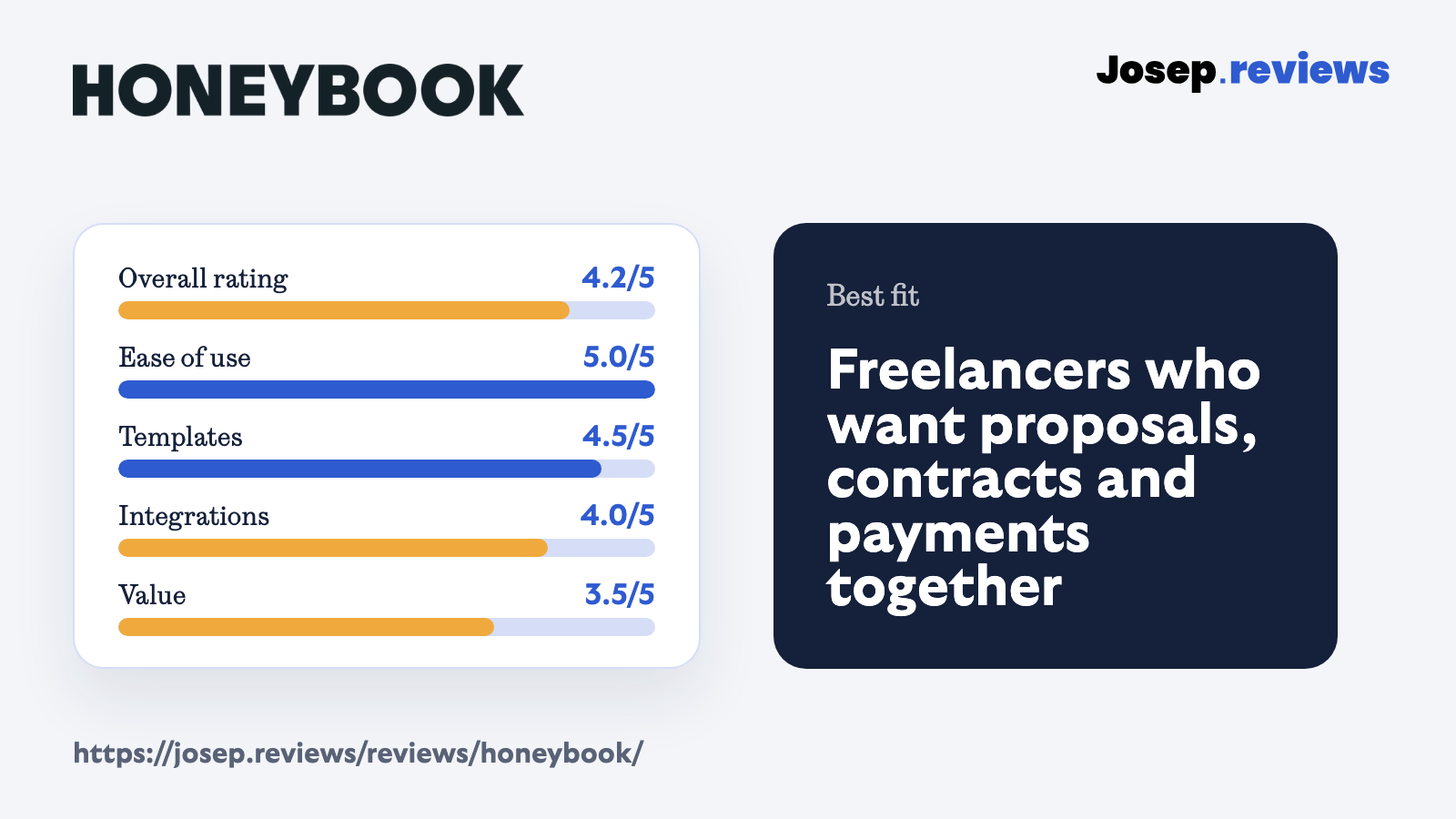
The important difference is that HoneyBook is not trying to be only a proposal editor. Compared with PandaDoc, it feels less like a sales-document platform and more like a small business operating system. That makes it especially interesting if your proposal is only one step in a longer client process.
That difference matters because a proposal tool can be brilliant and still leave you managing the rest of the client journey somewhere else. HoneyBook is more useful when you want the lead, booking, signed agreement, invoice and payment to feel like one connected process.
See HoneyBook in action
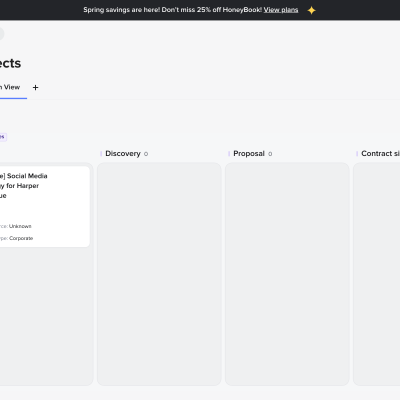
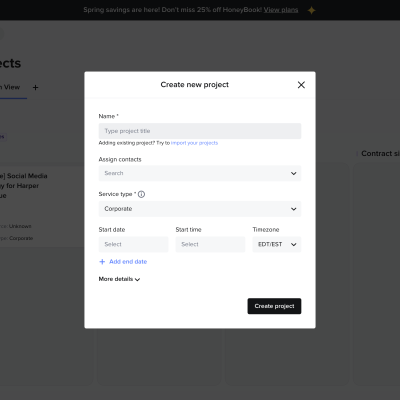
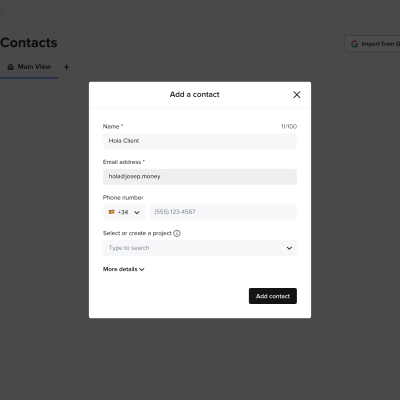
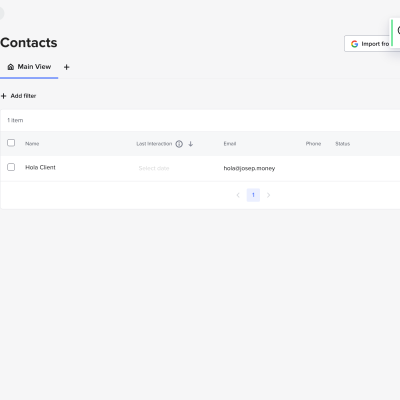
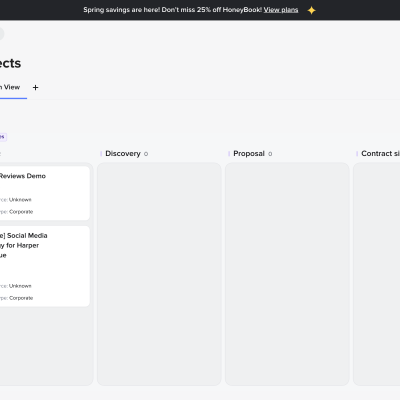
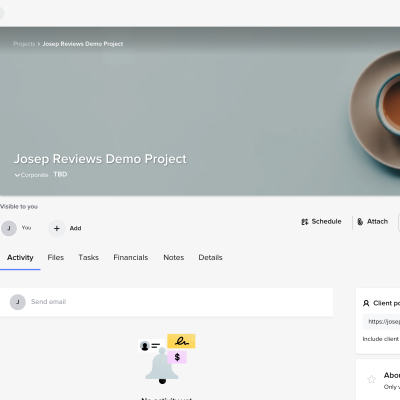
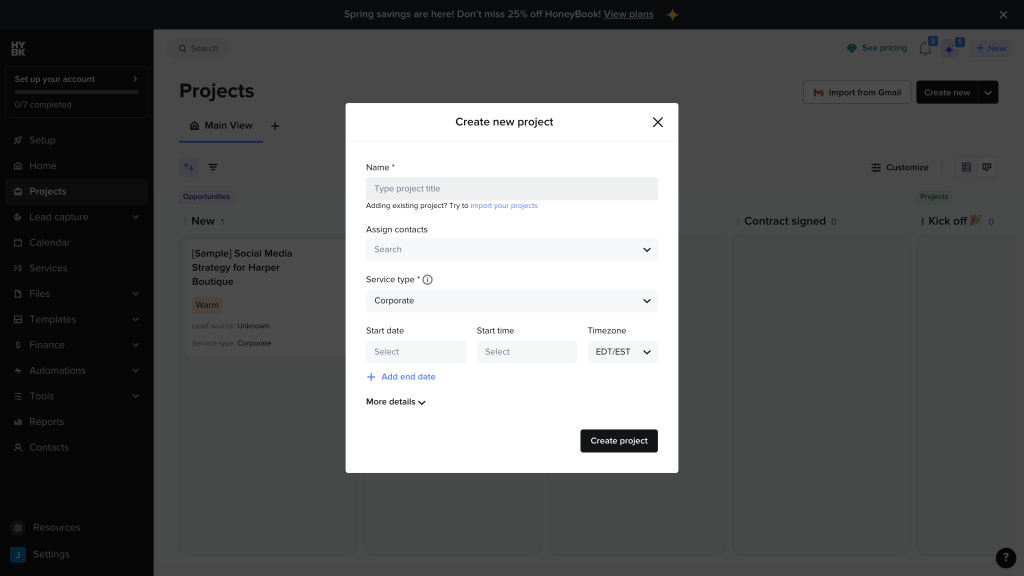
These screenshots show the parts of HoneyBook I found most useful to check during the review: the pipeline, create menu, contact setup, contacts area, demo project and project workspace.
HoneyBook pricing
I would not call HoneyBook cheap anymore, but the pricing is easy to understand. These are the monthly prices when choosing annual billing:
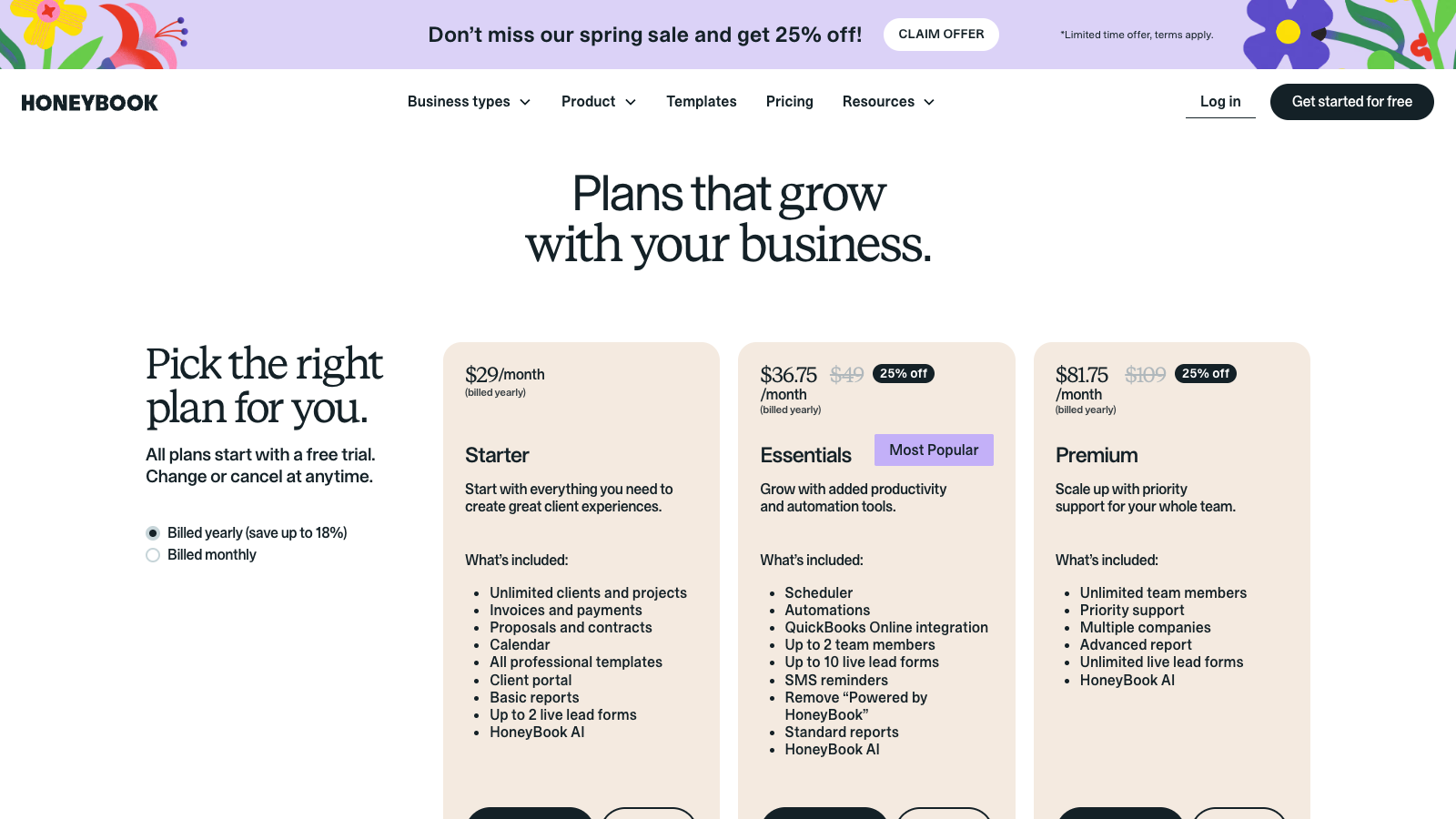
- Starter: $29/month; proposals, contracts, invoices, portal and basic reports.
- Essentials: $49/month; automations, scheduler, QuickBooks, SMS and branding removal.
- Premium: $109/month; unlimited team members, companies, priority support and advanced reports.
The Starter plan can work if you want proposals, contracts, invoices and a client portal, but the real value is in scheduler, automations, QuickBooks, SMS reminders and removing HoneyBook branding.
For this review, Essentials feels like the plan where HoneyBook starts to make proper sense as it has some basic features the lower plan doesn’t (e.g. integrations with QuickBooks).
Also remember payment processing fees: HoneyBook lists bank transfers at 1.5%, and card processing fees are shown on its pricing page, so I would double-check the exact fee at signup if you process larger invoices.
I would also be careful when comparing HoneyBook with older reviews online, because pricing and plan limits have changed.
Note: The prices above are the annual-billing monthly prices I found on the current HoneyBook pricing page, and they matter because the jump from Starter to Essentials changes the product quite a lot.
HoneyBook is worth checking out if you want proposals, contracts, invoices, payments and client communication in one workflow.
HoneyBook pros and cons
Pros
Proper client portal
Clients get a real login area where they can see files, messages, invoices, payments and project details in one branded place. This feels much more professional than sending a simple document link.
Strong client workflow
HoneyBook can replace several tools by combining proposals, contracts, invoices, scheduling, messaging and basic reporting in one workflow from first inquiry to final payment.
Useful automations
Automations can send emails and Smart Files, move pipeline stages, assign tasks and trigger reminders based on client actions. This removes a lot of manual follow up from bookings and onboarding.
Light CRM included
You get clients, projects, custom fields, a configurable pipeline, contact forms, lead forms, tags, notes and a contact workspace with messages and activity history.
Payments and invoicing
HoneyBook handles invoices, card and bank payments, deposits, installments, payment plans, autopay, reminders, late fees, tips and basic reports. It is closer to real invoicing than simple proposal payment links.
Cons
Starter feels limited
The Starter plan misses scheduler, automations, QuickBooks, SMS reminders, branding removal and team members. Many small businesses will probably need Essentials instead.
No free plan
There is a free trial, but no ongoing free plan. That makes HoneyBook less appealing if you only need the occasional proposal, contract or invoice.
Less proposal depth
Smart Files work well for service proposals, but they are not as deep as dedicated sales-document tools for complex quoting, fine layout control or big-team proposal workflows.
Basic approval workflow
Team roles and project access are useful, but I did not see rich proposal collaboration like inline comments, suggestion mode, formal approval chains or detailed version history.
My take on HoneyBook
After testing HoneyBook, my take is that it is one of the easiest clientflow tools to understand. It is not only there to make proposals look nice; it helps you manage the work around the proposal too, including contacts, projects, contracts, invoices, payments and the client portal.
That is also why I would be careful with how I describe it. If you only want advanced proposal software, PandaDoc or Proposify will probably feel more focused. If you want one workspace for running a small service business, HoneyBook makes much more sense.
I would mainly recommend HoneyBook to freelancers, consultants, creatives, coaches and small agencies that sell services and want a smoother path from inquiry to booking and payment.
Visit HoneyBookHoneyBook ratings
How I tested HoneyBook
I tested HoneyBook by going through the workflow a freelancer or small business would normally care about: creating contacts, checking the pipeline, reviewing Smart Files, looking at projects and seeing how proposals, contracts, invoices and payments fit together.
I also checked the pricing page, plan limits, templates, client portal resources, integrations, support material and the official help center. That matters because HoneyBook can look simple at first, but the plan gates are important once you want automations, scheduling, QuickBooks or branding removal.
For the scoring, I focused on how useful HoneyBook is for proposal to payment work: ease of use, Smart Files, electronic signatures, quoting, contracts, payments, tracking, CRM, portal, automation, integrations and value for money.
I did not treat HoneyBook as a pure proposal editor, because that would miss the point. I looked at whether the workflow around the proposal saves time too: follow ups, contact records, project status, client access, payment steps and how much setup is needed before it feels useful.
Key HoneyBook features
Smart Files and proposal workflow
Smart Files are the part of HoneyBook I found most important. They let you bundle proposal content, services, questions, contracts, invoices, payments and scheduling into one client-facing file. For freelancers and small service businesses, that feels more useful than sending separate links for every step.
The editor is not as deep as PandaDoc for advanced proposal design, but it is more practical than it first looks. I liked that services can be managed centrally and reused, so packages and add ons do not need to be rebuilt from scratch each time.
Client portal and project workspace
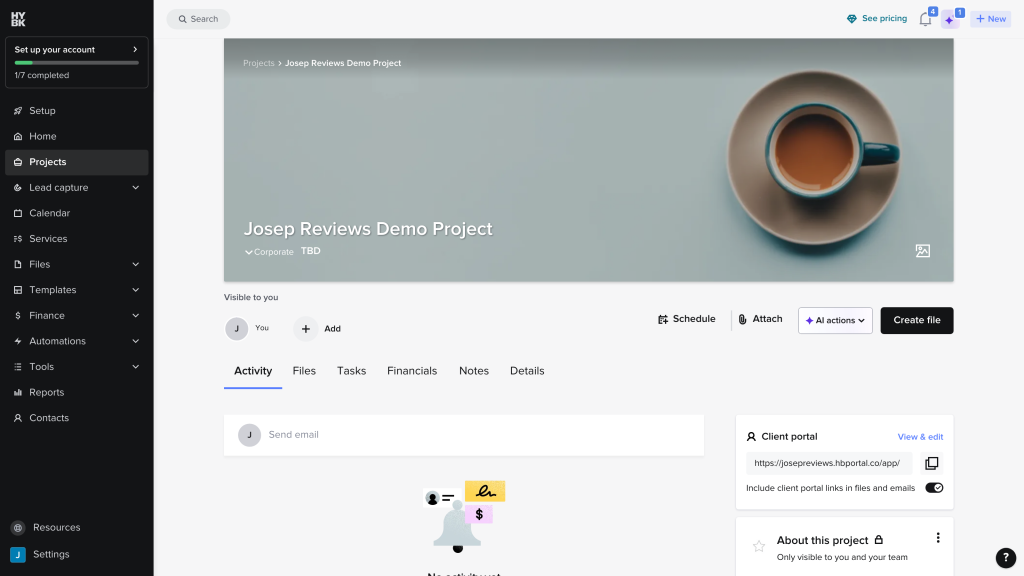
The client portal is one of HoneyBook’s clearest advantages over proposal-only tools. Clients can return to a shared workspace with files, messages, invoices, payments and project details. That makes the experience feel organized, especially when a project has more than one document.
For me, this is where HoneyBook starts to separate itself from PandaDoc and Proposify. It is not only asking, did the client sign the proposal? It is also asking, where will the client go next, and can they find everything without emailing you again?
Contracts, invoices and payments
HoneyBook is strong when you want the proposal to become a booking. You can use contract templates, Smart Fields, electronic signatures, invoices, deposits, installments, payment reminders and online payments in the same workflow. That is useful if your selling process ends with a paid booking.
The main detail to watch is cost. Subscription pricing is only one part of the picture, because payment processing fees apply when clients pay through HoneyBook. If you process larger invoices, I would calculate the total cost before committing.
Automations, CRM and integrations
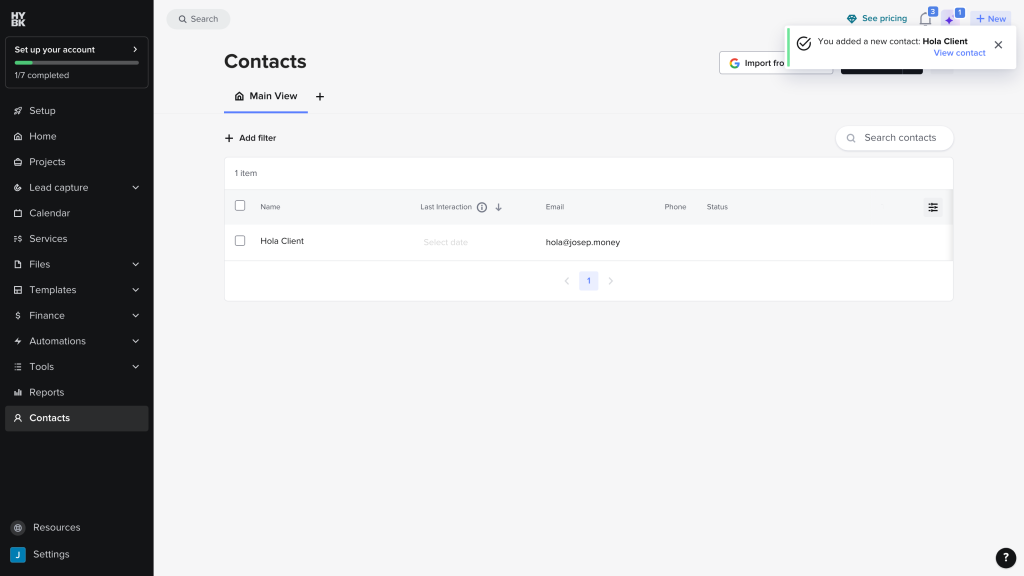
HoneyBook includes a light CRM with contacts, custom fields, pipeline stages, tags, notes and activity history. It is not a full sales CRM, but for service businesses that need to follow up with leads and manage client projects, it covers the basics well.
Automations are useful too, especially for follow ups, reminders and moving clients through the booking process. The catch is plan level: Starter does not include the fuller automation setup, so I would mainly judge HoneyBook from Essentials upward.
This is also why HoneyBook can be a better fit for a solo consultant than for a sales team. If your work is personal, service based and repeatable, the pipeline plus templates can feel tidy. If you need deal forecasting, complex approvals or heavy CRM reporting, I would not force it.
Final verdict
My final verdict is that HoneyBook is a very good choice if you run a service business and want the client workflow in one place. After testing and reviewing it, I would place it closer to a client management platform than a pure proposal tool.
I would recommend HoneyBook most to freelancers, consultants, coaches, creatives and small agencies that want proposals, contracts, invoices, payments, scheduling and a client portal connected. It feels especially useful when client communication and admin work are starting to take up too much time.
I would not choose HoneyBook just for advanced proposal design or occasional electronic signatures. For that, it can feel too broad and the Starter plan may be frustrating. But if you want one practical workspace to manage leads, send proposals, get contracts signed, invoice clients and collect payment, HoneyBook is one of the easier tools I tested.
My main advice would be to test it with a real offer, not a fake sample. Build your actual services, one contract, one invoice and one follow-up flow. If that setup feels natural, HoneyBook will probably save you admin time. If it feels limiting, you will notice quickly.
HoneyBook alternatives



Dubsado is the closest alternative if you want a customizable clientflow system. I would compare it with HoneyBook if workflows, forms and flexible setup matter more than polish.
PandaDoc is better if your main need is proposal, contract and quote to close document work. It is stronger for sales documents, pricing tables, analytics and CRM integrations.
Proposify makes sense if proposals are the main job. It feels more dedicated to proposal sections, approvals, comments and proposal analytics than HoneyBook.
Frequently asked questions
Yes, if you want more than proposals. HoneyBook is worth it for freelancers who need proposals, contracts, invoices, payments, scheduling and a client portal together. If you only need occasional signing, it is probably too much.
HoneyBook starts at $29 per month on annual billing. Essentials is $49/month and Premium is $109/month. I would mainly compare Essentials, because Starter misses automations, scheduler, QuickBooks and branding removal.
No. HoneyBook has a free trial, but there is no ongoing free plan like PandaDoc offers. That makes it less attractive if you only need a light proposal or contract tool once in a while.
Yes. HoneyBook can collect card and bank payments, handle invoices, deposits, payment plans, installments, autopay, reminders and late fees. Payment processing fees still apply, so I would check the total cost for larger invoices.
Not exactly. HoneyBook is better for clientflow; PandaDoc is better for deeper proposal and document workflows. I would choose HoneyBook for service business admin, and PandaDoc for proposal-heavy sales teams.
Dubsado is the closest clientflow alternative. PandaDoc and Proposify are better if your main focus is proposal software. The best option depends on whether you need business workflow, proposal depth or a lighter setup.
Comment